User Interface vs User Experience (UI vs UX): Key Differences | Skill Shikshya
If you have ever searched UI vs UX and walked away more confused than when you started, you are not alone. These two terms are constantly used together, sometimes interchangeably, yet they describe two very distinct disciplines in the world of digital design. Whether you are exploring a career change, hiring a designer or simply trying to understand how great digital products are built, knowing the difference between UI and UX is essential.
To understand the basics first, read our detailed guide about UI UX Design where we explain the core concepts in simple terms.
In this guide, we break down everything from definitions and real-world examples to career paths and salaries so you can confidently answer: is UI and UX the same? (Spoiler: it is not.).If you want to learn these skills in a structured way, you can explore our UI/UX Design Course.
What is UX Design?
UX (User Experience) Design is the process of designing a product so that it is useful, easy to use, and enjoyable to interact with. UX is not just about how something looks, it is about how it feels to use.
UX designers focus on the entire journey a user takes with a product. They ask questions like:
- What problem is the user trying to solve?
- Is the navigation logical and intuitive?
- Where do users get frustrated or drop off?
- Does the product meet the user's needs efficiently?
UX design is deeply rooted in research, empathy, and psychology. A UX designer's toolkit includes user research, persona creation, journey mapping, wireframing, usability testing and information architecture.
Think of UX as the blueprint of a building, it defines how spaces flow, where doors go and how people move through it. You cannot see it from the outside, but you feel it the moment you walk in.
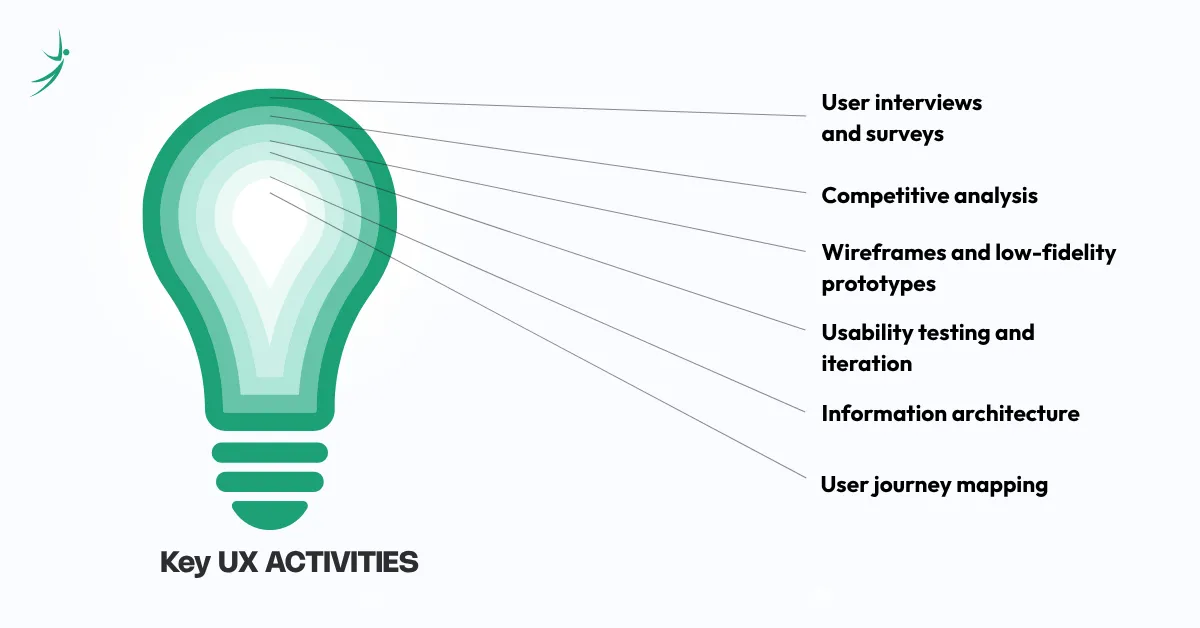
Key UX activities:
- User interviews and surveys
- Competitive analysis
- Wireframes and low-fidelity prototypes
- Usability testing and iteration
- Information architecture
- User journey mapping
What is UI Design?
UI (User Interface) Design is the process of designing the visual and interactive elements of a digital product, everything a user sees and touches on screen. This includes buttons, icons, typography, color palettes, spacing, imagery and animations.
UI designers translate the structure created by UX designers into a polished, visually consistent interface. They ask questions like:
- Does this button look clickable?
- Is the color contrast accessible?
- Does typography guide the eye naturally?
- Is the visual hierarchy clear?
UI design sits at the intersection of graphic design, branding and interaction design. A strong UI designer ensures that every screen is both beautiful and functional.
Think of UI as the interior design of that same building, the paint colors, furniture, lighting and décor. It is what users actually see and interact with.
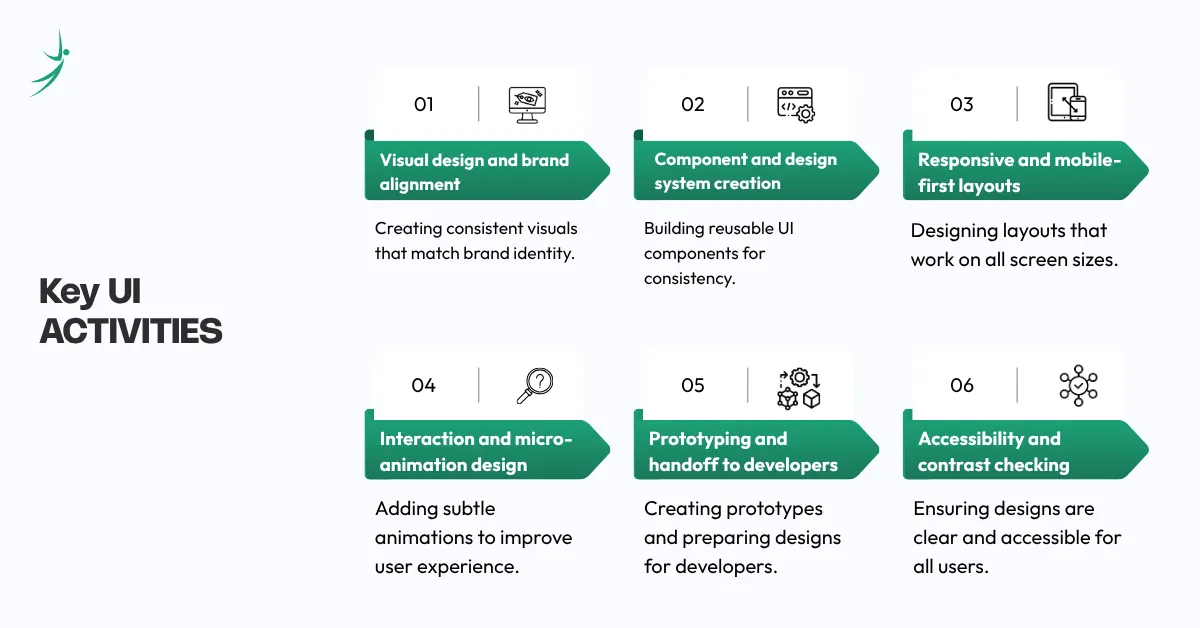
Key UI activities:
- Visual design and brand alignment
- Component and design system creation
- Responsive and mobile-first layouts
- Interaction and micro-animation design
- Prototyping and handoff to developers
- Accessibility and contrast checking
These fundamentals are also part of core UI UX skills every designer needs when working on real projects.
Why Is it Important to Know Both UX and UI?
Understanding both UX and UI, even if you specialize in just one makes you a significantly more effective designer, product manager or developer. Here is why:
- UX and UI Work Together: A visually attractive interface cannot compensate for poor user experience, and a well-planned experience can fail if the interface feels confusing or outdated. Successful digital products rely on both UX and UI working together seamlessly.
- Better Collaboration Across Teams: Understanding both disciplines improves communication between designers, developers, and stakeholders. It leads to smoother workflows, stronger feedback, and fewer gaps during product development.
- Stronger Communication Skills: Knowledge of UX and UI helps you explain ideas more clearly, present projects confidently, and evaluate products with greater precision and insight.
- More Career Opportunities: Companies increasingly value professionals who understand both UX and UI. Having skills in both areas expands career options and creates a competitive advantage, especially in growing markets like Nepal.
Want to become a job-ready UI/UX designer? Explore the complete UI/UX Design Roadmap and start building your skills today.
Key Difference Between UX and UI With Example
Here is a simple side-by-side comparison:
| Criteria | UX Design | UI Design |
| Focus | User journey and experience | Visual design and interface |
| Goal | Make it useful and easy | Make it beautiful and consistent |
| Tools | Figma (wireframes), Miro, Maze | Figma (high-fi), Adobe XD, Sketch |
| Output | Wireframes, user flows, prototypes | UI mockups, design systems, assets |
| Mindset | Empathy-driven, research-led | Aesthetic, detail-oriented |
| Analogy | Architect | Interior Designer |
Example of UX vs UI
Let us use Spotify as a real-world example.
UX in Spotify:
- The decision to show "Recently Played" on the home screen so users can resume listening quickly is a UX decision based on user behavior research.
- The flow that lets users add a song to a playlist in three taps is UX.
- The choice to separate "Podcasts" and "Music" into dedicated tabs to reduce cognitive load is UX.
UI in Spotify:
- The dark background with vibrant album artwork that pops is UI.
- The green accent color used consistently for all interactive elements is UI.
- The rounded "Play" button with a subtle shadow that makes it feel pressable is UI.
- The smooth animation when a song transitions is UI.
The same principle applies to any app like Google Maps, Instagram, Airbnb or a local e-commerce site in Nepal. UX defines the logic; UI brings it to life visually.
UX and UI Design: How Do They Work Together?
The question "how is UI different from UX" implies they are separate workflows. In reality, they are deeply intertwined and work in a continuous loop.
Here is how a typical product design process flows:
- User Research (UX)
- Wireframes & User Flows (UX)
- Usability Testing (UX)
- Visual Design & UI Components (UI)
- Interactive Prototype (UI + UX)
- Developer Handoff (UI)
- User Feedback & Iteration (UX)
In smaller teams, one person often handles both, known as a UI/UX designer. In larger companies like Google, Meta or Airbnb, these are separate roles with distinct responsibilities and teams.
The key is this: UX sets the strategy; UI executes the vision. Neither can succeed without the other.
UX vs UI Design: Which Career Path Should I Take?
This is one of the most common questions from aspiring designers, and the answer depends entirely on where your strengths and interests lie.
What Does a UX Designer Actually Do?
A UX designer's day-to-day work is largely research, analysis, and problem-solving. On any given day, a UX designer might:
- Conduct user interviews to understand pain points
- Analyze heatmaps and session recordings
- Create user personas and journey maps
- Sketch wireframes and low-fidelity prototypes
- Run usability tests and synthesize findings
- Collaborate with product managers to define features
- Present insights and recommendations to stakeholders
Best fit for you if: You enjoy psychology, research, storytelling, systems thinking, and asking "why do users behave this way?"
Industry tools: Figma, Miro, Notion, Maze, Hotjar, Google Analytics, UserTesting
What Does a UI Designer Actually Do?
A UI designer's day-to-day is more visual and production-oriented. On any given day, a UI designer might:
- Design high-fidelity screens based on approved wireframes
- Build and maintain a design system or component library
- Create responsive layouts for mobile, tablet, and desktop
- Design micro-interactions and animation specifications
- Ensure brand consistency across all screens
- Prepare and hand off assets to developers via tools like Zeplin or Figma
- Review implemented designs for pixel-perfect accuracy
Best fit for you if: You enjoy visual aesthetics, typography, color theory, brand identity and crafting polished interfaces.
Industry tools: Figma, Adobe XD, Sketch, Illustrator, Photoshop, Principle, Lottie
UX vs UI Salary: Who Gets Paid More?
The salary of UI UX designer depends heavily on experience, location, company size, and specialization. Here is a general global benchmark:
| Role | Junior | Mid-Level | Senior |
| UX Designer | $69K–$128K | $81K–$151K | $142K–$237K |
| UI Designer | $79K–$144K | $90K–$160K | $143K–$230K |
| UI/UX Designer | $65K–$121K | $78K–$144K | $145K–$240K |
| Product Designer | $85K–$110K | $97K–$135K | $158K–$274K |
According to Glassdoor, As it is based on anonymously submitted salaries in the United States, as of April–May 2026. Ranges reflect the 25th–75th percentile pay bands per role.
To understand career opportunities better, read about scope of UI UX Design in 2026 for job trends and demand analysis.
In Nepal, UI/UX designers are in high and growing demand. Salaries have increased by over 20% from 2025 to 2026 due to rising digital demand. Entry-level designers earn around NPR 35,000/month, mid-level designers about NPR 70,000/month, and senior designers NPR 125,000 or more. Freelance rates range from NPR 1,000–4,000/hour locally, with international remote roles paying $1,500–$5,000/month for mid-level designers.
How Do I Start Specializing in UX or UI?
Whether you are a complete beginner or a graphic designer transitioning into product design, here is a clear roadmap:
- Learn the fundamentals: Start with free and paid resources covering design principles, typography, color theory, and the design thinking process. Google's UX Design Certificate on Coursera is one of the most accessible entry points.
- Master Figma: Figma is the industry-standard tool used for both UX and UI work. Learning it deeply including components, auto-layout, prototyping, and dev mode, is non-negotiable in 2024 and beyond.
- Build a portfolio: Take on real or conceptual projects. Redesign an app you find frustrating. Create a case study that documents your process not just the final screens. Recruiters care about how you think, not just what it looks like.
- Learn your specialization deeply: For UX, focus on usability testing, research methodologies, information architecture, and accessibility to understand user behavior and improve product experiences. For UI, focus on design systems, motion design, visual hierarchy, and brand identity to create visually consistent and engaging interfaces.
- Network and get feedback: Join communities like ADPList, Dribbble, Behance, and local design meetups. Getting mentorship and critique early accelerates growth dramatically.
- Apply and iterate: Apply for junior roles, freelance projects, or internships. Your first job does not need to be perfect, it just needs to start.
UX vs UI: A Note on Related Roles
It is worth understanding where UI/UX sits relative to other design roles, as confusion here is common:
UI/UX vs Product Designer: A Product Designer is essentially a senior UI/UX designer who also thinks about business strategy, roadmap, and metrics. Many companies now use "Product Designer" as the preferred job title over "UI/UX Designer."
UI/UX vs Graphic Designer: Graphic designers focus on static visual communication like logos, posters, print media. UI designers work on interactive, screen-based digital products. The skills overlap (especially in visual design), but the context and tools differ significantly.
Are Wireframes UI or UX?: Wireframes are a UX deliverable. They define structure and layout without visual styling. Once visual design is applied to wireframes, that output becomes UI.
Tools of the Trade: What UI and UX Designers Use
You can also explore modern design workflows in our article on UI UX Tools used by professionals to see how designers apply different tools in real projects across research, design, and collaboration stages.
| Purpose | Top Tools |
| Wireframing & Prototyping | Figma, Adobe XD, Balsamiq |
| User Research | Maze, User Testing, Hotjar, Typeform |
| Journey Mapping | Miro, FigJam, Lucidchart |
| Visual Design | Figma, Sketch, Adobe Illustrator |
| Motion & Animation | Principle, Framer, Lottie |
| Handoff to Developers | Figma Dev Mode, Zeplin, InVision |
| Collaboration | Notion, Slack, Jira |
The Takeaway
So, UI or UX: which is better? Neither. Both are essential, deeply interconnected disciplines that together define whether a digital product succeeds or fails.
- UX ensures the product solves the right problem in the right way.
- UI ensures the product looks and feels polished, trustworthy, and delightful.
If you are choosing a career path: Pick the one that genuinely excites you. Follow the skills that feel natural. UX if you love research and strategy. UI if you love visual craft and detail. And if you love both, then lean into it. The best designers in the world understand the full spectrum.
The digital economy is growing fast in Nepal and globally. There has never been a better time to build a career in UX or UI design.
What is Interaction Design?
Interaction Design (IxD) is a closely related discipline that focuses specifically on defining how users interact with a system like behaviors, responses, and feedback that occur when a user takes an action.
While UX design encompasses the entire user journey and UI design covers the visual layer, Interaction Design zeroes in on the moments of interaction, what happens when you tap a button, swipe a card, or submit a form.
Key concepts in Interaction Design include:
- Affordances: Visual cues that suggest how an element works (e.g., a button looks pressable)
- Feedback: The system's response to a user action (e.g., a loading spinner, a success message)
- Microinteractions: Small, functional animations that communicate state changes
- Mental models: Designing based on how users expect things to work
Interaction Design sits at the intersection of UX and UI, and is a key specialization for designers who want to focus on motion, animation, and behavior-driven design.
Conclusion
UI and UX are both essential for creating successful digital products. UX focuses on usability and user journey, while UI focuses on visual design and interaction. Together, they ensure a product is both functional and visually engaging.
If you’re planning a career in design, the best step is to start learning both UI and UX fundamentals and explore which one fits your interest better.
Want to become a UI/UX designer? Start building your skills today with a structured UI/UX Design Course designed to help you learn, practice, and become job-ready with a strong portfolio.
Frequently Asked Questions
What is the difference between UI and UX?
Is UI and UX the same thing?
Which is better, UI or UX?
How is UI different from UX in real-world examples?
Are wireframes UI or UX?
What does a UI UX designer do?
UI/UX vs product designer, what is the difference?
Is UI/UX design better than graphic design as a career?
What is the UI vs UX salary difference?
How do I start a career in UI or UX design?
What software tools do UI and UX designers use?
What is the demand for UI UX designers in Nepal?
About Author: