UI/UX Design Career Roadmap 2026 — From Beginner to Job-Ready in 12 Months
UI UX (user interface & user experience) design is the practice of solving user problems and crafting beautiful, usable interfaces. In Nepal in 2026, UI UX designers are hired to design apps and websites, run user research, prototype interactions in Figma, and deliver measurable product improvements making UI UX one of the fastest-growing, high-impact tech careers in the country.
I’m Yunika Shakya, a UI/UX mentor and practitioner. There’s never been a better time to start a UI/UX career in Nepal. This guide shows the exact 12-month roadmap I use to train students from building fundamentals and mastering Figma to launching a portfolio that gets interviews and paid internships. Follow this plan and you can become job-ready within a year, even with zero prior design experience.
The demand for skilled UI UX designers has exploded. Companies across Kathmandu and beyond are actively looking for professionals who have completed a practical UI UX course in Nepal or UI UX training in Nepal and can apply real user psychology, design thinking, and modern UI practices. From startups launching new apps to international companies hiring Nepali designers remotely, UI UX skills are in demand everywhere.
If you're a student wondering about which tech field to pursue, or someone looking to switch fields, this roadmap is for you. I'm going to share exactly how you can go from a complete beginner to a job-ready designer in 12 months. This complete UI UX roadmap in Nepal shows how beginners can build skills, choose the right UI UX course in Nepal, and start a high-paying UI UX career in Nepal within 12 months. No fluff, just the real path I've seen work for hundreds of students.
The best part? You don't need a design degree. You don't need years of experience. What you need is commitment, the right learning path, and consistent daily practice. Let me show you the exact UI UX roadmap.road
In this comprehensive guide, you'll learn:
- The complete 12-month UI/UX learning roadmap for Nepal
- Exact salary expectations from intern to senior level
- How to choose between graphic design and UI/UX design
- Best tools, courses, and resources for beginners
- Portfolio building strategies that actually get you hired
- How to land your first UI/UX internship in Nepal
What UI/UX Design Actually Means (Let Me Break It Down)
Before we dive into the roadmap, let me clear up what UI UX design actually is. I meet so many students who are confused about this.
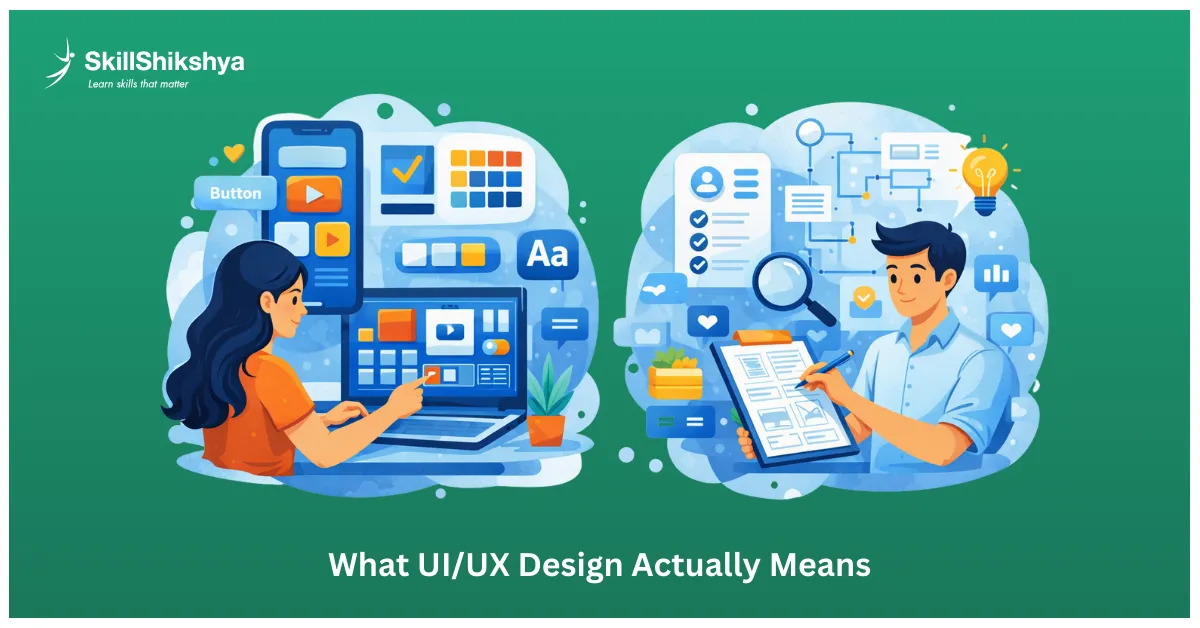
User Interface (UI) Design
UI design is what you see and interact with. When I design a UI, I'm working on buttons, icons, colors, typography, spacing, layouts, everything visual. Think of it as the makeup and clothing of a digital product. When you open an app, and everything looks visually cohesive and beautiful, that's strong UI work. I spend hours choosing the right shade of blue, making sure buttons feel clickable, and ensuring text is readable.
UI Design focuses on:
- Visual design elements (buttons, icons, images)
- Color schemes and color theory
- Typography and font pairing
- Spacing and layout grids
- Visual hierarchy
- Brand consistency
- Responsive design for different screen sizes
User Experience (UX) Design
UX design is about the entire journey a user takes. Before I even touch visual design, I'm doing research: interviewing users, creating wireframes, mapping user flows, testing prototypes, analyzing behavior. When you use an app and complete a task without confusion or frustration, that's excellent UX. It's invisible when done right; users don't even notice it.
UX Design focuses on:
- User research and interviews
- User personas and journey mapping
- Information architecture
- Wireframing and prototyping
- Usability testing
- User behavior analysis
- Problem-solving and design thinking
Why Most Jobs Want Both Skills
Here's what I tell every student: most companies in Nepal hire "UI/UX designers" who can do both. You need to understand users AND make things look good. That's the reality of our market. The roadmap I'm sharing prepares you for this combined role. It's what employers actually want.
In job postings across Nepal, you'll rarely see separate "UI Designer" or "UX Designer" roles—it's almost always "UI/UX Designer" requiring both skillsets. This comprehensive approach makes you more valuable and employable.
Why Choosing the Right UI/UX Course in Nepal Matters
Choosing the right UI UX course in Nepal can dramatically reduce the time it takes to become job-ready. Many beginners waste months jumping between random tutorials without direction. A structured UI UX training program gives you clarity, accountability, mentorship, and portfolio guidance.
A strong UI UX training in Nepal should focus on:
- User research and UX fundamentals
- Visual design and UI principles
- Hands-on projects using Figma
- Portfolio development for real hiring standards
- Exposure to industry workflows used by Nepali and international companies
Whether you choose self-learning or a formal UI UX course, what matters most is practical execution and consistency.
Why the UI/UX Career in Nepal Is Growing in 2026
I'm genuinely excited about where our industry is heading. Here's why I think NOW is your moment:
Nepal's Tech Industry Is Booming
Every week, I see new startups launching in Kathmandu. Fintech companies, e-commerce platforms, edtech apps, and healthcare solutions all need designers. The digital economy in Nepal is exploding, and the UI UX experience you build here opens doors globally. I've watched this growth firsthand. Five years ago, there were maybe 10-15 solid UI/UX job opportunities. Today? Hundreds. And companies are struggling to find qualified designers.
UI/UX is consistently ranked among the best courses for graduates because of this massive industry demand.
Remote Work Changed Everything
This is huge: design is one of the most remote-friendly careers possible. I know dozens of Nepali designers working for companies in the US, UK, Singapore, and Australia, earning in dollars while living in Nepal is more realistic than ever.
Geography no longer limits your income potential. I've seen students from our training programs land remote jobs within 6 months of starting.
Real Talk: UI/UX Designer Salary in Nepal (After UI/UX Training)
Your salary after completing a UI UX course or UI UX training in Nepal depends heavily on your portfolio quality, problem-solving ability, and real-world project exposure.
Let me give you actual numbers based on what I see in the market:
- Entry-Level (0-1 year): NPR 5,000 - 12,000/monthWhen you're just starting, expect this range. Some companies pay less, but don't accept anything below NPR 20,000.
- Junior Designer (1-2 years): NPR 12,000 - 30,000/monthAfter your first year, your salary jumps significantly if you've built strong skills.
- Mid-Level (2-4 years): NPR 40,000 - 70,000/monthThis is where things get interesting. With 2-3 years of solid experience, you can negotiate well.
- Senior Designer (4+ years): NPR 70,000 - 120,000+/monthSenior positions in good companies pay exceptionally well. I know designers earning NPR 250,000+.
- Freelance rates:NPR 1,000 - 4,000/hour depending on your expertise.
International remote positions? You can earn $1,500 - $5,000/month as a mid-level designer. This stage of the UI UX career roadmap is where most designers in Nepal start seeing real income growth through internships, jobs, and freelancing.
Career Flexibility You Won't Get Elsewhere
Here's what I love about this career: you can specialize in product design, become a UX researcher, focus on mobile apps, build your own agency, or work as a freelancer. The possibilities multiply as you grow.
I've personally explored multiple paths, and each one taught me something valuable.
12-Month Roadmap (Months 1–12)
Foundation Stage: UI/UX Roadmap for Beginners in Nepal (Months 1–2)
This is where your UI UX journey begins. I'm going to be honest: most beginners rush this phase. Don't. Strong fundamentals separate good designers from great ones.
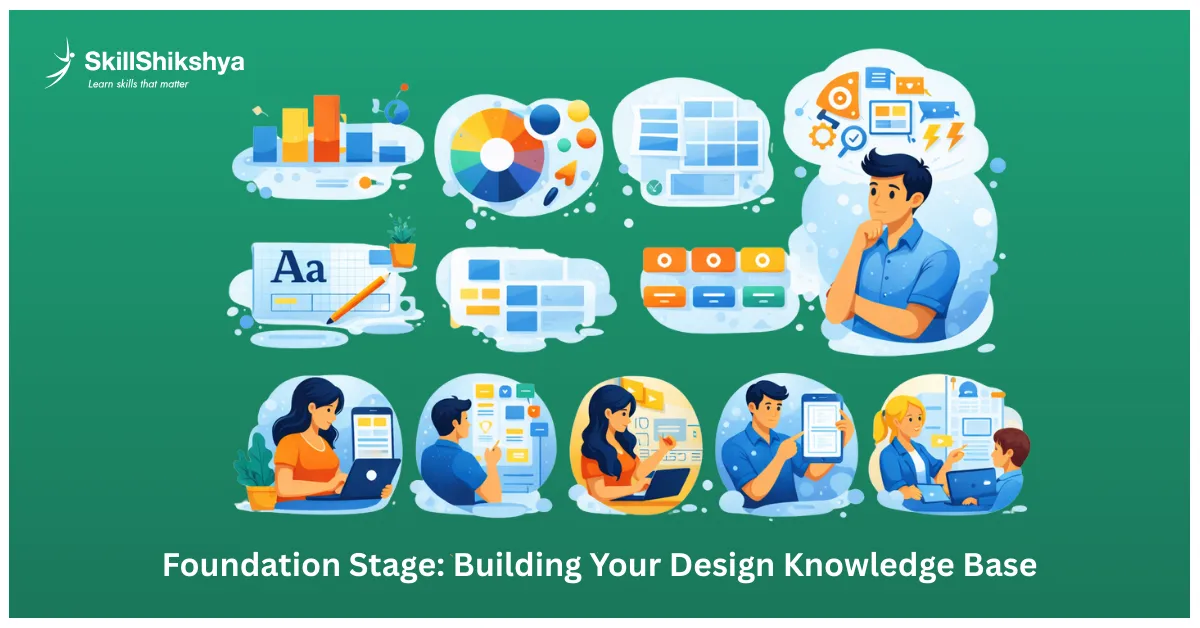
Core Design Principles I Wish Someone Taught Me Early
When I started, I jumped straight into tools. Big mistake. Understanding these principles changed everything for me:
- Visual Hierarchy is about guiding users' eyes. Where should they look first? Second? I use size, color, position, and contrast to create this flow.
- Color Theory isn't just "make it look pretty." Colors trigger emotions. Blue builds trust (that's why banks use it). Red creates urgency (sale buttons). I study psychology behind every color choice.
- Typography makes or breaks your design. I spend serious time on font pairing. One heading font, one body font, maybe an accent. That's it. Consistent sizing creates rhythm.
- White Space is your friend. When I mentor students, they pack everything tightly. Wrong. Breathing room makes interfaces feel premium and easy to scan.
- Consistency builds trust. Once I establish a button style, every button follows that pattern. Users shouldn't have to relearn your interface on every screen.
- Grid Systems keep everything aligned and organized. I use 12-column grids for web, 4-column for mobile. Professional designs always sit on invisible grids.
Take your time here. Read articles, watch videos, and analyze apps you love. Ask yourself: "Why did they make this design choice?"
Understanding User Psychology (This Changed My Career)
Learning how users actually think transformed my work. Here's what matters:
- Cognitive Load: Every choice you add increases mental effort. I ruthlessly simplify. Three options beat ten options every time.
- Hick's Law: More choices = slower decisions. When I redesigned a checkout flow and reduced payment options from 7 to 3, conversion went up 23%.
- Fitts' Law: Larger buttons are easier to hit. That's why I make primary actions bigger than secondary actions. Physics matters in design.
- Jakob's Law: Users spend most time on OTHER websites. They expect your interface to work like everything else. Don't reinvent navigation unless you have a brilliant reason.
These psychological principles guide every design decision I make.
Learn Design Thinking Methodology
Design Thinking is a structured, user-focused framework that changes how designers approach problem-solving. It is not limited to visual design; it helps identify real user needs and create solutions that deliver meaningful outcomes.
Here is the Design Thinking process applied in every professional design project:
Empathize
This stage focuses on deeply understanding users by observing their behavior, conducting interviews, and analyzing real-world interactions. The goal is to uncover hidden pain points, motivations, and challenges that users may not clearly express but directly influence their experience.
Define
Based on research insights, the problem is clearly articulated in a structured and actionable way. This step ensures the design addresses the correct problem, avoiding guesswork and aligning solutions with actual user needs and business goals.
Ideate
Multiple solution ideas are explored through brainstorming and structured thinking techniques. Instead of settling on the first idea, this stage encourages exploring many possible approaches to identify the most effective and innovative solution.
Prototype
Quick and testable versions of ideas are created to visualize concepts and interactions. Prototypes help validate assumptions early, reduce risk, and allow designers to experiment before investing time and resources into final designs.
Test
Real users interact with the prototypes while designers observe behavior and gather feedback. Insights from testing are used to refine, improve, or rethink solutions, ensuring the final design is usable, intuitive, and user-approved.
This methodology reflects how professional designers work in real-world environments. Learning and applying Design Thinking early builds strong problem-solving skills and prepares designers for industry-level challenges.
Get Comfortable with Design Terminology
You need to speak the language. When clients or developers use these terms, you should understand immediately:
Wireframes, mockups, prototypes, user personas, user journey maps, information architecture, usability testing, A/B testing, design systems, component libraries, design tokens, high-fidelity vs low-fidelity. I create a glossary when I mentor students. Knowing the vocabulary makes you sound professional from day one.
Skill Development Stage: Mastering the Tools (Months 2-4)
Now it's time to learn the UI UX tools I use daily. Focus your energy on tools that actually matter in 2026.
Why Figma Dominates (And Why You Must Master It)
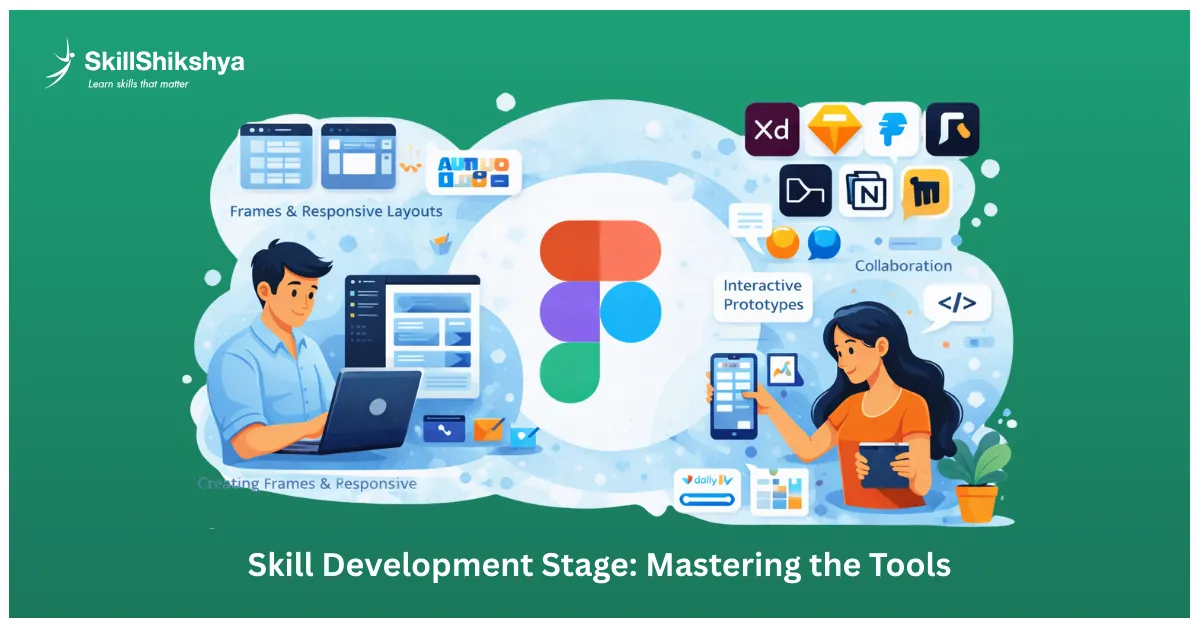
Figma is the industry standard. When I hire designers, Figma skills are non-negotiable. It's free, browser-based, perfect for collaboration, and 90% of companies use it.
Here's what I expect from any designer:
- Creating frames and responsive layouts
- Using Auto Layout (game-changer for responsive design)
- Building component libraries and design systems
- Creating interactive prototypes
- Collaborating in real-time with team members
- Understanding Dev Mode for developer handoff
I recommend spending at least 2-3 hours daily in Figma during this phase. Muscle memory matters. Your hands should move without thinking. Start with Figma's official tutorials. They're genuinely excellent. Then recreate interfaces from apps you admire. Copy isn't cheating when you're learning—it's studying.
Other Tools Worth Knowing
- Adobe XD: Some companies still use it, but its market share is shrinking. Learn the basics if you have time, but don't stress about mastering it.
- Sketch: Mac-only and losing ground to Figma. Only focus on this if a specific job requires it.
- Prototyping Tools: Figma handles 90% of prototyping needs. For advanced animations, I occasionally use ProtoPie or Framer. But honestly? Master Figma's prototyping first.
- Collaboration Tools: FigJam (Figma's whiteboard), Miro, Notion. These help with brainstorming and documentation.
Free Resources I Recommend to Every Student
Don't waste money on expensive courses initially. Use these free resources:
YouTube Channels I Follow:
- Flux Academy (UI UX design tutorials)
- DesignCourse (broader design topics)
- AJ&Smart (design sprints and process)
Free Courses Worth Taking:
- Google UX Design Certificate on Coursera, which provides a structured introduction to UX research, wireframing, prototyping, and usability testing.
- Figma's official tutorials and playground files
Design Challenges:
- Daily UI (one prompt daily)
- Sharpen (real-world scenarios)
Reading Material:
- Nielsen Norman Group articles (evidence-based UX)
- Smashing Magazine (in-depth design articles)
Bookmark everything and learn consistently. 30 minutes daily beats occasional 5-hour binges.
Practice Projects Stage: Where Real Learning Happens (Months 3-5)
Theory means nothing without practice. This phase transforms learners into designers. I've seen it happen hundreds of times.

Start with Redesigns (My Favorite Learning Method)
Pick apps or websites you use daily and redesign them. I still do this for practice. Ask yourself:
- What frustrates me about this interface?
- How could I improve the user flow?
- What if I redesigned this with better visual hierarchy?
When I mentor students, I make them redesign at least 5 existing products before creating anything from scratch. This teaches critical thinking about design decisions.
Join the Daily UI Challenge
100 days, 100 design prompts. Sounds intense? It's actually perfect for building consistency. You'll get prompts like "design a sign-up page" or "create a settings screen." The constraint helps you focus. The daily pressure builds discipline.
I completed Daily UI three years ago, and those exercises still sit in my portfolio. Potential clients love seeing your daily commitment.
Solve Real Problems Around You
This is where your portfolio starts getting interesting. I tell students: look around Nepal and find actual problems worth solving.
Ideas I've seen work:
- Design a food delivery app specifically for local momo shops
- Create a learning management system for community schools
- Build a donation platform for local NGOs
- Design a marketplace for Nepali handicrafts
Real problems create meaningful portfolio pieces. Employers notice when you're solving actual challenges, not just making things look pretty.
Practice Both Mobile and Web Design
Don't just focus on one. I design for both platforms weekly, and each has different constraints:
Mobile Design:
- Thumb-friendly zones (bottom third of screen is prime real estate)
- Smaller screens mean tough prioritization decisions
- Touch gestures replace mouse clicks
- Vertical layouts dominate
Web Design:
- Responsive breakpoints (desktop, tablet, mobile)
- Hover states and cursor interactions
- More complex navigation options
- Wider information density
Versatility makes you more employable. Most companies need designers comfortable with both.
Portfolio Building Stage: Your Passport to Jobs (Months 4-6)
Your portfolio matters more than your degree, your certificates, or even your experience. I've hired designers based purely on strong portfolios. Let me share what I actually look for when reviewing portfolios.
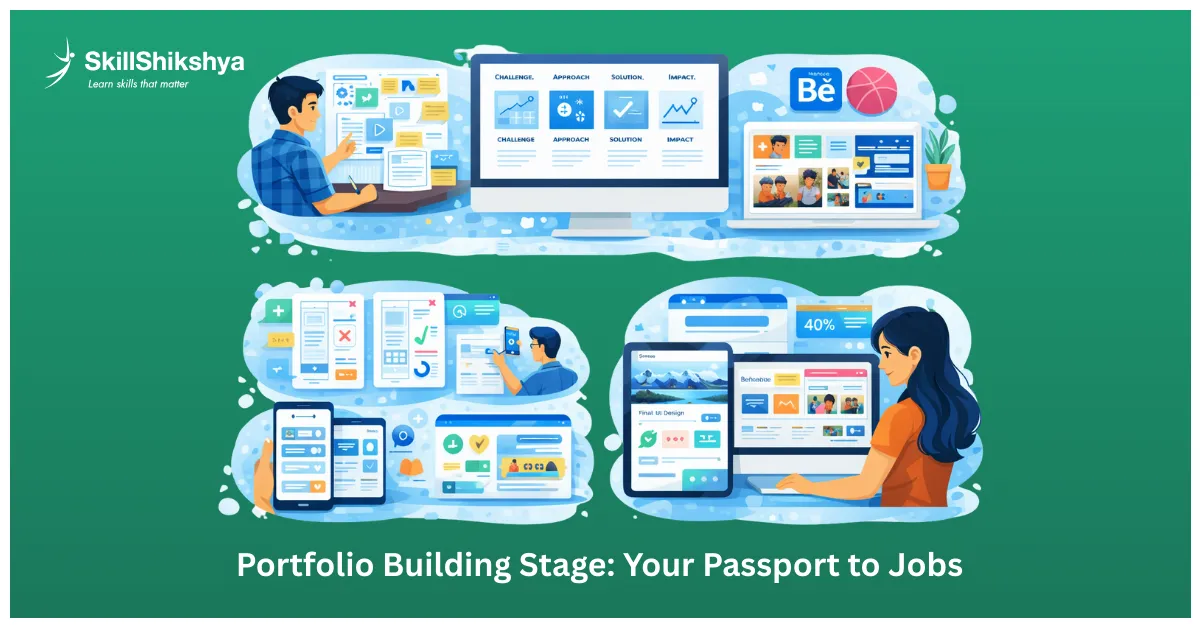
What Makes a Portfolio Worth My Time
- Quality Over Quantity: Show me 3-5 excellent projects, not 20 mediocre ones. I spend about 2-3 minutes on each portfolio. Make those minutes count.
- Tell Stories, Not Just Showing Screens: Walk me through your thinking. What problem did you solve? Why did you make specific decisions? What were the results?
- Problem-Solution Format: I want to see: challenge → approach → solution → impact. That's the structure of every case study in my own portfolio.
- Visual Appeal: Your portfolio design should demonstrate your skills. If your portfolio looks messy, I'll assume your client work does too.
- Clear Process:Show wireframes, iterations, and user testing results. I want to understand HOW you think, not just what you created.
Case Studies That Actually Get You Hired
Here's my formula for case studies that work:
1. Project Overview (2-3 sentences) What problem did you solve? Set context quickly.
2. Your Role: What did YOU specifically do? Don't take credit for teamwork.
3. Research Phase
- User interviews or surveys
- Competitor analysis
- Key insights discovered
4. Design Process
- Initial wireframes
- Multiple iterations (show rejected versions!)
- Design decisions and rationale
5. Final Solution
- High-fidelity mockups
- Interactive prototype link
- Key features highlighted
6. Results/Impact
- Metrics, if available (engagement up 40%)
- User feedback quotes
- Lessons learned
This formula works because it shows your complete process. Employers want designers who can THINK, not just push pixels around.
Where to Showcase Your Work
I recommend having your work on multiple platforms:
- Behance: Best for detailed case studies. This is where I post my most polished work. Great for SEO clients who find me through Behance regularly.
- Dribbble: Perfect for beautiful UI shots. More focused on visuals than process. Good for community engagement and inspiration.
- Personal Website:Shows technical skills and gives you full creative control. I use my website to show personality beyond design work.
Having all three increases your discoverability. Different clients look in different places.
Portfolio Mistakes I See Every Week
Don't do these:
- Showing only final designs without explaining the process
- Including too many practice projects instead of real solutions
- Inconsistent presentation style (pick a format and stick to it)
- Missing contact information (I've seen this!)
- Copying other designers' work without attribution
Polish your portfolio relentlessly. It represents your professionalism.
Community and Networking: How I Accelerated My Growth
Design isn't a solo journey. The fastest-growing designers I know are deeply connected to communities.
Join Nepal's Design Communities
Facebook Groups I'm Active In:
- UI/UX Designers Nepal
- Design Community Nepal
International Communities:
- Designer Hangout (Slack)
- UX Mastery Community
I answer questions, share my work, and get feedback. These communities helped me land my first three freelance clients.
Attend Design Meetups and Workshops
Even virtual meetups offer value. I try to attend at least one design event monthly.
What you gain:
- Learn from experienced designers
- Get feedback on your work
- Discover job opportunities before they're posted publicly
- Find potential mentors
Kathmandu has regular design meetups. Go to them. Bring your work. Ask questions.
Build Your LinkedIn Presence
LinkedIn is where UI UX internship opportunities appear first. Here's my strategy:
- Complete profile with UI UX design keywords
- Share my learning journey (what I learned this week)
- Comment on posts from designers I admire
- Connect with hiring managers and recruiters
I've gotten 5+ job offers through LinkedIn in the past year. It works if you're consistent.
Finding a Mentor Changed My Career
A good mentor fast-tracks everything. Look for designers 2-5 years ahead of you—they remember being beginners.
How I approached mentors:
- Reached out respectfully (never "teach me everything")
- Showed genuine interest in their work
- Offered value before asking for help
- Asked specific questions, not vague "how do I start."
Three mentors I connected with early in my career taught me more than any UI UX course could.
Building Experience: Your First Industry Steps (Months 6-9)
You've built skills and a portfolio. Now it's time for real-world experience. This is where theory meets reality.
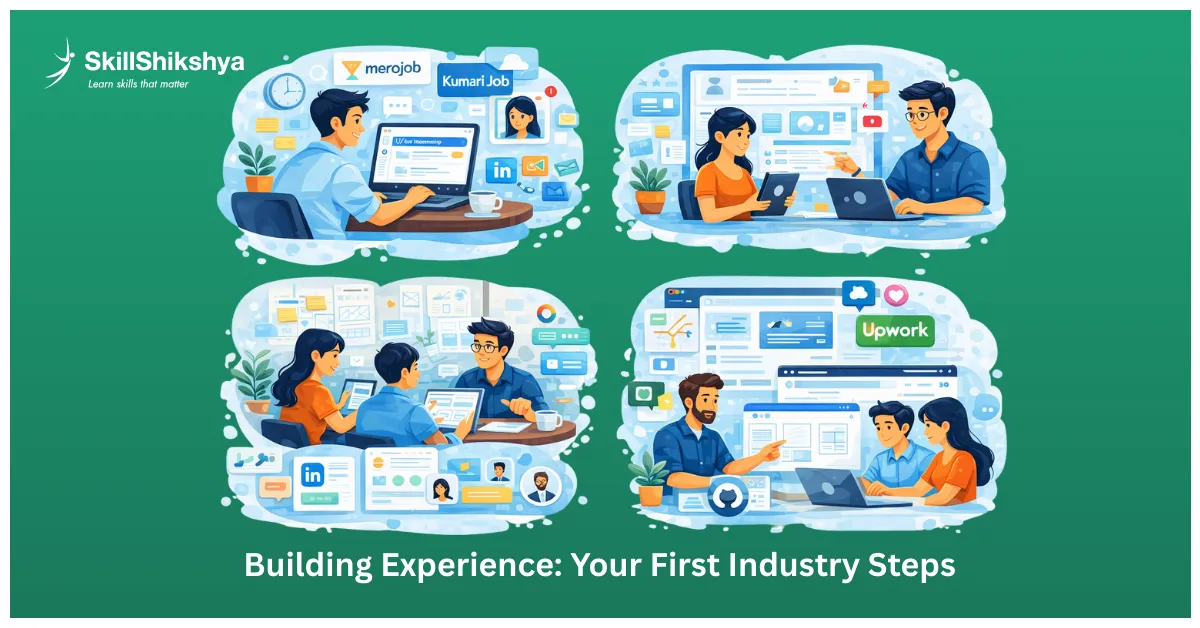
Finding UI/UX Internships in Nepal (My Honest Advice)
Where I tell students to look:
- Merojob, Kumarijob (check daily)
- LinkedIn Jobs (set alerts for "UI UX intern" or "UI UX design intern")
- Company websites directly (tech companies in Kathmandu)
- Startup communities and Facebook groups
Real talk: Apply even if you don't meet 100% of the requirements. Internships are learning opportunities. I got my first UI UX internship after being rejected 15 times.
What to Expect as a UI/UX Design Intern
From my experience mentoring interns and being one myself:
Typical responsibilities:
- Supporting senior designers on projects
- Creating mockups and wireframes
- Conducting basic user research
- Updating design documentation
- Participating in design critiques
You won't lead projects initially. That's fine. Your job is to observe, absorb, and contribute where you can.
- Duration: Most internships run 3-6 months
- Stipend: NPR 10,000 - 25,000/month (some offer nothing, I recommend avoiding those)
Focus on learning, not money. A strong internship experience is worth more than the stipend.
Freelancing as a Junior Designer
Can't find internships? Start freelancing. I built my first portfolio through freelance work.
Where to start:
- Fiverr (offers basic UI UX design services at competitive rates)
- Upwork (bid on small projects, build reviews slowly)
- Local businesses (restaurants, salons, small shops needing digital presence)
- Reddit and Facebook (offer discounted work to nonprofits)
My first paid project was redesigning a restaurant's menu app for NPR 5,000. Not much, but it taught me client management, deadlines, and feedback handling. Freelancing teaches skills no UI UX course can: client communication, scope management, handling revisions, and getting paid.
Contributing to Open Source Design Projects
This is underutilized but powerful. Platforms like Open Source Design have projects needing design help.
Benefits:
- Work with real development teams
- Learn the design-to-code handoff process
- Fills portfolio gaps
- Shows initiative to potential employers
I contributed to three open-source projects during my early career. It taught me how developers think and work—invaluable knowledge.
Advanced Skills Stage: Becoming a Complete Designer (Months 9-12)
You're no longer a beginner. Time to refine your craft and develop specializations.
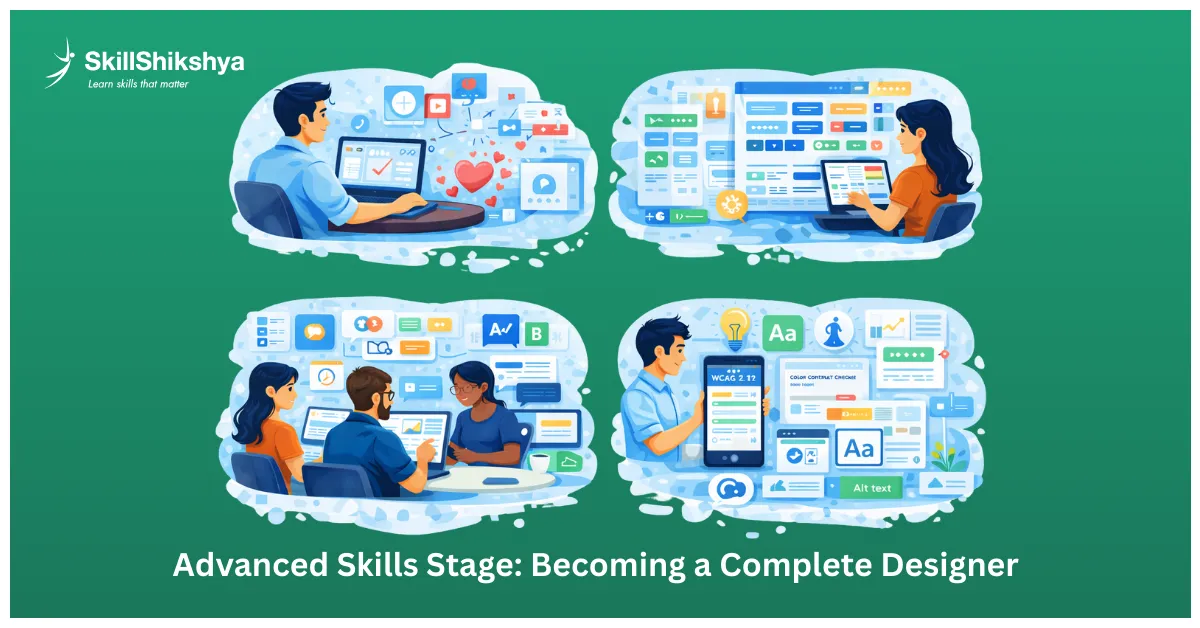
Advanced Prototyping and Micro-Interactions
Move beyond static mockups. Users expect interfaces that feel alive and responsive.
What I focus on:
- Creating micro-interactions that delight (like a heart animation when favoriting)
- Building prototypes with realistic data
- Designing loading states, empty states, and error messages
- Animated transitions that guide attention
Tools like Principle, Framer Motion, and even After Effects help here. But honestly? Figma's prototyping has gotten so powerful that it handles 90% of my needs.
Master Design Systems and Component Libraries
This skill dramatically increased my UI UX designer salary potential. Companies value designers who understand scalability.
What I learned:
- Building reusable component libraries
- Documenting design tokens (colors, spacing, typography)
- Creating usage guidelines
- Maintaining version control
- Thinking in systems, not just screens
Design systems ensure consistency across products. Once I understood this, my work became more professional and efficient.
UX Research Methods You Need to Know
Strong designers validate their work through research. I wish I learned this earlier.
Methods I use regularly:
- User interviews (understand needs directly)
- Surveys (gather quantitative data)
- Usability testing (watch users interact with prototypes)
- Card sorting (understand mental models)
- A/B testing (compare design variations with data)
Research removes guesswork. Data-driven design decisions are easier to defend to stakeholders.
Accessibility Standards Are Non-Negotiable
My accessibility checks are based on W3C’s WCAG 2.1 accessibility guidelines, which define global standards for inclusive and accessible digital experiences. Inclusive design isn't optional anymore. I spend significant time ensuring my designs work for everyone.
What I check:
- Color contrast ratios (WCAG 2.1 AA minimum)
- Keyboard navigation support
- Screen reader compatibility
- Alt text for all images
- Responsive text sizing
Tools like Stark (Figma plugin) help me catch accessibility issues early. Accessible design expands your audience and shows professional maturity.
Prepare for UI/UX Design Interview Questions
Common questions I ask when interviewing designers:
- "Walk me through your design process."
- "How do you handle negative feedback?"
- "Tell me about a time you had to compromise on design."
- "How do you prioritize conflicting user needs?"
- "What's your approach to user research?"
Also expect:
- Portfolio presentations (15-minute case study walkthrough)
- Whiteboarding exercises (solve a design problem on the spot)
- Take-home assignments (1-3 day projects)
Practice these with friends or mentors. Interviewing is a skill in itself.
Career Growth Paths: Where Your UI/UX Future Leads
Your UI UX design career doesn't end at "designer." Multiple paths await, and I've explored several myself.
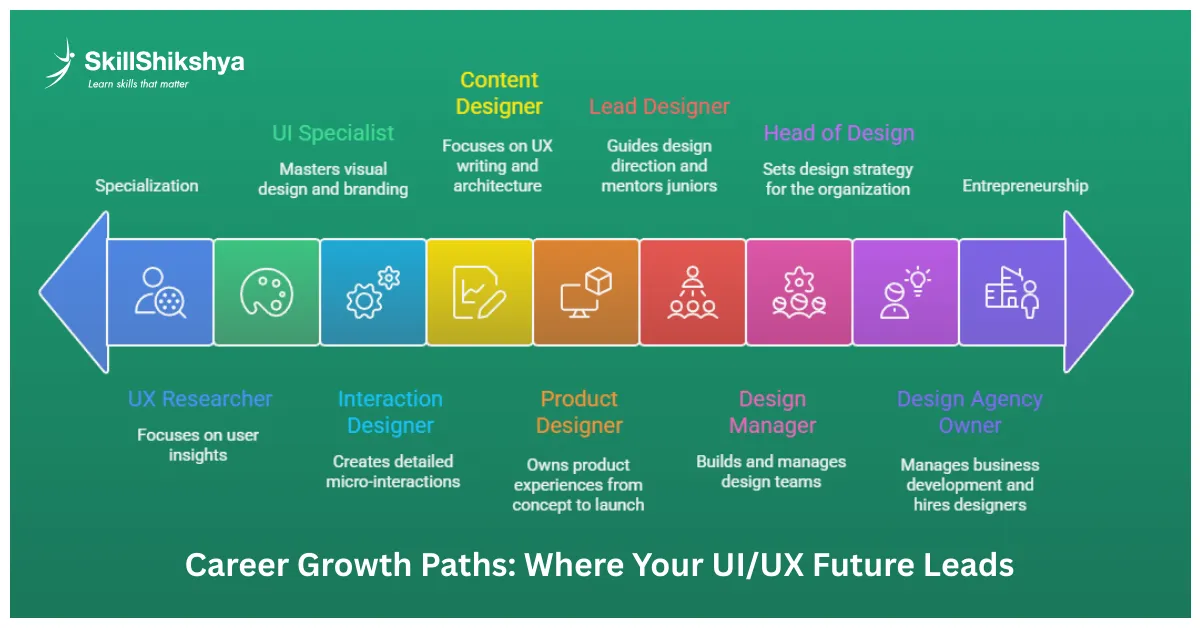
Specialization Options
As you gain experience, you might specialize:
- UX Researcher: Focus entirely on user studies, testing, and insights. If you love psychology and data, this path is fulfilling. UI/UX designers often collaborate closely with marketing teams on conversion optimization, especially in user behavior analysis and A/B testing.
- Product Designer: Own entire product experiences from concept to launch. This is my current role. I love the strategic thinking involved. Product designers increasingly need to understand how search engines evaluate user experience to design interfaces that both rank well and convert effectively."
- Interaction Designer: Create detailed micro-interactions and animations. Perfect if you're detail-oriented and love motion.
- UI Specialist: Master visual design, illustration, branding. Some designers go deep into aesthetics.
- Content Designer:Focus on UX writing and information architecture. Words shape experiences as much as visuals.
Specialists often command higher salaries than generalists. Consider your strengths and interests.
Moving into Leadership Roles
With 5+ years of experience, leadership opportunities open:
- Lead Designer: Guide design direction, mentor juniors. I transitioned here after 4 years. It's rewarding but requires people skills.
- Design Manager: Build and manage design teams. Less hands-on design, more strategy and team development.
- Head of Design:Set design strategy for the entire organization. Pure leadership and vision.
Leadership pays well but requires skills beyond design: communication, management, hiring, and strategy.
Building Your Own Design Agency
Many designers I know started agencies after gaining client experience.
Considerations:
- You'll spend less time designing and more time on business development
- Can hire other designers and scale
- Unlimited earning potential
- Higher risk but higher reward
I've considered this path. It's not for everyone, but it's viable if you're entrepreneurial.
International Opportunities for Nepali Designers
Your UI UX skills are globally portable. Nepali designers work for companies worldwide.
Markets I've seen:
- United States and Canada (highest pay)
- United Kingdom and Europe (good pay, closer time zones)
- Australia and New Zealand (growing demand)
- Southeast Asia (Singapore, Malaysia—lower competition)
Remote work means an international salary while living in Nepal. I know designers earning $3,000-5,000/month remotely. That's life-changing income here.
UI/UX Design Trends Shaping 2026 (What I'm Watching)
Staying current with UI UX trends is essential. Here's what I'm seeing and learning:
AI-Powered Design Tools
AI is transforming how we work. I use AI daily now:
Current applications:
- AI-generated layout suggestions
- Smart components that adapt automatically
- Copywriting assistance for interfaces
- Design QA (automated accessibility checks)
Don't fear AI, learn to work alongside it. Designers embracing AI will thrive. Those ignoring it will struggle. I use tools like Galileo AI for initial layout ideas, then refine with my expertise. AI handles grunt work; I focus on strategy and creativity.
Voice User Interface (VUI) Design
Voice assistants are everywhere. VUI design is a growing specialty with few experts.
What I'm learning:
- Conversation flow design
- Error handling in voice interactions
- Multi-modal experiences (voice + screen)
- Personality and tone in voice responses
This niche has high demand and low supply. Early adopters will have significant advantages.
AR/VR Experience Design (Spatial Computing)
With devices like Meta Quest and upcoming products, spatial computing is expanding beyond gaming.
Applications I'm seeing:
- Virtual shopping experiences
- AR try-before-you-buy features
- VR training simulations
- Mixed reality collaboration tools
I've started learning 3D design tools like Spline and Blender. This skillset will be highly valuable.
Inclusive and Accessible Design as Standard
2026 sees a stronger emphasis on accessibility. It's no longer optional—it's expected.
What's changing:
- Legal requirements (companies getting fined for inaccessible products)
- Universal design principles
- Neurodiversity considerations
- Cultural sensitivity in global products
Accessibility expertise differentiates you from other candidates. I make it central to every project.
How to Choose the Right UI/UX Design Course in Nepal
Self-learning works, but a structured UI UX design training accelerates your journey significantly. Here's my honest advice.
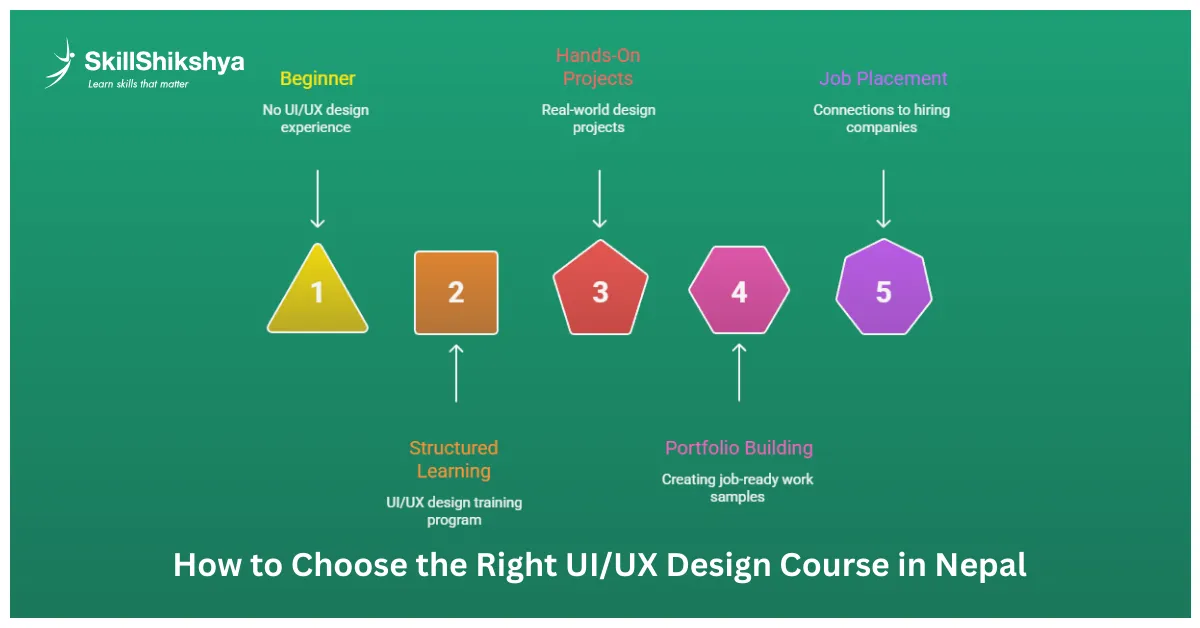
What I Look for in Training Programs
- Hands-On Projects: Theory alone doesn't prepare you. The program should include multiple real-world projects.
- Industry-Relevant Curriculum: Tools and processes companies actually use. Outdated courses waste your time.
- Experienced Instructors: Learn from designers actively working in the field. I can teach you things you won't find in any UI UX course material.
- Portfolio Support: Guidance on building job-ready work samples. This is crucial.
- Job Placement Assistance: Connections to hiring companies. The best programs have industry relationships.
- Community Access: Learning with peers accelerates growth. Solo learning is harder.
Avoid courses that only cover tools without teaching design thinking. You need both.
Online vs Offline UI/UX Courses
- Online UI UX course options offer flexibility and often cost less. Great if you're self-motivated and need to learn around a job or studies.
- Offline courses provide face-to-face interaction, immediate feedback, and networking. Better if you need structure and accountability.
Choose based on your learning style. I personally learn better with in-person guidance, but many succeed online.
Certificates vs Portfolio: Real Talk
Here's the truth from someone who hires: your portfolio matters 10x more than certificates. Certificates prove you completed coursework. Portfolios prove you can actually design.
That said, certificates from recognized institutions help you pass initial screening. HR often filters by education first. My recommendation? Get both. Complete a solid UI UX design course in Nepal for structure and certification, but focus obsessively on building a killer portfolio.
Why Our UI/UX Design Training at Skill Shikshya
I’m part of Skill Shikshya’s UI UX course in Nepal, and this UI UX training program is designed based on real industry expectations, not outdated theory. Everything in this course reflects how professional UI UX designers actually work in 2026.
What makes our program different:
- Real-World Focus: You'll learn Figma, Adobe XD, and prototyping tools through actual project work. No theoretical fluff.
- Comprehensive Curriculum: UX research methods, user testing, visual design, portfolio building, everything you need.
- Industry Mentors: I'm one of the mentors, along with Aadarsha Lamichhane and Yunika Shakya from Vrit Technologies. We bring real industry experience.
- Portfolio Development: We guide you through building 3-5 strong case studies that get you hired. This is a key focus.
- Job Placement Support: Direct connections to hiring companies in Kathmandu. We've placed dozens of students.
- Practical Timeline: 2-2.5 months, meeting 2 hours daily. We compress 12 months of scattered self-learning into a focused, mentor-guided experience.
- Affordable Investment:NPR 25,000 for everything. Compare that to months of paid trial-and-error.
You'll finish with a job-ready portfolio and the skills Kathmandu companies actually want. That's our commitment.
If you are searching for a practical UI UX course, industry-focused UI UX training, or a trusted UI UX course in Nepal, this program is built to take you from beginner to job-ready with clarity and confidence.
Visit our website or call us at 9868730959 for details.
Success Metrics: How I Track My Growth (And How You Should Too)
Measuring progress keeps you motivated and helps course-correct when needed.
Building a Learning Habit
I track these metrics weekly:
- Hours spent designing
- Design challenges completed
- Tutorials or articles consumed
- Portfolio updates made
Consistency beats intensity. I do 30 minutes daily minimum, no exceptions. That's 3.5 hours weekly, 182 hours yearly. Small daily actions compound dramatically over months.
Setting Career Milestones
I write concrete goals every quarter:
Example milestones:
- Month 3: Complete first 5 practice projects
- Month 6: Launch portfolio with 3 case studies
- Month 9: Apply to 20 jobs, land 3 interviews
- Month 12: Secure UI UX design intern position or full-time role
Write yours down. Review monthly. Adjust based on progress.
Measuring Your Portfolio Impact
I use analytics to track:
- Views on Behance projects
- Engagement on Dribbble shots
- Website traffic to portfolio
- Response rate to job applications
Low numbers mean your portfolio needs work. High numbers mean you're on the right track. Data guides improvement.
Track Your Salary Growth
I document:
- First paid project amount
- Salary progression every 6 months
- Freelance hourly rate increases
- Total annual income from design
Seeing financial growth validates your hard work. Celebrate milestones—they're proof that your skills have value.
Overcoming Common Challenges (From My Experience)
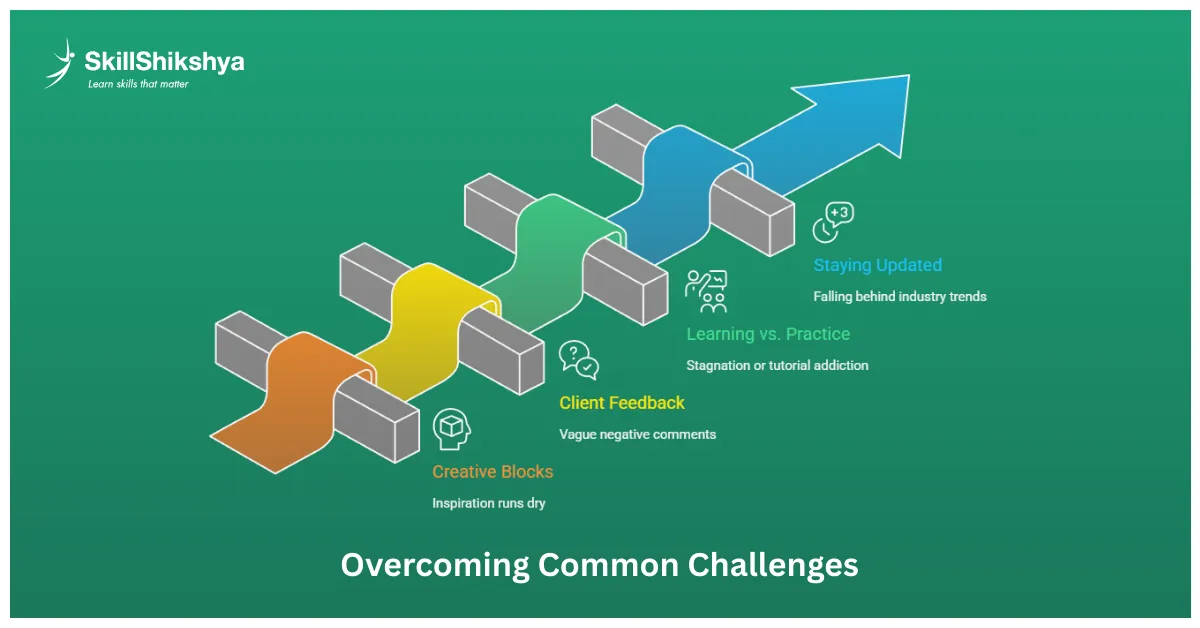
Every designer faces obstacles. Many designers struggle because they repeat the same learning mistakes others made, so being aware early helps you avoid wasted time. Here's how I push through when things get tough.
Dealing with Creative Blocks
When inspiration runs dry (happens to me regularly):
- Browse Dribbble, Behance, and Awwwards for fresh perspectives
- Step away from screens, sketch on paper
- Work on a completely different type of project
- Collaborate with other designers
Blocks are normal. Movement breaks them faster than forcing.
Handling Client Feedback
You'll hear "I don't like it" without explanation. I've learned to:
- Ask clarifying questions ("What specifically bothers you?")
- Separate personal taste from design effectiveness
- Explain design decisions with user research data
- Offer alternatives while maintaining design integrity
Good designers defend their work respectfully but aren't married to every pixel. Pick your battles.
Balancing Learning with Practice
Learning never ends in design. Here's my balance:
- 70% of time: Hands-on design work
- 20% of time: Courses, tutorials, reading
- 10% of time: Community, feedback, reflection
Too much learning without doing creates tutorial addicts. Doing too much doing without learning creates stagnation.
Staying Updated with UI/UX Trends
I follow these resources weekly:
Newsletters:
- Sidebar (daily design links)
- UX Design Weekly
- Muzli (design inspiration)
Podcasts:
- Design Better
- User Defenders
- The Honest Designers Show
YouTube: 5-10 design channels I follow consistently
Social Media: Twitter/X and LinkedIn for quick updates
I dedicate 30 minutes daily to industry updates. Awareness compounds over time. By now, you’ve seen the complete UI UX roadmap from learning fundamentals to landing real jobs. What matters next is execution. A roadmap only works if you follow it consistently.
Your UI/UX Career Roadmap in Why UI/UX Career in Nepal Is Growing in 2026Nepal 2026 Action Plan: What to Do Next
You've seen the complete roadmap. Here's what I recommend doing immediately:
This Week
- Day 1-2: Decide if UI UX design truly interests you. Watch YouTube videos, read articles, and explore design portfolios.
- Day 3-4: Download Figma (free) and complete your first tutorial. Get comfortable with the interface.
- Day 5-6: Join Nepal design communities on Facebook and LinkedIn. Introduce yourself.
- Day 7: Start learning basic design principles. Read about color theory and typography.
This Month
- Complete 3 basic redesign projects
- Study visual hierarchy, white space, consistency
- Follow 20 designers on social media for daily inspiration
- Set up Behance and Dribbble accounts
- Research UI UX design course options (including ours at Skill Shikshya)
Next 3 Months
- Build your first real portfolio case study
- Master Figma's core features
- Consider enrolling in structured UI UX training
- Start networking with local designers
- Apply design principles to everything you create
Next 6-12 Months
- Complete 3-5 strong portfolio projects
- Apply to UI UX internship positions
- Start freelancing on the side for experience
- Prepare answers for common UI UX design interview questions
- Build your professional network actively
My Final Thoughts: Why I Believe in You
I've trained hundreds of students. I've seen accountants become designers. I've watched students with zero artistic background build stunning portfolios. I've hired designers who started exactly where you are now. The UI UX design field rewards those who start, stay consistent, and never stop learning. Nepal's tech industry needs talented designers RIGHT NOW. Companies are hiring. Salaries are growing. Remote opportunities are expanding globally.
Your 12-month journey starts with a single day of action. Here's my challenge to you: Spend 30 minutes today on design learning. Just 30 minutes. Download Figma, watch one tutorial, read one article, join one community. That's it. That's how journeys begin.
If you want structured guidance, join our UI/UX design training at the best IT Institute in Nepal. I'll personally guide you through this roadmap. If you prefer self-learning, use this roadmap as your guide. Either way, START. The designers earning NPR 150,000/month started exactly where you are. The difference? They took action.
Will today be your starting point?
Frequently Asked Questions
Is UI/UX design a good career in Nepal in 2026?
What is the best UI/UX roadmap for beginners in Nepal?
Can I start a UI/UX career after SEE or +2 in Nepal?
What salary can a UI/UX designer expect in Nepal?
Do I need a design degree to become a UI/UX designer?
How long does it take to become a job-ready UI/UX designer in Nepal?
Is a UI/UX course in Nepal worth it?
About Author:

Meet Ms. Yunika Shakya, our UI/UX mentor at Skill Shikshya. Working at Vrit Technologies, she brings real-world experience, guiding learners through design thinking, hands-on projects, and practical, career-focused skills.