DevOps vs Agile: Key Differences, Similarities & Which One is better in 2026
If you work in software or you are learning to, you have probably heard both terms thrown around in the same conversation. Agile. DevOps. Sometimes people use them interchangeably. Sometimes they pit them against each other like you have to pick a side.
Here is the truth: they are not the same thing, but they are not enemies either.
Agile is about how you build software. DevOps is about how you deliver it. Both came into the picture because the old way of doing things; the slow, rigid, document-everything-first approach just stopped working for fast-moving teams.
In this guide, you will learn what each methodology actually means, how they differ, where they overlap, and which one makes sense for your team or your career path.
Still figuring out which direction to take? Our DevOps and Cloud diploma program gives you hands-on experience with both worlds. And if you want to map out your options before committing, this career guide for getting started in DevOps covers the path clearly.
A Quick Look Back: Why Agile and DevOps Even Exist
Before Agile and DevOps, most software teams worked on the Waterfall model. The idea was simple: plan everything, document everything, build it, test it, ship it. One phase at a time, no going back.
It sounded logical. In practice, it was a mess. By the time a product shipped, the requirements had already changed. Bugs caught at the end of a six-month cycle cost ten times more to fix than bugs caught in week two.
In 2001, a group of developers got together and wrote the Agile Manifesto, a short document with four values and twelve principles that basically said: stop obsessing over plans and documents, and start delivering working software to real users, fast.
Then around 2007-2009, another problem came to light. Agile helped development teams move faster, but once code left the dev team, it landed in the hands of an operations team that worked completely separately. Deployments broke. Releases got delayed. Blame got thrown around.
DevOps came out of that frustration. The idea was to break the wall between development and operations and treat the entire software lifecycle, from writing code to keeping it running in production as one connected responsibility.
That is the origin story. Now let us look at each one properly.
What is Agile?
Agile is an iterative approach to software development. Instead of building everything at once and shipping it months later, Agile teams break work into small cycles called sprints, usually one to four weeks long. At the end of each sprint, you have working software you can show to stakeholders, get feedback on, and improve.
The Agile Manifesto puts it clearly with four core values:
- Individuals and interactions over processes and tools
- Working software over comprehensive documentation
- Customer collaboration over contract negotiation
- Responding to change over following a plan
This does not mean documentation or planning are bad. It means that when you have to choose, you prioritize people and working products over paperwork and rigid plans.
Types of Agile Frameworks
Agile is not one single method. It is more like a philosophy that different frameworks apply in different ways:
- Scrum: the most widely used. Work happens in sprints, led by a Scrum Master. Teams hold daily standups, sprint reviews, and retrospectives. 58% of Agile teams use Scrum.
- Kanban: focuses on visualizing work on a board and limiting work in progress. No fixed sprints. Great for ongoing support or operations work.
- Extreme Programming (XP): goes deep on engineering practices like test-driven development and pair programming.
- SAFe (Scaled Agile Framework): designed for large enterprises running multiple Agile teams at once.
Common Agile Tools
Agile is only as effective as the systems your team uses to stay organized. These tools handle everything from sprint planning and task tracking to team communication and documentation, so your process stays clean and your team stays aligned.
- Jira: the go-to tool for most Agile teams. You plan sprints, track issues, assign tasks, and monitor progress all in one place. Most software companies in Nepal and globally use Jira as their default project board.
- Trello: a simpler, visual board-style tool. You move cards across columns (To Do - In Progress - Done). Great for small teams or beginners who find Jira too heavy.
- Asana: sits between Trello and Jira in terms of complexity. Teams use it to manage tasks, set deadlines, and track project timelines without a steep learning curve.
- Confluence: a documentation tool that pairs naturally with Jira. Teams write sprint notes, technical docs, and project wikis here so everyone stays on the same page.
- Slack: the communication layer that keeps Agile teams connected between standups. You create channels per project, share updates, and loop in the right people without endless email threads.
What is DevOps?
There is always a question that comes up early: "What is DevOps and how is it different from Agile?" DevOps is a set of practices, tools, and cultural values that brings development and operations teams together to deliver software faster, more reliably, and with fewer failures.
If Agile speeds up how code gets written, DevOps speeds up how it gets shipped and kept running.
The heart of DevOps is CI/CD; Continuous Integration and Continuous Delivery. Developers push code frequently, automated pipelines test and build it, and working releases go out to users faster, sometimes multiple times a day. If you are new to this, understanding how a CI/CD pipeline works from code commit to live deployment makes the rest of DevOps click into place a lot faster.
The DevOps Lifecycle
DevOps covers the full software lifecycle:
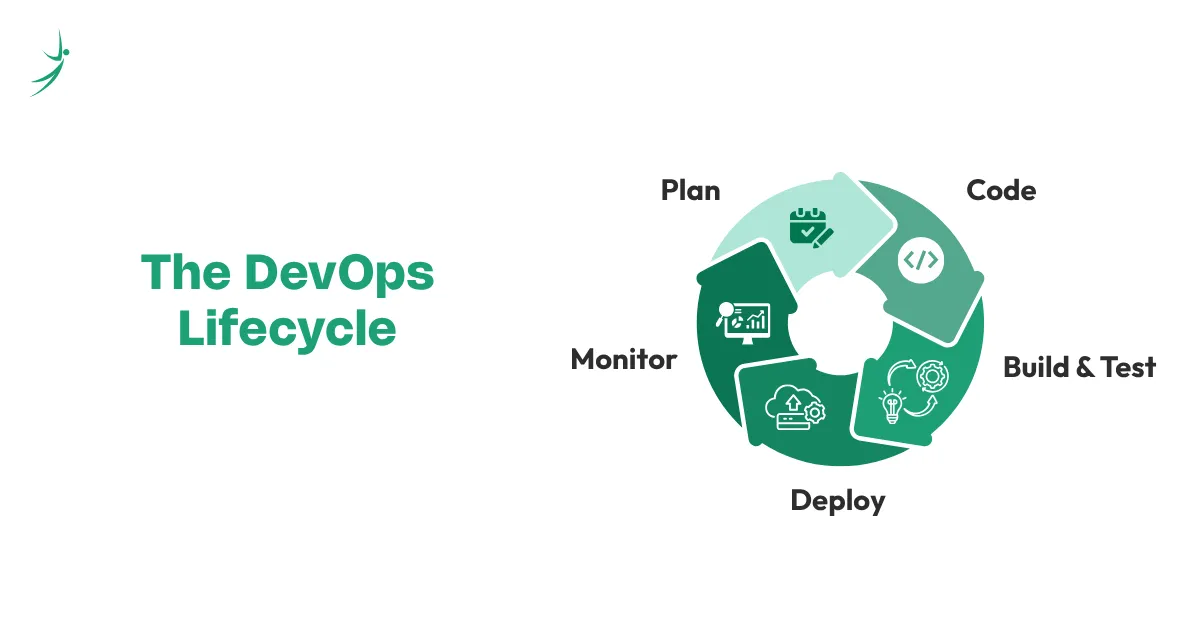
Every stage feeds back into the next. A bug caught in monitoring tells the team what to fix in the next planning cycle.
Core DevOps Values (CALMS)
- Culture: shared ownership across Dev and Ops
- Automation: remove manual, repetitive work
- Lean: eliminate waste, keep things moving
- Measurement: track everything, improve based on data
- Sharing: open communication and collaboration across teams
Common DevOps Tools
DevOps is not just a culture shift, it runs on a specific set of tools that automate, containerize, deploy, and monitor your software at every stage of the pipeline.
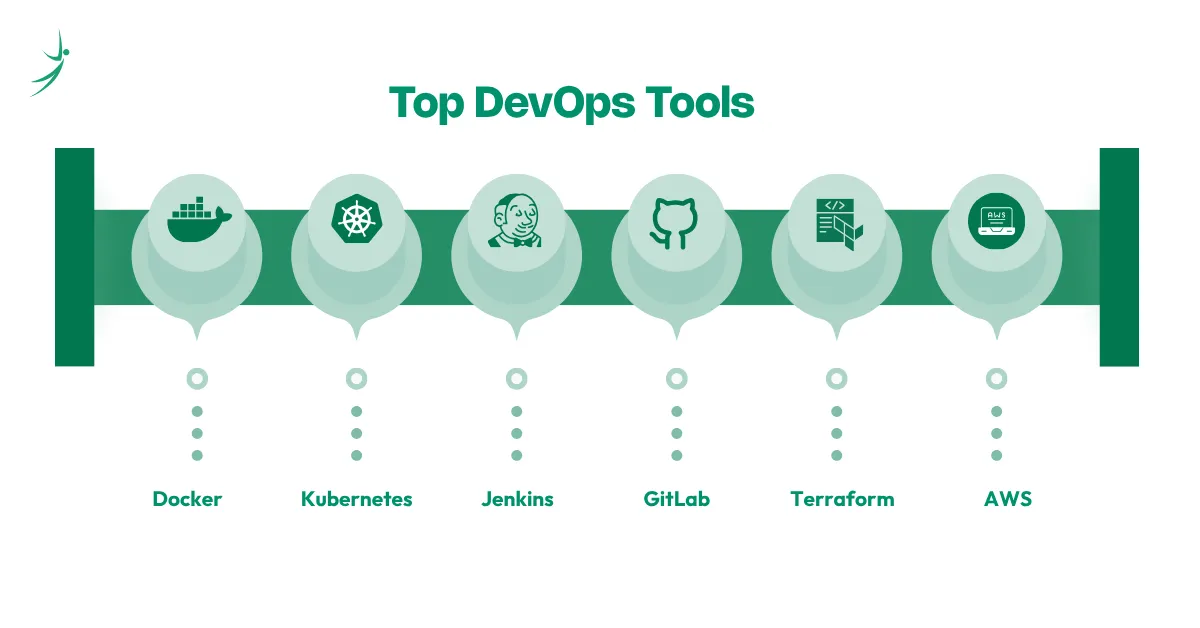
If you want a deeper look at how these tools fit together in a real DevOps workflow, we have a full breakdown of the most important DevOps tools and what each one does.
- Docker: packages your application and everything it needs to run into a single container. That container runs the same way on any machine, which eliminates the classic "it works on my laptop" problem.
- Kubernetes: once you have many Docker containers running, Kubernetes manages them. It handles scaling, load balancing, and automatic restarts when something crashes.
- Jenkins: one of the oldest and most widely used CI/CD automation servers. It watches for code changes and automatically triggers builds, tests, and deployments.
- GitLab: combines code hosting, CI/CD pipelines, and project management in one platform. Many teams use it as an all-in-one alternative to having separate tools for each function.
- Terraform: lets you define your cloud infrastructure (servers, databases, networks) as code. Instead of clicking through AWS dashboards, you write a configuration file and Terraform builds it for you.
- Ansible: automates repetitive server configuration tasks. Instead of manually setting up ten servers the same way, you write one playbook and Ansible runs it across all of them.
- AWS (Amazon Web Services): the dominant cloud platform where most DevOps work actually runs. Teams use AWS to host applications, store data, run containers, and manage infrastructure at scale.
- GitHub Actions: a CI/CD tool built directly into GitHub. Every time you push code, it can automatically run tests, build your project, and deploy it without leaving your repository.
Agile vs DevOps: The Key Differences
Here is where most of the confusion lives. Let us make it clear.
| What We Are Comparing | Agile | DevOps |
|---|---|---|
| Main Focus | Development process | Full delivery pipeline |
| Scope | Dev team | Dev + Ops + QA + Security |
| Delivery Style | Sprints (1–4 weeks) | Continuous (daily or more) |
| Feedback From | Customers and stakeholders | System monitoring and teams |
| Team Structure | Small, cross-functional squads | Broader, multi-discipline teams |
| Automation Level | Testing, planning tools | CI/CD, infrastructure, monitoring |
| Primary Goal | Adapt fast to changing requirements | Deploy fast with stability and reliability |
| Born | 2001 | 2007–2009 |
Difference in Teams
- Agile teams are small and focused. Everyone shares responsibility. No one person "owns" a feature, the team owns it together. This works well because small groups communicate fast and move fast.
- DevOps teams are larger and cross-functional in a different sense. A DevOps culture means developers care about how their code runs in production, and operations engineers care about supporting the development process. The wall between those two worlds comes down.
Difference in Delivery
- Agile delivers in increments, you ship something usable at the end of every sprint. But "usable" in Agile still means going through a release process.
- DevOps goes further. With a proper CI/CD pipeline, code that passes automated tests can go live the same day it is written. Some teams deploy dozens of times a day.
Difference in Feedback
- Agile feedback comes from people; customers, product owners, stakeholders reviewing sprint demos.
- DevOps feedback comes from systems; monitoring dashboards, error logs, performance metrics, user behavior data. Both types of feedback are valuable. They just come from different places.
Where Agile and DevOps Agree
Despite the differences, these two share more DNA than most people realize:
- Both are a direct response to the failures of Waterfall
- Both prioritize speed and quality over rigid, slow processes
- Both require cultural change, not just tool adoption
- Both reduce the time between an idea and a working product
- Both rely on collaboration and shared ownership
- Both use feedback loops to continuously improve
You could even say DevOps is what happens when Agile thinking expands beyond the development team and into operations, infrastructure, and deployment.
Can You Use Agile and DevOps Together?
Yes, and most mature software teams do exactly that.
Think of it this way: Agile handles the development side, DevOps handles the delivery side. They fit together like two halves of the same workflow.
A typical combined setup looks like this:
- The team plans a sprint using Agile (Scrum or Kanban)
- Developers write and test code during the sprint
- Code gets pushed to a DevOps CI/CD pipeline
- Automated tests run, the build gets packaged, and it deploys to a staging environment
- On approval, it ships to production; fast, reliably, with no manual deployment headaches
- Monitoring tools feed performance data back to the team
- The next sprint uses that data to prioritize fixes and improvements
This is how companies like Amazon, Netflix, and Spotify operate. They do not choose between Agile and DevOps. They use both.
Common Challenges When Combining Both
- Teams used to separate silos resist the cultural shift
- Tool sprawl, too many disconnected tools create integration problems
- Agile sprints can conflict with continuous deployment if release coordination is poor
- Metrics and goals need to align across Dev and Ops, which takes effort
None of these challenges are blockers. They are just things you need to plan for.
Agile vs DevOps: When to Use Which
Here is a practical guide to help you decide:
Use Agile when:
- Your requirements keep changing
- You need constant input from customers or stakeholders
- You are building a new product from scratch
- You have a small team that works closely together
Use DevOps when:
- You need frequent, reliable deployments
- Uptime and system stability are critical
- You have a separate Dev team and Ops team that need to collaborate better
- You are scaling your infrastructure
Use Both when:
- You want to optimize the entire software delivery process end to end
- You are a growing company that ships software to real users regularly
- You are building a culture of continuous improvement across teams
If you are just starting out in tech, learning Agile first gives you a solid foundation in how software teams think and work. Once you understand that, picking up DevOps practices becomes much easier.
Agile vs DevOps: Career Perspective
If you are choosing a career direction, here is what you should know:
- Agile-focused roles include Scrum Master, Product Owner, Agile Coach, and Project Manager. These roles sit closer to the planning and process side of software delivery.
- DevOps-focused roles include DevOps Engineer, Site Reliability Engineer (SRE), Cloud Engineer, and Platform Engineer. These roles sit closer to infrastructure, automation, and deployment. DevOps and Cloud is one of the highest-paying entry points in Nepal's IT job market right now, with starting salaries ranging from NPR 70,000 to 1,00,000 per month.
Top certifications to consider
- Agile: CSM (Certified Scrum Master), PMI-ACP, SAFe Agilist
- DevOps: AWS DevOps Professional, Docker Certified Associate, Certified Kubernetes Administrator (CKA), DevOps Foundation
Final Thoughts
Agile and DevOps are not competing frameworks. They solve different problems in the same journey, getting quality software from an idea to a real user as fast and reliably as possible.
Agile keeps your development process flexible and customer-focused. DevOps keeps your delivery pipeline fast and your system stable. Together, they cover the full picture.
If you are exploring a career in tech, learning how software teams actually operate and not just how to write code puts you ahead of most candidates. Understanding Agile and DevOps is a big part of that.
Want to build real, job-ready skills in DevOps, Software Development, or Cloud? Explore our hands-on programs at Skill Shikshya, built around what Nepal's tech industry is actually hiring for.
Frequently Asked Questions
Is DevOps replacing Agile?
Which came first, Agile or DevOps?
Is Scrum part of Agile or DevOps?
What is CI/CD and why does it matter in DevOps?
Is a DevOps engineer the same as an Agile developer?
What is the difference between DevOps and DevSecOps?
Which methodology do companies like Amazon and Netflix use?
Is Agile only for software teams?
About Author: