What is CI/CD? Complete Guide to Continuous Integration and Continuous Delivery
In modern software development, shipping features rapidly while maintaining top-tier code quality is a massive balancing act. Manual testing, manual builds, and passing code zip files around are recipes for disaster. To solve this friction, engineering teams rely on automation to streamline the journey from a developer's local keyboard to the live production server.This is a core concept you’ll master in a structured DevOps training program.
At the center of this revolution is the ci cd pipeline, an automated engine designed to build, test, and deploy applications seamlessly. Whether you are building small web applications or working on enterprise systems, having a clear ci cd pipeline explained is fundamental to understanding how modern software reaches millions of users safely every day, especially when learning the basics of DevOps.
What is CI/CD?
If you have ever wondered what ci cd pipeline infrastructure is, it is best understood as a combination of cultural philosophies and technical practices. CI/CD stands for Continuous Integration and Continuous Delivery (or Continuous Deployment).
It functions as an automated workflow that forces code modifications to undergo rigorous validation steps before they can ever touch a live user environment. Instead of releasing massive, high-risk software updates every few months, engineering teams utilize CI/CD to roll out small, incremental updates multiple times a day with high confidence.
Want to build real CI/CD pipelines used by companies?
Start with a hands-on DevOps course and learn by doing.
How Do CI/CD Pipelines Relate to DevOps?
CI/CD is not a standalone concept; it is the absolute backbone of the DevOps movement. DevOps focuses on breaking down the traditional silos between development teams (who build the software) and operations teams (who maintain the infrastructure).To fully understand this relationship, you should explore the core skills required in DevOps and the growing scope of DevOps in modern IT industries.
Effective ci cd pipeline management serves as the technical vehicle that brings this philosophy to life. By automating the handoff between writing code and provisioning servers, it ensures both teams work under a unified, repeatable system rather than relying on frantic, error-prone manual handoffs during a release cycle.
If you're exploring roles in this space, it's also helpful to understand the differences between a DevOps engineer vs software engineer and how CI/CD fits into each role.
Why CI/CD Matters in Modern Software Development
As web applications grow increasingly complex, the margin for human error widens. A poor ci cd pipeline design or the complete absence of one means that every single deployment becomes an existential risk to the platform's stability. Automation eliminates the unpredictability of manual setups, ensuring that software behaviors remain identical across local, staging, and production environments.
CI/CD Before Adoption
- Integration Hell: Developers work on isolated feature branches for weeks. When they finally attempt to merge their code back into the main branch, they encounter massive code conflicts that take days or weeks to resolve manually.
- The "Works on My Machine" Syndrome: Code runs perfectly on a developer's local laptop but completely breaks upon deployment due to hidden differences in server configurations or environment variables.
- High-Stakes Deployments: Releases happen infrequently (e.g., once a month or once a quarter). These events require late-night, all-hands-on-deck monitoring because the volume of changes makes debugging a failure incredibly tedious.
CI/CD After Adoption
- Continuous Feedback Loops: Code is integrated into the shared repository multiple times a day. If a bug is introduced, automated testing frameworks flag it within minutes, allowing developers to patch it immediately.
- Standardized Environments: Applications are bundled into consistent runtime environments, eliminating environmental discrepancies entirely.
- Low-Stress Releases: Shipments become routine, boring events. Because updates are tiny and completely automated, rolling out code requires nothing more than a simple code merge.
What is Continuous Integration, Continuous Delivery, and Continuous Deployment?
While they share the same overarching goal, these three terms refer to different phases of maturity along the automation spectrum.
1. Continuous Integration (CI)
So, what is ci pipeline mechanics all about? Continuous Integration focuses entirely on the early stages of the development cycle. Whenever a developer pushes a fresh commit to the repository, the CI server intercepts it, automatically compiles the source code, runs automated test suites, and ensures the new changes do not break existing functionality.
2. Continuous Delivery (CD)
Continuous Delivery takes the validated code from the CI stage and prepares it for production. In a Continuous Delivery model, every single change that passes the tests is automatically compiled into a deployable artifact (like a Docker image or a compiled build folder). However, the final push to the live production server still requires a human being to click a manual approval button.
3. Continuous Deployment (CD)
Continuous Deployment removes that final human bottleneck entirely. If a code change successfully clears every single automated testing gate in the pipeline, it is automatically launched into the live production environment without any human intervention.
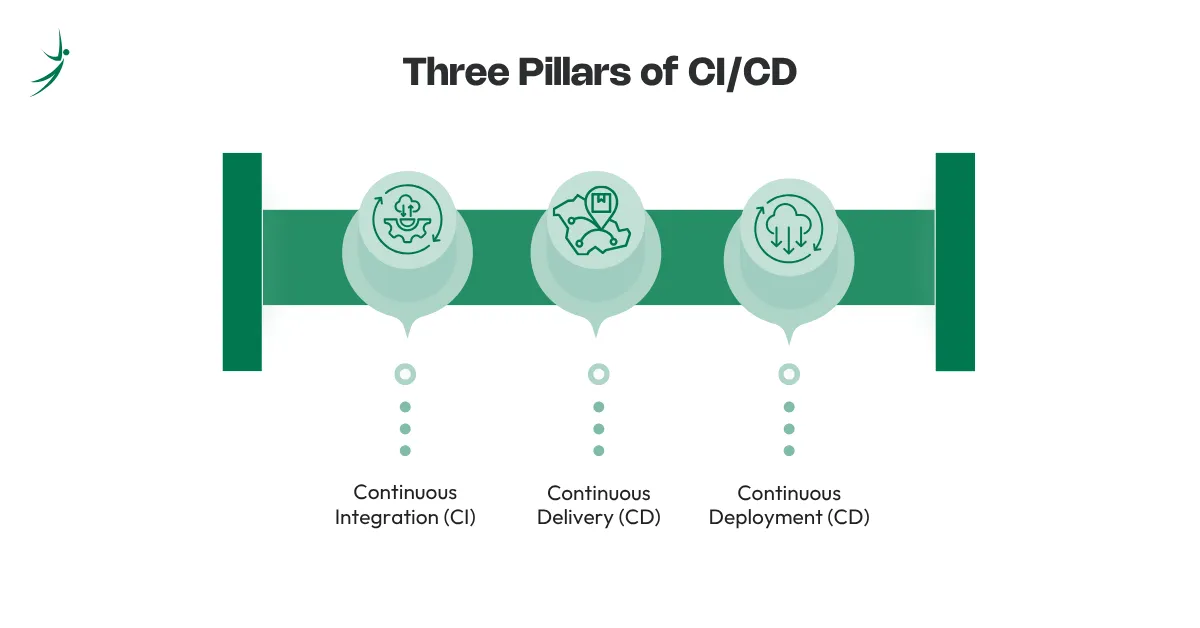
Three Pillars of CI/CD
To build a mental model of how these concepts stack together, look at them as three progressive pillars of automation:
1. Continuous Integration (CI)
- Focus: Developer workflows, automated testing, and frequent code merging.
- Goal: To surface bugs and integration conflicts as early as possible.
2. Continuous Delivery (CD)
- Focus: Automated release readiness.
- Goal: To ensure that the repository's main branch is always in a stable, production-ready state, even if you choose not to deploy it immediately.
3. Continuous Deployment (CD)
- Focus: Total end-to-end automation.
- Goal: To reduce the time it takes for a developer's idea to reach live users down to mere minutes.
CI/CD Workflow
To visualize how ci cd pipeline works in a day-to-day software engineering setting, let's track the journey of a single feature update across its major lifecycle milestones.
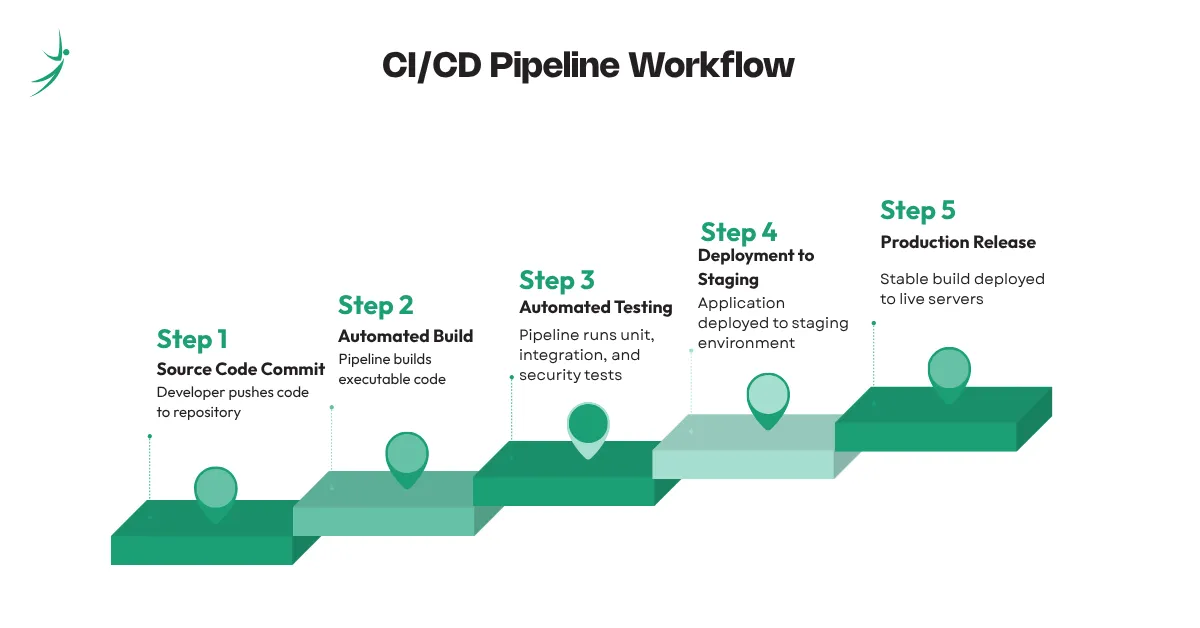
- Source Code Commit: The workflow kicks off the moment a developer completes their task locally and runs a git push command. This updates the remote repository hosted on platforms like GitHub or GitLab.
- Automated Build: The pipeline detects the new commit and immediately triggers a build agent. This agent spins up an isolated environment, pulls down the latest code, resolves all required package dependencies, and compiles the raw source files into an executable format.
- Automated Testing: Once the build is verified, the pipeline fires off your test suites. This includes unit tests to check isolated logic functions, integration tests to ensure different parts of the application communicate correctly, and security linters to flag vulnerabilities.
- Deployment to Staging: If the tests pass, the pipeline automatically deploys the application to a staging environment—a precise clone of the production system. This gives QA testers and product managers a safe space to review features visually.
- Production Release: Following approval (or automatically in continuous deployment models), the stable build is pushed to the live production servers, exposing the fresh code to your active users.
Understanding this workflow requires familiarity with essential DevOps tools
What Is a CI/CD Pipeline?
A ci cd pipeline is the actual software infrastructure that implements this entire workflow. Think of it as a highly reliable conveyor belt in a manufacturing plant. Raw materials (code changes) enter on one side, pass through automated quality inspections and assembly stations, and emerge on the other side as a fully verified, safely packaged product ready for immediate consumption.
Components of a CI/CD Pipeline
To ensure maximum resilience, a modern ci cd pipeline architecture relies on a sequence of independent, modular components executing in a specific order:
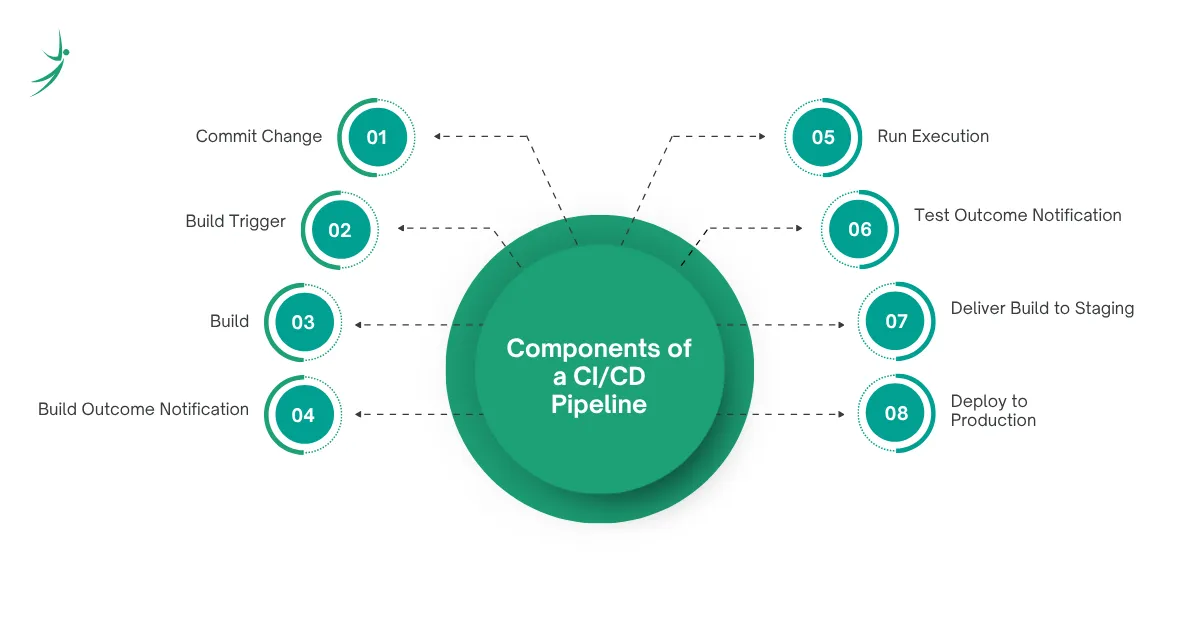
1. Commit Change
The initial spark. The developer updates a file, creates a pull request, or merges code into a guarded tracking branch.
2. Build Trigger
Webhooks monitor the code repository and instantly alert the pipeline runner that a new event requires execution.
3. Build
The pipeline environment pulls down the codebase and compiles it. If there is a syntax error or a missing package dependency, the pipeline fails instantly right here.
4. Build Outcome Notification
The system pushes live alerts directly to engineering channels (such as Slack, Discord, or email) to let the developer know if their build succeeded or failed.
5. Run Execution
The pipeline installs the compiled application inside a clean sandbox or container to prepare it for deep testing.
6. Test Outcome Notification
The testing logs are processed. If any test fails, the pipeline halts immediately, keeping the broken code far away from real users.
7. Deliver Build to Staging
The verified build artifact is safely deployed to a pre-production testing server for final validation.
8. Deploy to Production
The artifact is pulled from staging and smoothly transitioned onto the primary user-facing production environment.
Common CI/CD Tools
When deciding what is ci cd pipeline tools architecture best suited for your team's specific technical ecosystem, you have several industry-leading options to choose from:
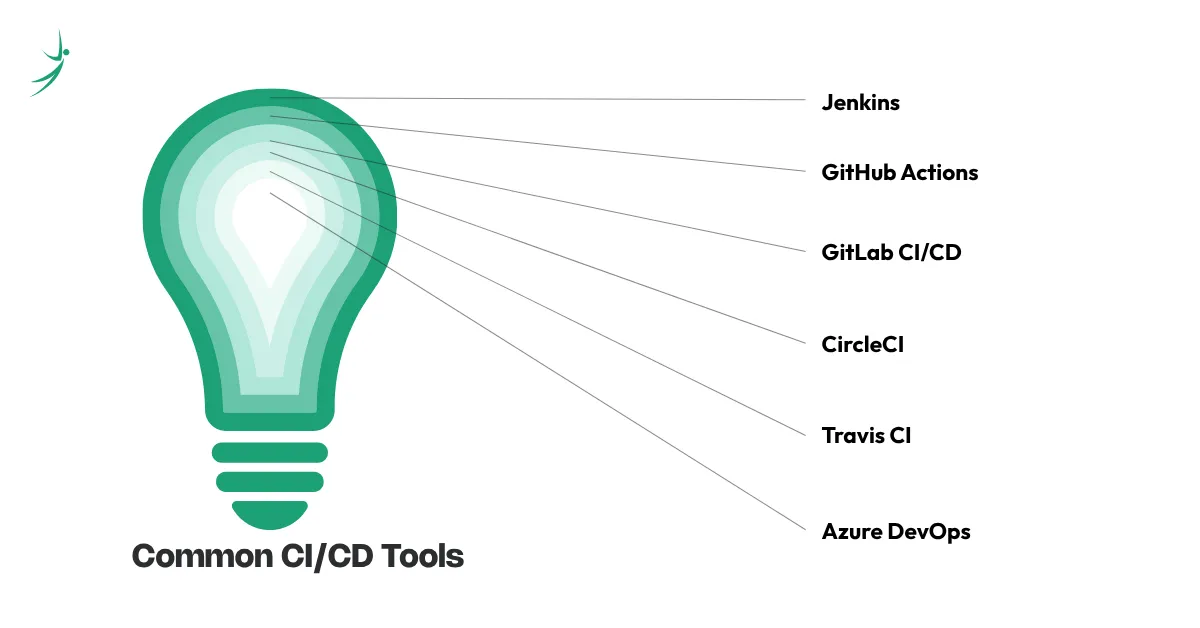
- Jenkins: An open-source, self-hosted automation server. It is incredibly customizable with thousands of community plugins, making it ideal for managing complex enterprise workflows.
- GitHub Actions: A modern cloud-native solution that lets you manage a ci cd pipeline in github directly next to your code. Workflows are declared using simple YAML files right inside your repository.
- GitLab CI/CD: A fully integrated, out-of-the-box system built directly into the GitLab ecosystem, offering powerful container registry and deployment tracking tools.
- CircleCI: A managed cloud platform designed for extreme speed and performance, emphasizing parallel test execution and fast caching mechanisms.
- Travis CI: One of the early pioneers of cloud-hosted CI/CD, famous for its simple configuration style and deep integration with open-source projects.
- Azure DevOps: Microsoft’s robust enterprise suite that pairs seamlessly with cloud-native hosting architectures, including managing a secure ci cd pipeline in aws or Microsoft Azure instances.
Best Practices for a Healthy CI/CD Pipeline
To keep your automated build engine running smoothly over time, implement these core ci cd pipeline best practices:
- Automate Testing Intelligently: Ensure your pipeline runs unit, integration, and security checks automatically on every single pull request.
- Keep Builds Fast: A slow pipeline stalls engineering momentum. Optimize your caching strategies for package managers to ensure your ci cd pipeline steps finish running in under ten minutes.
- Monitor Pipeline Performance: Treat your pipeline like production software. Track failure rates and step durations to locate performance bottlenecks.
- Use Version Control Effectively: Protect your main branch. Force all incoming code to pass through a pull request that requires a successful pipeline execution before it can be merged.
- Secure Secrets and Credentials: Never hardcode API keys, database passwords, or SSH certificates in your code. Rely on your pipeline's native secret storage to protect ci cd pipeline security protocols.
- Containerize with Docker: Packaging your application with a ci cd pipeline with docker setup ensures that the exact same environment used during testing is identical to what runs in production.
Benefits of CI/CD
These advantages are a major reason behind the increasing scope of DevOps careers worldwide.
- Faster Releases: Teams can shorten their feedback loops from weeks down to hours, allowing business units to deliver user value significantly faster than traditional models.
- Reduced Deployment Risks: Because updates are kept exceptionally small, locating the root cause of a production bug becomes straightforward, and rolling back to a previous stable state takes seconds.
- Better Code Quality: Automated code linters and test suites guarantee that fundamental code standards are met before code is even eligible for review.
- Improved Team Collaboration: Developers spend far less time dealing with messy merge conflicts or manually building deployment packages, freeing up hours to focus purely on writing high-quality code.
Challenges of Implementing CI/CD
While the advantages are immense, setting up an automation pipeline does come with hurdles:
- Upfront Time Investment: Designing a stable workflow and writing exhaustive automated test cases requires a substantial initial commitment of time and engineering resources.
- Legacy Code Complications: Older, monolithic applications that weren't designed with automation in mind can be incredibly difficult to break down into clean, isolated pipeline stages.
- Cultural Resistance: Shifting a development team away from manual QA testing processes toward a rapid, continuous release mindset requires clear communication and training.
Overcoming these challenges becomes significantly easier with guided learning through a structured DevOps course.
CI/CD Use Cases and Real-World Examples
- E-Commerce Scaling: An e-commerce engineering team wants to roll out a new payment gateway feature. Using a pipeline, they can test the code against simulated database transactions and roll it out smoothly without taking down the online storefront.
- Microservices Orchestration: Large platforms breaking down their monoliths into independent microservices use CI/CD to build, test, and deploy individual services independently without risking the stability of the surrounding application ecosystem.
Conclusion
Transitioning away from risky manual handoffs to an automated delivery strategy is the single best move an engineering team can make. Whether you choose to set up a lightweight ci cd pipeline with github actions for a personal web project or scale an enterprise-grade ci cd pipeline in aws for millions of concurrent users, the core principle remains the same: automate early, test often, and deploy with confidence.
Whether you're just starting or advancing your expertise, following a clear DevOps roadmap, building the right DevOps skills, and enrolling in a hands-on DevOps training program can help you master CI/CD effectively.
Frequently Asked Questions
What is a CI/CD pipeline?
What is a CI pipeline?
What is a CD pipeline?
How does a CI/CD pipeline work?
How to create a CI/CD pipeline?
What is a CI/CD pipeline used for?
What are CI/CD pipeline tools?
Are there professional certifications for CI/CD?
About Author: