API Testing with Postman: A Complete Beginner's Guide
You are testing a login feature. The UI looks fine. The button works. The page loads. But users keep getting logged out randomly after 30 seconds. The frontend developer says "the UI is fine." The backend developer says "the API is returning the right response." Everyone is confused and the release is tomorrow.
A QA engineer who knows API testing opens Postman, sends a request directly to the authentication endpoint, and finds the API is returning a token with a 30-second expiry instead of the required 24 hours. Bug found in five minutes. No UI involved.
This is what API testing does. It tests the layer underneath the interface, where most of the real logic lives. And Postman is the tool that makes it accessible to every QA engineer, with or without a programming background. If you are building a career in software quality, the QA career guide covers the full path from beginner to employed in Nepal's IT market, including exactly when and how to add API testing to your skill set.
By the time you finish this guide, you will know how to send GET, POST, PUT, PATCH, and DELETE requests, write test assertions, organise tests into collections, manage environments, and run your test suite in a CI/CD pipeline with Newman. The Quality Assurance course at Skill Shikshya covers all of this with hands-on Postman labs and live project work if you want a structured path alongside this guide.
What is an API and Why Does It Matter for QA Engineers?
API stands for Application Programming Interface. An API is a set of rules that lets two software systems communicate with each other.
The clearest analogy is a restaurant. The kitchen is the backend: it stores data, runs business logic, and prepares the output. The customer is the frontend: they interact with what they can see. The waiter is the API: they take the customer's request to the kitchen and bring back what was prepared. The customer never enters the kitchen directly. The kitchen never serves the customer directly. Every interaction goes through the waiter.
In software: the frontend sends a request to the API. The API processes it, talks to the database, and returns a structured response. This is how eSewa's payment flow works. It is how Khalti's transaction system works. It is how Hamro Patro serves data to its app. Every piece of dynamic content you see in a web or mobile application goes through an API.
Why QA Engineers Need to Test APIs Directly
Most beginner QA engineers start with UI testing: open the app, click through it, check that things look right. UI testing is valuable but limited. A 2025 SmartBear survey found that teams incorporating API testing reported 40% faster release cycles and 35% fewer critical bugs escaping to production. The reason is straightforward: the business logic lives in the backend, and the API is the front door to that logic.
Here is why API testing matters specifically:
- Speed: API tests run in milliseconds. UI tests that do the same checks take minutes.
- Stability: UI changes break UI tests constantly. APIs change far less often, so API tests stay green longer.
- Coverage: You can test hundreds of data combinations through an API that would take days to cover through the UI.
- Early detection: API bugs found before the UI is built cost almost nothing to fix. The same bugs found in production can require emergency releases and rollbacks.
By 2026, an estimated 85% of enterprise software interactions happen via APIs, according to SmartBear's State of API Development Report 2025. This is why API testing with Postman has moved from a "nice to have" to a baseline expectation for mid-level QA roles in Nepal's IT companies.
API Testing vs UI Testing
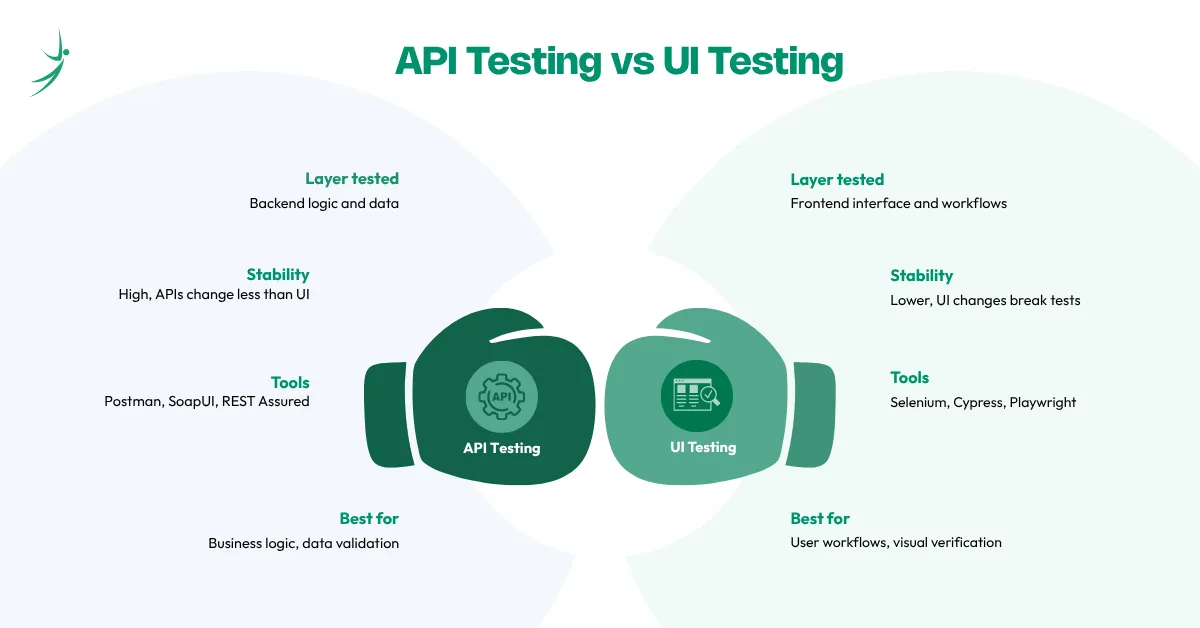
API testing checks the backend logic directly through requests. UI testing checks what the user sees and clicks on screen. Both matter, but they catch different types of bugs at different speeds.
| API Testing | UI Testing | |
|---|---|---|
| Layer tested | Backend logic and data | Frontend interface and workflows |
| Speed | Very fast (milliseconds) | Slower (seconds to minutes) |
| Stability | High, APIs change less than UI | Lower, UI changes break tests |
| Tools | Postman, SoapUI, REST Assured | Selenium, Cypress, Playwright |
| Coding required | Minimal with Postman GUI | More for automation scripts |
| Best for | Business logic, data validation | User workflows, visual verification |
Understanding where API testing sits within the broader picture of types of software testing makes it easier to decide when to use it and when UI testing is the right call.
REST, SOAP, and GraphQL: The Three API Types QA Engineers Work With
Not all APIs are built the same way. You will encounter three main types as a QA engineer in Nepal's IT market.
REST APIs
REST stands for Representational State Transfer. It is the most common API type in 2026 and the one you will work with most. REST APIs:
- Use standard HTTP methods: GET, POST, PUT, PATCH, DELETE
- Return data in JSON format (occasionally XML)
- Are stateless: each request contains all the information the server needs to respond
- Are used in the large majority of Nepal IT company products and outsourcing projects
SOAP APIs
SOAP stands for Simple Object Access Protocol. It uses XML for all communication and operates through a single POST endpoint, with the action defined inside the XML body. SOAP:
- Is more rigid and verbose than REST
- Is still used in banking, healthcare, and legacy enterprise systems
- Appears less in Nepal startups but shows up in outsourcing projects for international enterprise clients
- Postman supports SOAP testing by setting the body type to "raw" and formatting as XML
GraphQL APIs
GraphQL is a query language for APIs developed by Meta. Instead of fixed endpoints like REST, GraphQL uses a single endpoint where the client specifies exactly what data it wants. GraphQL:
- Returns only the fields requested, nothing extra
- Is growing in popularity in Nepal's product startup sector
- Works within Postman using the GraphQL body type
| REST | SOAP | GraphQL | |
|---|---|---|---|
| Data format | JSON | XML | JSON |
| Endpoints | Multiple (one per resource) | Single | Single |
| Flexibility | High | Low | Very high |
| Learning curve | Low | High | Medium |
| Nepal market use | Very common | Legacy projects only | Growing |
HTTP Methods and Status Codes: The Foundation of API Testing
Before you open Postman and send a request, you need to understand two foundational concepts: HTTP methods and HTTP status codes. These are what every API request is built on.
HTTP Methods
Each HTTP method tells the server what action to perform on a resource.
| Method | Purpose | Nepal Fintech Example |
|---|---|---|
| GET | Retrieve data without changing it | Fetch a user's transaction history from eSewa |
| POST | Create a new resource | Submit a new fund transfer request |
| PUT | Replace an existing resource entirely | Update a user's complete profile |
| PATCH | Update specific fields of a resource | Change only the phone number on a profile |
| DELETE | Remove a resource | Delete a saved payment method |
HTTP Status Codes QA Engineers Work With Daily
A status code is a three-digit number the server sends back to tell you how the request went. As a QA engineer, you validate these as part of every test.
2xx: Success
- 200 OK: The request succeeded and the response contains data. Expected for most GET requests.
- 201 Created: A new resource was successfully created. Expected after a successful POST.
- 204 No Content: The request succeeded but there is no data to return. Expected after DELETE or some PATCH requests.
3xx: Redirection
- 301 Moved Permanently: The endpoint has moved to a new URL. Update your test URLs if you see this.
- 302 Found: Temporary redirect. The resource is at a different URL for this request only.
4xx: Client Errors (the request was wrong)
- 400 Bad Request: The request is malformed, has missing required fields, or has incorrect data types.
- 401 Unauthorized: The request is missing authentication or the credentials are invalid.
- 403 Forbidden: The user is authenticated but does not have permission to access this resource.
- 404 Not Found: The endpoint does not exist or the requested resource is missing.
- 422 Unprocessable Entity: The request format is correct but the data fails business validation.
5xx: Server Errors (the server broke)
- 500 Internal Server Error: A bug on the server side. Log and report to the backend team immediately.
- 502 Bad Gateway: An upstream server returned an invalid response.
- 503 Service Unavailable: The server is overloaded or down for maintenance.
One thing many beginners miss: a 200 status code does not automatically mean the test passed. Always validate the response body. An API can return 200 with wrong data, missing fields, or corrupted values. Your assertions need to check both.
Setting Up Postman: Your First Step into API Testing
What is Postman?
Postman started as a simple Chrome extension for sending HTTP requests. It has since grown into a full API development and testing platform used by over 25 million developers and testers worldwide, according to the Postman State of API Report 2025. It lets you send HTTP requests, write automated tests in JavaScript, organise tests into collections, manage environment variables, and run test suites in CI/CD pipelines using Newman CLI, all from a single free application.
For QA engineers, Postman offers three key advantages over manual browser-based API checking:
- You can save, reuse, and share every request and test
- You can run entire test suites with one click using the Collection Runner
- You can automate your API regression suite and plug it directly into a CI/CD pipeline with Newman
Installing Postman
Getting Postman running takes under five minutes:
- Go to postman.com and click the download link for your operating system (Windows, macOS, or Linux)
- Install the desktop app. Always use the desktop version over the web version for full feature access
- Create a free account when prompted. This syncs your collections across devices and lets you share with teammates
- Open the app and create a new Workspace. Name it something specific: "Skill Shikshya QA Practice" works well as a starting point
Understanding the Postman Interface
Once you are inside a workspace, the layout has four main areas:
- Left sidebar: Your collections (saved test suites), environments, APIs, and request history. Everything you save lives here.
- Central workbench: The request editor. This is where you build requests: method, URL, headers, body, and auth.
- Response panel: Below the request editor. Shows the status code, response time, response body, headers, and cookies after you send a request.
- Top bar: The workspace switcher on the left, the environment selector on the right (critical for managing dev, staging, and prod URLs), and settings.
How to Send Your First API Request in Postman
Every API interaction in Postman is a request. Each request has five components:
| Component | What It Is | Example |
|---|---|---|
| HTTP Method | The action to perform | GET |
| URL | The API endpoint address | https://reqres.in/api/users/1 |
| Headers | Metadata about the request | Content-Type: application/json |
| Body | Data sent with the request (POST, PUT, PATCH) | { "name": "Ram", "job": "QA" } |
| Authorization | Credentials for secured APIs | Bearer token, API key, OAuth |
Your First GET Request: Step by Step
For your first request, use Reqres.in, a free public API built specifically for testing. No account or API key needed.
- Click New in the top-left corner and select HTTP Request
- Make sure the method dropdown on the left says GET
- Paste this URL in the address bar: https://reqres.in/api/users/1
- Click Send
- Look at the response panel. You should see a status of 200 OK and a JSON body with user details
Reading the Response
Every time you send a request, check four things in the response panel:
- Status code: Is it what you expected? GET should return 200. POST should return 201.
- Response time: Is it acceptable? Most APIs targeting under 200ms for standard requests.
- Response body: Does the data match what the requirements say it should return?
- Headers: Are the correct content-type and security headers present in the response?
Testing POST, PUT, PATCH, and DELETE Requests
GET requests read data. The other four methods change it. Here is how each one works in Postman.
POST Request: Creating New Data
- Click New Request and select POST from the method dropdown
- Enter your endpoint URL
- Click the Body tab, select raw, and choose JSON from the dropdown on the right
- Enter your request body: { "name": "Sita Sharma", "job": "QA Engineer" }
- Click Send
- Expected response: 201 Created with the newly created resource in the response body
Test for negative scenarios too: send a POST with a missing required field and confirm the API returns 400. Send a POST with an invalid data type and confirm 422.
PUT Request: Replacing a Resource
PUT replaces the entire resource. Every required field must be in the body, not just the ones you want to change.
- Expected response: 200 OK with the full updated resource in the body
- Test negative case: send PUT with a missing required field and confirm 400
PATCH Request: Updating Specific Fields
PATCH updates only the fields you include in the body. Everything else stays unchanged.
- Body contains only the fields you want to change
- Expected response: 200 OK with the updated resource, or 204 No Content
DELETE Request: Removing a Resource
Most DELETE requests require no body, just the resource ID in the URL
- Expected response: 204 No Content (resource deleted, nothing to return)
- Always test with a valid ID (expect 204) and an invalid ID (expect 404)
How to Write Test Scripts and Assertions in Postman
Sending requests manually and reading responses is useful for exploration. Test scripts turn that into automated validation that runs the same checks every time, reliably, in a CI/CD pipeline.
The Tests Tab
Every request in Postman has a Tests tab. Code you write here runs automatically after the response comes back. Postman uses JavaScript for test scripts, and provides built-in snippets for the most common assertions so you do not need to write everything from scratch.
Five Essential Test Assertions Every QA Engineer Should Know
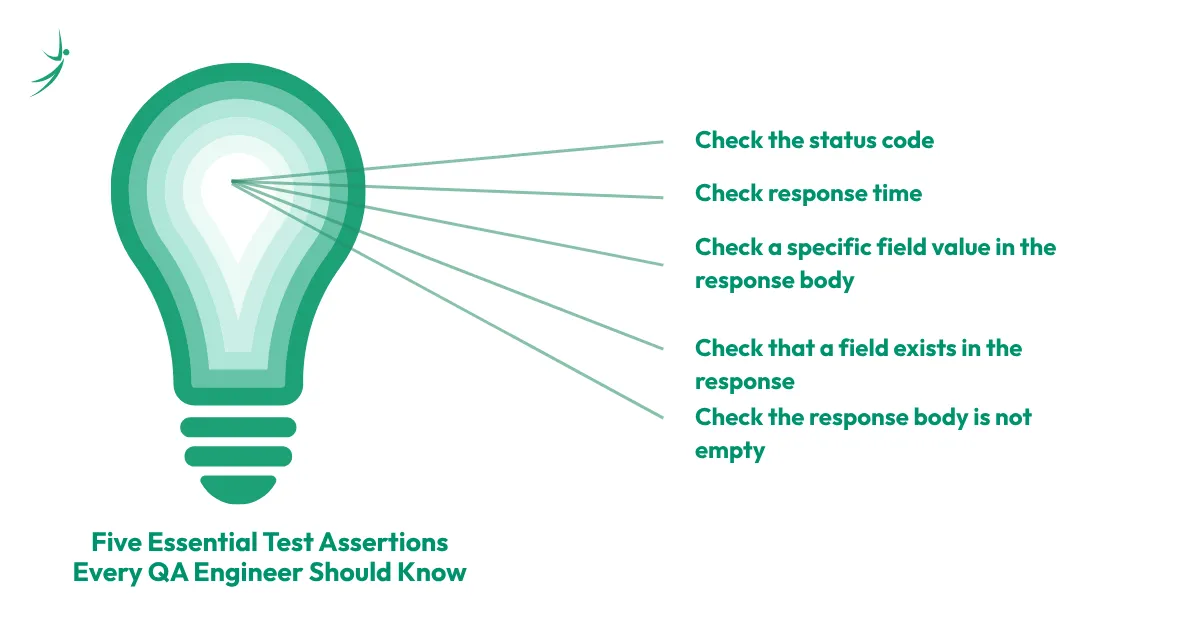
1. Check the status code:
pm.test("Status code is 200", function () {
    pm.response.to.have.status(200);
});
2. Check response time:
pm.test("Response time is under 500ms", function () {
    pm.expect(pm.response.responseTime).to.be.below(500);
});
3. Check a specific field value in the response body:
pm.test("User name is correct", function () {
    var jsonData = pm.response.json();
    pm.expect(jsonData.data.first_name).to.eql("George");
});
4. Check that a field exists in the response:
pm.test("Response contains an id field", function () {
    var jsonData = pm.response.json();
    pm.expect(jsonData.data).to.have.property("id");
});
5. Check the response body is not empty:
pm.test("Response body is not empty", function () {
    pm.expect(pm.response.text()).to.not.be.empty;
});
Pre-Request Scripts
The Pre-request Script tab runs code before the request is sent. Use it to:
- Generate dynamic data (random email addresses for registration tests)
- Set environment variables based on logic
- Fetch or refresh authentication tokens automatically
Postman Collections and Environments
As your test suite grows beyond a few requests, you need a way to organise and manage everything. Collections and environments handle that.
What is a Postman Collection?
A collection is a folder that groups related requests together. Think of it as a test suite: all your user management tests go in a Users folder, all your payment tests go in a Payments folder, all your authentication tests go in an Auth folder.
Collections let you:
- Run all requests in sequence with the Collection Runner
- Export and share the entire test suite as a JSON file
- Add tests, pre-request scripts, and documentation to each request
- Version control your tests by storing the exported JSON in Git
Creating a collection:
- Click New in the sidebar and select Collection
- Name it clearly: "eSewa Payment API Tests" or "User Management Suite"
- Save each request to the collection when you create it
What is a Postman Environment?
An environment is a set of key-value variables that change depending on where you are testing. You need different base URLs, credentials, and data for your development server, your staging server, and production.
Example environment setup:
| Variable | Development | Staging | Production |
|---|---|---|---|
| base_url | http://localhost:3000 | https://staging-api.esewa.com | https://api.esewa.com |
| auth_token | dev_token_abc | staging_token_xyz | Never store in Postman |
| user_id | 1 | 101 | Do not test in prod |
To use a variable in a request URL: {{base_url}}/api/users/{{user_id}}
Switch between environments from the dropdown in the top-right corner of Postman. Your requests update automatically.
Variable Types in Postman
| Variable Type | Scope | Use For |
|---|---|---|
| Global | All collections and environments | Shared constants across all projects |
| Environment | Active environment only | Base URLs, auth tokens per environment |
| Collection | Requests within that collection | Collection-specific test data |
| Local | Single request or script | Temporary values within one request |
How to Test Authentication in Postman
Most production APIs are secured. Testing authentication is one of the most important QA activities because auth failures block users from everything. Postman handles all common authentication methods through its Authorization tab.
API Key Authentication
- Add the key in the Headers tab: Authorization: ApiKey your_key_here
- Or add it as a query parameter in the URL: ?api_key=your_key_here
Bearer Token Authentication
The most common auth type in Nepal's REST API environments.
- Click the Authorization tab on your request
- Select Bearer Token from the type dropdown
- Paste your token in the Token field
- Postman adds the Authorization: Bearer your_token header automatically
OAuth 2.0
For APIs using OAuth 2.0, Postman has a built-in flow:
- Select OAuth 2.0 from the Authorization tab
- Enter your client ID, client secret, and token URL
- Click Get New Access Token
- Postman handles the full OAuth exchange and stores the token
Authentication Test Scenarios Every QA Must Cover
Do not just test the happy path. These four scenarios are where auth bugs hide:
| Scenario | Action | Expected Response |
|---|---|---|
| Valid credentials | Send with correct token | 200 or 201 |
| Invalid token | Send with a wrong or modified token | 401 Unauthorized |
| Expired token | Send with a token past its expiry | 401 Unauthorized |
| No token | Send the request with no auth header | 401 Unauthorized |
| Valid token, wrong permissions | Send with a token that lacks access rights | 403 Forbidden |
Newman: Running Postman Tests in CI/CD Pipelines
The Collection Runner inside Postman runs your test suite manually. Newman takes it a step further: it runs your Postman collections from the command line, which means your API tests can run automatically in a CI/CD pipeline on every code push.
According to LeadWithSkills' 2025 API testing research, teams using Postman's collection runner for regression testing save an average of 8 to 10 hours per week previously spent on repetitive manual API checks.
Installing and Running Newman
Step 1: Install Node.js from nodejs.org
Step 2: Install Newman globally:
npm install -g newmanStep 3: Export your collection from Postman
- Right-click your collection in the sidebar
- Select Export
- Save as Collection v2.1 JSON
Step 4: Export your environment
- Click the gear icon next to the environment dropdown
- Export as JSON
Step 5: Run your collection:
newman run MyCollection.json -e MyEnvironment.jsonGenerating Reports with Newman
newman run MyCollection.json -e MyEnvironment.json --reporters html,cli --reporter-html-export report.htmlThis produces an HTML report showing every request, its status, assertion results, and response times. You can open the report in any browser.
Newman in a GitHub Actions CI/CD Pipeline
Add this YAML file to your repository at .github/workflows/api-tests.yml:
name: API Regression Tests
on: [push, pull_request]
jobs:
  api-tests:
    runs-on: ubuntu-latest
    steps:
      - uses: actions/checkout@v3
      - name: Install Node.js
        uses: actions/setup-node@v3
        with:
          node-version: '18'
      - name: Install Newman
        run: npm install -g newman
      - name: Run API Tests
        run: newman run collection.json -e environment.json
Every time a developer pushes code or opens a pull request, this workflow runs your full API test suite automatically. Failed assertions block the merge, preventing broken APIs from ever reaching the main branch.
API Testing Best Practices for QA Engineers in Nepal
Follow these practices from your first week of API testing:
- Always test negative scenarios. Most bugs live in error paths, not happy paths. Send invalid inputs, wrong data types, missing required fields, and boundary values. Never mark a feature as tested if you only ran the happy path.
- Validate the response body, not just the status code. A 200 with wrong data is a bug. Always check that the right fields exist and contain the right values.
- Use environment variables for every URL and credential. Never hardcode a base URL or token directly in a request. This ensures your collection works across dev, staging, and prod without edits.
- Chain requests using variables. When a POST returns an ID, save it as a variable in the test script and use it in the next GET or PUT. This makes your collection self-contained and maintainable.
- Set response time assertions on every request. Performance is a quality attribute. Flag responses that exceed your agreed SLA threshold automatically.
- Organise collections by feature. A Users collection is more useful than a GET collection. Group by what the requests do, not by their HTTP method.
- Export and version control your collections. Store the exported JSON in Git alongside the application code. When the API changes, update the tests in the same pull request.
API Testing Career Scope in Nepal [2026]
Postman and API testing skills have moved from optional to expected for mid-level QA roles in Nepal. Here is what the job market shows as of June 2026:
- LinkedIn Nepal lists Postman as a requirement in the majority of QA Engineer and Automation Engineer job listings
- Nepal's fintech sector relies on API testing as a core QA discipline. eSewa, Khalti, and F1Soft run transaction-heavy backends where the business logic is entirely API-driven
- Outsourcing companies like Leapfrog Technology and Cotiviti build microservices architectures for international clients where API test suites are a deliverable, not an afterthought
- QA engineers who know Postman and Newman can build and run API regression suites independently, which is a significant productivity advantage over manual-only testers
Salary Impact of API Testing Skills in Nepal
| Role | Monthly Salary (NPR) |
|---|---|
| Manual QA Tester (no API testing) | NPR 25,000 to 50,000 |
| Manual QA with basic Postman | NPR 35,000 to 65,000 |
| QA Engineer with Postman and Newman | NPR 65,000 to 110,000 |
| Senior QA with Postman, Newman, and CI/CD | NPR 110,000 to 200,000+ |
Sources: Glassdoor Nepal, June 2026 | KumariJob Nepal | NecJobs Nepal
Adding Postman to a manual testing skill set moves a QA engineer into the mid-level range faster than almost any other single skill addition. The jump from "manual QA with no API knowledge" to "QA engineer with Postman" represents a salary increase of 40 to 60% at the same experience level. The QA salary in Nepal 2026 guide covers the full salary breakdown by specialisation and experience.
For a step-by-step plan of when to add Postman to your existing skill set and what roles it unlocks at each stage, the QA career roadmap in Nepal guide maps the full progression clearly. And for a broader picture of where Nepal's QA industry is heading, the scope of QA in Nepal covers market growth, company demand, and specialisation trends through 2026.
Conclusion
API testing used to be considered an advanced skill reserved for automation engineers. In 2026, it is a baseline expectation for any QA engineer working in Nepal's IT market. Postman makes this transition accessible. You can send your first API request in under five minutes, write your first test assertion without deep programming knowledge, and integrate your test suite into a CI/CD pipeline with Newman within your first month of learning.
The engineers who add Postman to their skill set early get to mid-level roles faster, qualify for higher-paying positions at Nepal's fintech and outsourcing companies, and bring value to Agile teams that manual-only testers cannot match.
If you want to build these skills with real project labs, JIRA integration, Selenium automation, and placement support for Nepal's IT market, the Quality Assurance course at Skill Shikshya covers API testing with Postman as a core module alongside manual testing fundamentals and automation.
Frequently Asked Questions
What is API testing and why is it important?
Do I need coding knowledge to use Postman?
What is the difference between REST and SOAP APIs?
What HTTP status codes should a QA engineer know?
What is Newman and how does it work with Postman?
Is Postman free to use?
How is API testing different from UI testing?
About Author:

Mrs. Sumana Ghimire is a Quality Assurance Engineer and Mentor at WLIT with a strong expertise in automation engineering. She is passionate about the journey of continuous discovery, viewing every technical challenge as a new adventure and an opportunity to expand her horizons through meaningful interactions.
With a deep technical toolkit that includes Selenium, Java, Cypress, Playwright, and JMeter, Mrs. Ghimire specializes in building robust automation frameworks that ensure software excellence. She enjoys mentoring aspiring engineers to navigate the complexities of modern testing tools, helping them develop a proactive mindset for learning and exploring in the ever-evolving world of QA.