AI Video Generation in Nepal (2026): The Complete Tools, Skills & Career Guide
Making a short promotional video used to mean a camera, a quiet room, editing software, and a full weekend. AI video generation has changed that math. Type a sentence, upload a photo, or paste a script, and a working draft appears in minutes rather than days.
For students, freelancers, marketers, and small business owners across Kathmandu, Pokhara, and beyond, this shift matters more than the headlines suggest. It is not just a novelty for tech enthusiasts; it is becoming a real, income-generating skill. For those looking to build a stronger foundation in editing before working with AI-generated footage, learning practical video editing skills can be a valuable starting point.
This guide walks through the tools worth learning in 2026, how they compare, what they cost, the mistakes to avoid, and how Nepali creators are turning this skill into freelance income and full-time work.
Why AI Video Generation Matters in Nepal in 2026
Global spending tells part of the story. Fortune Business Insights values the AI video generator market at roughly $847 million in 2026, growing at close to 19% a year and heading toward $3.35 billion by 2034. Grand View Research places the figure closer to $946 million for 2026, with Asia-Pacific posted as the fastest-growing region worldwide.
The cost curve is just as telling. According to production-cost tracking published by ngram.com, the price of producing a video fell roughly 97% between 2020 and early 2026 a project that once cost around $1,500 through a freelance production team can now be rendered for under $15 in raw generation costs. That gap is exactly why a solo creator in Nepal, working without a studio or a production team, can now compete on output quality with agencies that have full crews.
Locally, the conditions line up well. Nepal now has more than 12 million internet users, a young population that is comfortable with mobile-first content, and a fast-growing freelance economy built around Upwork, Fiverr, and direct client work. Video editing and AI-assisted content production are already listed among the highest-demand freelance skill categories coming out of Nepal in 2026, alongside web development and digital marketing.
Businesses in Nepal are catching on too. Restaurants, clothing brands, travel agencies, gyms, and training institutes need a steady stream of short videos for Facebook, Instagram, and TikTok, but few can afford a dedicated video team. That is part of why more companies here are formally training staff on these tools rather than treating AI as a side experiment. AI video generation closes that gap.
Key Benefits of AI Video Generation
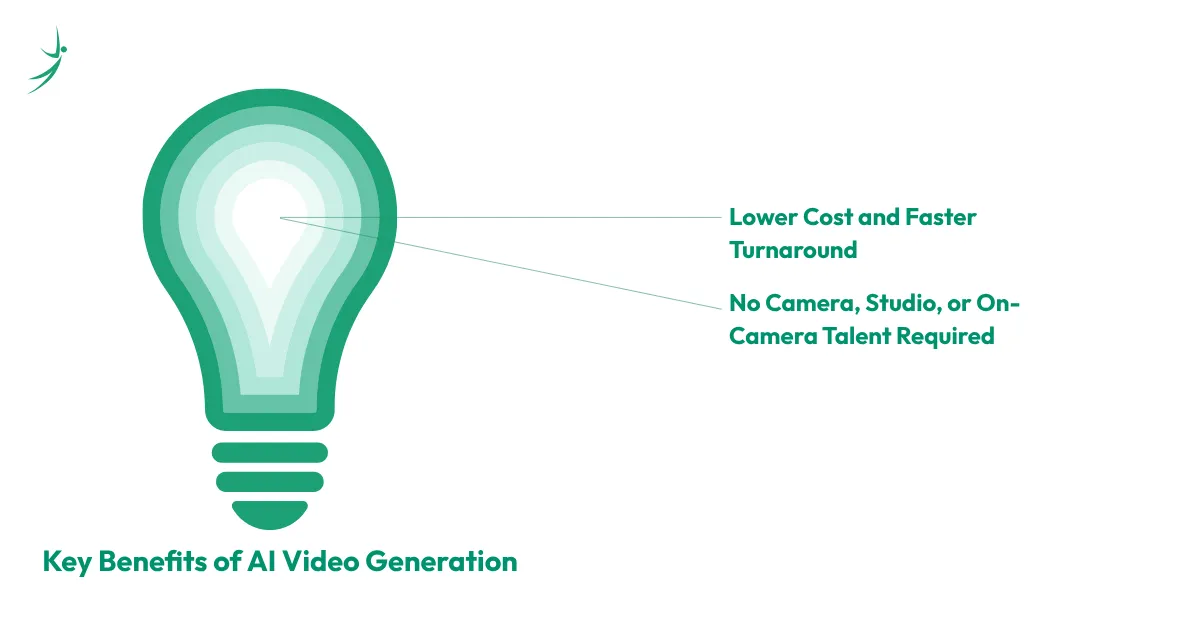
Lower Cost and Faster Turnaround
A short marketing clip that once required a camera crew, actors, and a day of shooting can now be produced from a text prompt or a single product photo. Several tools generate a usable draft clip in under two minutes.
For a freelancer, this means taking on more projects in the same week. For a small business, it means testing five video concepts for the price that used to cover one.
No Camera, Studio, or On-Camera Talent Required
Not every creator wants to appear on camera, and not every business has a filming location. Tools built around AI avatars, image-to-video conversion, and synthetic voiceover remove that barrier entirely.
A teacher can turn a slide deck into a narrated lesson. A freelancer can build a faceless YouTube channel entirely from stock footage and generated clips. A small business owner can turn a single product photo into a moving advertisement without booking a shoot.
A teacher can turn a slide deck into a narrated lesson. A freelancer can build a faceless YouTube channel entirely from stock footage and generated clips. A small business owner can turn a single product photo into a moving advertisement without booking a shoot. Video generation is just one piece of the wider set of AI tools students are already using for schoolwork the same habit of testing free tools before committing to one applies here too.
AI Video Generation Websites and Apps Worth Knowing in 2026
The market consolidated fast this year. OpenAI shut down the consumer Sora app on April 26, 2026 (the underlying API follows on September 24, 2026), which means any 2025-era guide that still lists Sora as a top pick is already out of date. Four platforms now define most of the serious conversation: Kling, Runway, Google's Veo, and Luma.
Here is an honest, current comparison of the tools worth testing.
| Tool | Type | Free Plan | Watermark on Free Tier | Best Fit |
|---|---|---|---|---|
| Google Veo (3.1) | Text-to-video, image-to-video | Limited, bundled into Google AI Pro/Ultra plans and the Gemini app | Invisible SynthID marker | Cinematic quality, native audio and dialogue, consistent characters across scenes |
| Kling AI (3.0) | Text-to-video, image-to-video | Yes, generous monthly credits | Yes | Native 4K output at 60fps, strong realism, large free tier |
| Runway | Text-to-video, image-to-video, editing | Limited credits | Yes | Advanced control, motion tracking, professional and agency work |
| Luma Dream Machine | Text-to-video, image-to-video | Yes, limited generations | Yes | Camera movement, cinematic animation |
| Pika | Text-to-video, image-to-video | Yes, limited generations | Yes | Beginners, quick creative clips |
| CapCut AI | Mobile/desktop editing app with AI generation | Yes | Removed on the paid tier | Short-form Reels, TikToks, and YouTube Shorts |
| Canva AI | Design platform with Magic Design video | Yes | Not applicable | Students, teachers, template-based videos |
| InVideo AI | Prompt or article-to-video | Yes, limited | Yes | Turning a script or blog post into a full video with voiceover |
| VEED AI | Editing, subtitles, dubbing | Yes, limited | Yes | Course content, tutorials, multilingual captions |
| HeyGen | AI avatar presenter videos | Yes, limited | Yes | Training videos, product explainers without an on-camera presenter |
A few notes worth remembering when picking between these:
- Free without a watermark is rare. Most platforms attach a visible mark to free exports; Canva and a handful of editing apps are the main exceptions once you use your own footage.
- "AI video generator from text" and "from image" are different workflows. Text prompts give more creative range; a starting image (a product photo, a portrait, a logo) gives more control over the exact subject.
- App vs. browser matters for Nepal's mobile-first audience. CapCut, Canva, and InVideo all have functional mobile apps, which matters where a laptop is not the primary device.
The Many Ways People Search for These Tools
Search behaviour around this topic is scattered across several phrasings, and knowing what each one usually means saves time before testing five different platforms:
- AI video generator free or AI video generator free online: Usually means a browser-based tool with no upfront cost. Kling, Pika, and Canva AI fit this best.
- AI video generator from text: A pure text-to-video workflow; Veo, Kling, and Runway all support this well.
- AI video generator from image or AI video generator from image free: Starting from an uploaded photo instead of a blank prompt; Luma and Kling handle this well, both with usable free tiers.
- AI video generator app: Someone wants a phone app rather than a desktop tool. CapCut and Canva are the most dependable mobile options for Nepal's largely mobile-first audience.
- AI video generator no watermark or AI video generator free without watermark: As covered above, this combination is genuinely rare on a pure generation tool's free tier; it is more realistic with editing apps like Canva once you supply your own footage.
- AI video generator veo: Specifically Google's model; the comparison table above covers current access and pricing.
- Generate AI videos and video-generating AI: Broader searches that usually mean someone is comparing the whole category rather than one product.
How to Get Strong Results From AI Video Generation
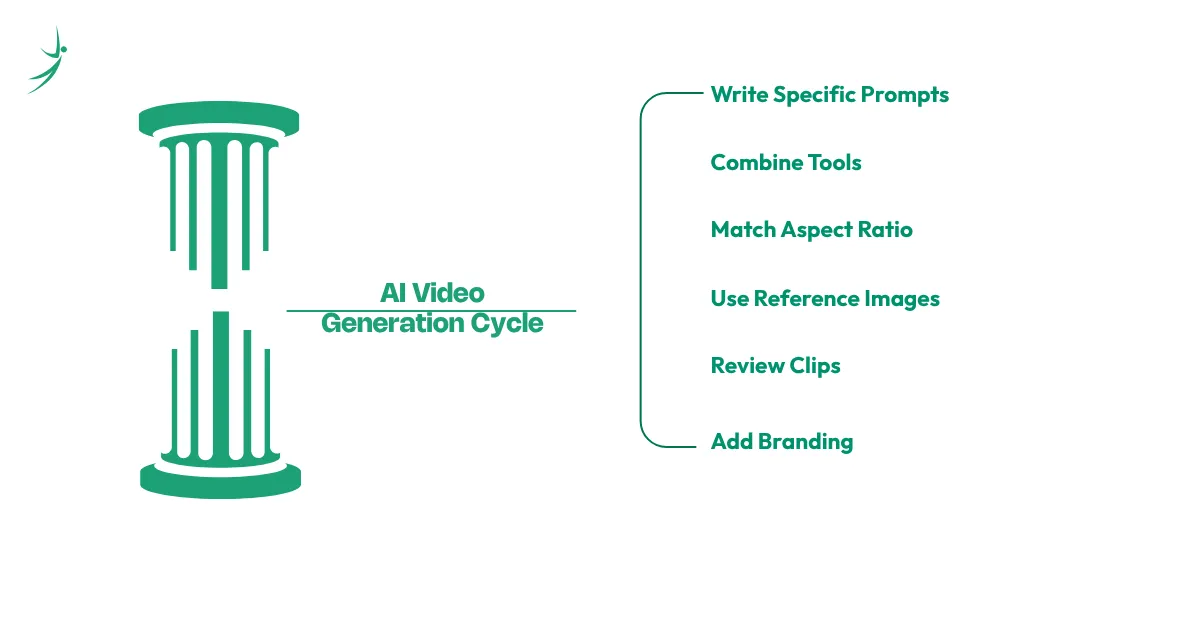
- Write specific prompts. "A cup of coffee on a wooden table" produces a generic clip. "A close-up shot of steam rising from a ceramic cup of coffee on a rustic wooden table, morning light from the left, slow camera push-in" produces something usable.
- Combine tools instead of relying on one. A common workflow among Nepali freelancers on Upwork pairs ChatGPT or Gemini for the script, Veo or Kling for the raw clips, CapCut or DaVinci Resolve for the edit, and a captioning tool for subtitles. No single platform does the entire job well.
- Match aspect ratio to the platform before you generate. Vertical 9:16 for Reels, Shorts, and TikTok; horizontal 16:9 for YouTube and websites. Most current tools, including Veo 3.1, now generate native vertical video, so cropping after the fact is rarely necessary.
- Use reference images to lock in a character or product. Tools with an "ingredients to video" or image-guided feature (Veo 3.1 supports up to three reference images) solve the old problem of a character's face changing between shots.
- Review every clip before publishing. AI-generated footage can include small errors: an extra finger, warped text, mismatched lighting between cuts. A five-minute review catches most of it.
- Add real branding. A generated clip with a business's actual logo, colours, and voice performs better than a generic template, and it signals the content was made with care rather than dropped in from a tool with no editing.
Challenges in AI Video Generation, and How to Work Around Them
- Free-tier limits and watermarks. Most free plans cap monthly generations and stamp a visible watermark on the output. Rotating between two or three free tools (Pika for one project, Kling for another) stretches a zero-budget workflow further than relying on a single platform.
- Character and product consistency. Earlier AI video tools would change a person's face or an object's shape between shots, sometimes called identity drift. Reference-image features now largely fix this, but it is worth testing before committing to a multi-scene project.
- Internet reliability during rendering. Cloud-based generation depends on a stable connection, which can be inconsistent in parts of Nepal outside major cities. Generating during off-peak hours and keeping prompts concise reduces failed renders and wasted credits.
- Authenticity and disclosure. As AI video becomes harder to distinguish from filmed footage, platforms are adding provenance tools (Google's SynthID, for example) to mark AI-generated content. Businesses using AI video for advertising should check platform disclosure rules before a campaign goes live, since policies differ by platform and are still being updated through 2026.
- Tools disappearing overnight. Sora's shutdown after only six months in the market is a reminder that no single AI video platform is guaranteed to exist next year. Building comfort with two or three tools, rather than mastering only one, protects a freelance workflow from a similar disruption it also helps to look past any one tool and think about the bigger debate over whether automation is coming for creative work more broadly.
Examples: How Nepali Creators and Businesses Are Using AI Video Generation
- A small travel agency in Kathmandu: Instead of commissioning a filmed tour video for each new package, an agency owner generates a 30-second clip from a handful of destination photos, adds a voiceover in Nepali and English, and posts variations across Instagram and Facebook within a single afternoon's work that previously took a freelance videographer several days and a location visit.
- A freelance video editor building an international client base: Upwork profiles from Nepal now regularly list "AI video generation" as a standalone skill alongside traditional editing tools such as DaVinci Resolve and Premiere Pro. Editors pairing AI-generated visuals with conventional editing report being able to take on faceless YouTube automation and explainer-video projects that would have needed a full production team a few years earlier.
- A student building a portfolio before applying for work: With no client yet and no budget, a student can produce ten to fifteen sample projects using only free tools a mock product ad, a mock explainer video, a mock course intro and use that body of work to pitch local businesses or apply to freelance platforms.
Future Trends in AI Video Generation
- Longer, higher-resolution clips. Veo 3.1 already supports native 4K output and extended scenes beyond the old eight-second limit through its scene-extension feature; Kling 3.0 offers native 4K at 60 frames per second. Expect this to become the standard rather than the exception through the rest of 2026.
- A smaller field of serious players. With Sora gone, the market is settling around four names: Kling for reach and revenue (an estimated $500 million annualised revenue by mid-2026), Runway for valuation and professional tools, Veo for reach through Google's own apps, and Luma for camera and animation quality.
- Rising ad spend. Global AI-generated video advertising spend is projected at roughly $9.1 billion in 2026, close to 12% of all digital video ad spend. That share is expected to keep climbing as more marketing teams move from testing to regular production; 78% of marketing teams already use AI-generated video in at least one campaign per quarter.
- Vertical video as the default. Short-form vertical clips already account for around two-thirds of all AI-generated video output, and tools are being built around that shape first rather than as an afterthought.
- Corporate and training use growing fast. Nearly half of HR teams now use AI somewhere in their onboarding process, much of it built around AI avatar presenters like HeyGen rather than filmed talent an opening for Nepali freelancers who can build this kind of content for international clients. This sits inside a larger shift toward autonomous AI tools showing up in Nepali workplaces well beyond video, handling scheduling, research, and first drafts as well as footage.
How to Choose the Right AI Video Generation Tool
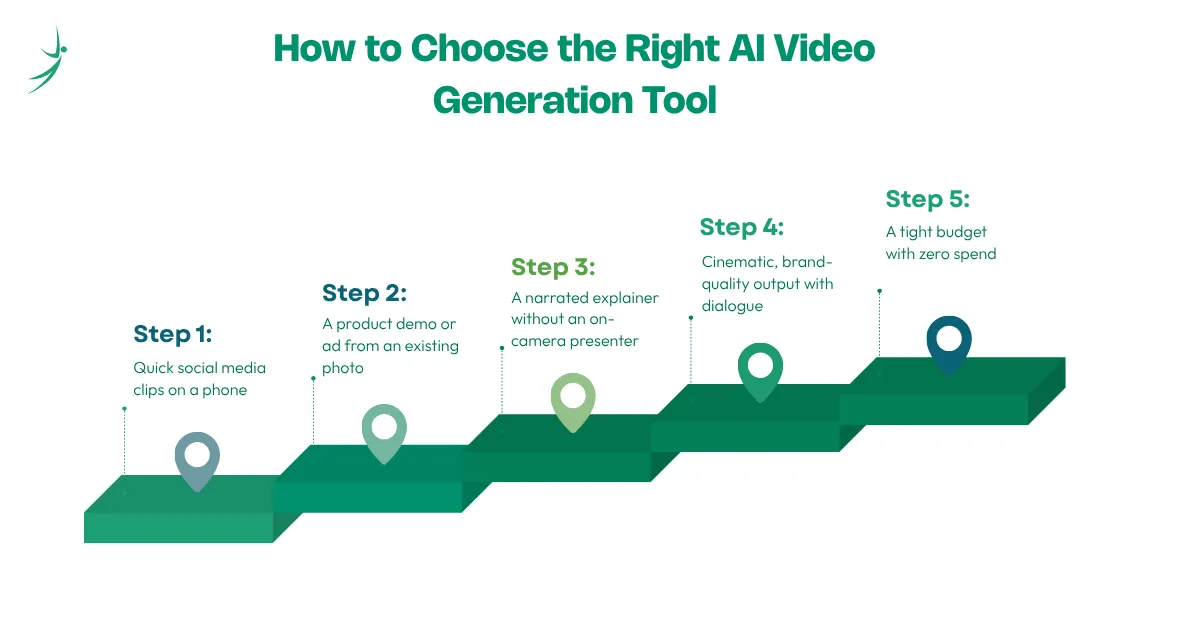
There is no single best option; the right pick depends on the project.
- Quick social media clips on a phone: CapCut AI or Canva AI. Both have working mobile apps and generous free tiers.
- A product demo or ad from an existing photo: an image-to-video tool such as Kling or Luma, since starting from a real photo keeps the product accurate.
- A narrated explainer without an on-camera presenter: HeyGen or InVideo AI, both built around avatars and automated voiceover.
- Cinematic, brand-quality output with dialogue: Google Veo, which currently leads on native audio and multi-scene character consistency.
- A tight budget with zero spend: rotate between Pika, Kling's free credits, and Canva rather than paying for any single subscription until client income covers the cost.
Before settling on one, check three things: how many free generations the plan allows per month, whether the free export carries a watermark, and whether the tool supports the export resolution your platform needs (1080p is enough for most social feeds; 4K matters for websites and paid ad placements).
Building a Career With AI Video Generation Skills in Nepal
This is where the opportunity gets concrete. Video editing and AI-assisted content skills are consistently ranked among Nepal's highest-demand freelance categories in 2026, and the entry point does not require a filmmaking degree it fits naturally alongside a fuller step-by-step path into a marketing career for anyone starting from zero.
A practical path to follow:
- Learn one free tool well before adding a second: Pick CapCut or Canva first both have a short learning curve and a genuine free tier.
- Build ten to fifteen sample projects: Mock ads, mock explainers, mock social clips. No client is needed to start a portfolio.
- Add complementary skills: Basic scriptwriting, prompt writing, caption formatting, and simple audio cleanup round out a service offering that a single AI tool cannot cover alone worth pairing with the broader toolkit modern marketers rely on day to day.
- Pitch local businesses first: Restaurants, salons, gyms, and shops in Kathmandu are realistic first clients and rarely require a formal portfolio beyond a few samples.
- Move to freelance platforms once you have reviews: Upwork and Fiverr both reward early positive feedback with more visibility. If you want a shortcut through steps 1–4, look into a structured, project-based way to build a portfolio like this from zero instead of piecing it together alone.
What this can realistically pay in Nepal, from published salary and freelance data for a full 2026 breakdown of what Nepali freelancers earn from AI-related gigs generally, the pattern below holds across most AI-assisted skill categories, not just video:
| Path | Typical Range | Notes |
|---|---|---|
| Managing social content for a local business | Rs. 8,000–25,000 per client, per month | Two or three small clients is a realistic beginner income |
| Entry-level in-house video editor | Rs. 15,000–30,000 per month starting out, rising to Rs. 30,000–60,000 with a year or two of experience | Ranges vary by company size and city |
| Freelance projects on Upwork/Fiverr | Rs. 3,000–15,000 per project in the first few months | Rs. 50,000–1,00,000 per month is achievable after six to twelve months of consistent reviews |
| Established freelance content creator | Over Rs. 80,000 per month | Working across several clients at once |
| Sponsored content for creators with an audience | Rs. 15,000–50,000 per video for smaller local channels, up to Rs. 1,00,000–3,00,000+ for large, engaged audiences | Requires an established following, not just tool skill |
Two things separate a beginner from someone earning steadily: a portfolio that shows finished, polished work rather than raw generations, and comfort switching between two or three tools depending on what a client actually needs.
Measuring ROI and Success With AI Video Generation
For a business, the comparison that matters is cost and speed against the old process: what a filmed video used to cost per finished minute versus what an AI-assisted workflow costs now, and how many more variations can be tested in the same budget. Engagement rate, watch-through percentage, and click-through rate on the resulting ad are the numbers that show whether the faster process is also producing content people actually watch.
For a freelancer or someone building a career around this skill, the more useful numbers are personal: completed portfolio pieces, response rate on freelance pitches, repeat clients, and the trend in rate charged per project over six to twelve months. A rising hourly or per-project rate, alongside a shrinking amount of unpaid "sample work," is the clearest sign the skill is turning into a real income source.
Conclusion and Next Steps
AI video generation is no longer an experiment; it is a working part of how marketing teams, educators, and independent creators in Nepal produce video. The tools change fast (Sora's exit after just six months proves that), so the safest skill to build is not mastery of one platform but comfort moving between several, paired with real editing ability and an understanding of what actually performs on each platform.
Start with one free tool this week. Build a small, honest portfolio before pitching anyone. Then decide, based on real client requests rather than guesswork, which paid tool is worth the monthly cost. If video is not the only route you are considering, it is worth comparing other realistic ways Nepali students are earning online right now before picking a lane.
Frequently Asked Questions
What is the best free AI video generator right now?
Can I get an AI video generator free without a watermark?
Is Sora still available for AI video generation?
Is Google Veo free to use?
Can AI video generation actually become a paying career in Nepal?
About Author:

Mr. Roman Bhattarai is a dedicated Creative Producer with a profound talent for visual storytelling. He views post-production not just as a technical phase, but as the heart of the creative process where raw footage is transformed into compelling narratives for shows, podcasts, and high-stakes advertising.
With a versatile background in both creative direction and technical editing, Roman brings a polished, professional edge to every frame. He is passionate about helping brands and creators bridge the gap between a concept and a finished masterpiece that resonates with its intended audience.