Video Editing Course in Nepal
Build a future ready career with Skill Shikshya's best video editing course in Nepal. Learn how top creators, agencies and brands produce compelling video content using Adobe Premiere Pro, After Effects, DaVinci Resolve, colour grading techniques and modern video production workflows used by leading media teams across the globe. Whether you want to join a creative agency as a professional video editor, produce your own YouTube content, grow as a social media video editor, or become a freelance video editor in Nepal, this video editing course gives you the portfolio, skills and certification to make it happen.
Course Key Highlights

Hybrid Classes
Attend class physically or online from anywhere and learn practical, real-world skills with guidance from industry professionals.

Industry Practices
Learn essential strategies used by agencies, brands, and global marketing teams.

Flexible Schedule
Morning and evening batches designed for students and working professionals.

Beginner Friendly
No prior experience required to start learning and building your skills.
Learn Video Editing with Skill Shikshya
Skill Shikshya's video editing course is one of the most comprehensive video editing training programs in Kathmandu, designed for students, content creators, professionals and freelancers who want to build a serious career in video editing and content production. Whether you are searching for a video editing course for beginners in Nepal or a creator looking to upgrade to professional grade skills, this course takes you from the basics all the way to a job ready video editing portfolio.
Demand for video editing jobs in Nepal has never been higher. From YouTube channels and Instagram Reels to brand commercials, corporate videos and documentary content, every business and content creator needs professional video editing to cut through the noise and engage their audience. Video editing is now one of the fastest growing freelance and agency career opportunities in Nepal today.
This is now an AI integrated video editing course. Adobe and Blackmagic Design have both rebuilt how editors actually work in 2026, Premiere Pro can extend a clip using generative AI, automatically track and mask a subject through a whole scene, and search hours of raw footage by description. DaVinci Resolve's Magic Mask and IntelliTrack AI handle object tracking that used to take hours of manual work, and its Voice to Subtitle tool drafts a usable caption track in minutes. You will learn these video editing ai tools the way working editors already use them in Nepal and globally, to clear the repetitive parts of post production fast, so more of your time goes into pacing, story structure and colour decisions, the parts of the job AI still cannot make for you.
You will master the complete video post production process, timeline editing, colour correction and grading, motion graphics, video editing effects, sound design and platform specific export, using Adobe Premiere Pro, After Effects and DaVinci Resolve. This hands on, project based curriculum mirrors real world video production workflows used in top media companies, YouTube channels, ad agencies and content studios.
What You Will Achieve:
- Build a Complete Video Editing Portfolio: Real client level production projects and case studies, not just practice clips.
- Edit Professional Videos: For YouTube, Instagram Reels, TikTok and brand campaigns.
- Master the Full Toolkit: Adobe Premiere Pro, After Effects, DaVinci Resolve and professional audio editing tools.
- Use AI Tools Inside a Real Workflow: Premiere Pro's Generative Extend and Object Masking, and DaVinci Resolve's Magic Mask and IntelliTrack AI, used as part of your actual editing process, not as a separate add on.
- Understand Colour Grading and Motion Graphics: Visual storytelling and cinematic pacing at a professional level.
- Get Career Ready: Job placement support for video editors in Nepal.
Why Skill Shikshya's Video Editing Course?
Plenty of scattered clips claim to teach video editing free online, but stitching short tutorials together rarely builds the pacing judgment and technical consistency clients and employers expect. Here is what makes this the best video editing course in Nepal rather than a basic software walkthrough:
- Three Professional Tools, Not Just One: Premiere Pro, After Effects and DaVinci Resolve are taught together, so you understand which tool fits which part of a real production workflow.
- AI Tools Built Into the Workflow: Generative Extend, Object Masking, Magic Mask and IntelliTrack AI are used throughout the course, not treated as a separate module.
- Real Client Style Production Projects: You edit brand style commercials, Reels, YouTube content and multicam interviews, not isolated practice files.
- 1.5 Months of Structured, Mentor Led Training: Enough depth to genuinely understand video editing effects, pacing and colour, not just apply presets.
- Career Support Included: Portfolio review, CV support, LinkedIn positioning, mock interviews and internship placement support.
- Hybrid Campus and Online Access: Attend our video editing training in Kathmandu in person, or join a fully supported online option from anywhere in Nepal.
Best Video Editing Software Compared
If you are researching the best video editing software before choosing what to learn, here is how the main tools covered in this course compare:
| Software | Core Focus | Primary Strengths | Learning Curve | Ideal For |
|---|---|---|---|---|
| Adobe Premiere Pro | Timeline based professional editing | Industry standard, strong AI features, huge plugin ecosystem | Moderate | YouTube, brand campaigns, agency and freelance editing work |
| DaVinci Resolve | Colour grading and full post production | Powerful free version, best in class colour tools, AI tracking and masking | Moderate, colour page has a learning curve | Cinematic colour grading, budget conscious freelancers and studios |
| Adobe After Effects | Motion graphics and visual effects | Deep compositing and animation control | Steep | Titles, lower thirds, motion graphics and advanced video editing effects |
| CapCut and Mobile Editors | Quick, template based editing | Fast, beginner friendly, mobile first | Very easy | Short form social content and quick edits without a desktop workflow |
Who Is This Course For
Students and Graduates
Start your career with practical training and build job-ready, indusrty-relevant skills.
Entrepreneurs and Business Owners
Apply modern strategies to grow your business and reach more customers.
Aspiring Professionals
Build a strong foundation and transition into a professional career path.

Freelancers and Side Hustlers
Work independently, offer services globally, and build income-generating skills.
Skills You Will Learn
Video Editing Fundamentals
Learn the complete video editing workflow from raw footage organization to final export.
Adobe Premiere Pro for Video Editors
Edit and assemble professional videos using Premiere Pro’s multi-track timeline tools.
Color Correction & Professional Color Grading
Enhance visuals with cinematic color correction, grading techniques, and LUTs.
Motion Graphics & After Effects
Create animations, transitions, and visual effects using Adobe After Effects.
YouTube & Social Media Video Editing
Edit videos optimized for YouTube, Reels, TikTok, and social media platforms.
Sound Design & Audio Mixing
Improve audio quality with sound design, music integration, and proper mixing.
Video Storytelling & Pacing
Structure edits, control pacing, and create engaging visual storytelling.
Reels & Short-Form Video Editing
Master short-form editing techniques for viral, high-engagement content.
Multicam Editing & Interview Videos
Edit multi-camera shoots, podcasts, and professional interview videos.
Green Screen & VFX Basics
Apply chroma key and basic VFX techniques for advanced video production.
Export Settings & Platform Optimization
Export videos in the right formats and settings for every platform.
Video Editing Portfolio & Freelancing
Build a strong portfolio and start freelancing as a video editor in Nepal.
AI-Assisted Editing Workflow
Use Premiere Pro's Generative Extend, Object Masking, and Media Intelligence search, plus DaVinci Resolve's Magic Mask and IntelliTrack AI, to speed up tracking, masking, and footage search without losing creative control.
Platforms & Tools You'll Master
You will learn industry-standard tools used by agencies and companies.
 Priemer Pro

AI-INTEGRATED LEARNING: WHAT YOU DO AT EVERY STAGE
This course doesn't just teach you Premiere Pro, After Effects, and DaVinci Resolve — it teaches you how to edit the way the industry already works in 2026. Adobe and Blackmagic Design have both rebuilt the AI layer of their editing software over the past year: Premiere Pro can now extend a clip, mask a subject, and search footage using generative AI directly inside the timeline, and DaVinci Resolve's Magic Mask and IntelliTrack AI can isolate and track a subject in a few clicks instead of hours of manual keyframing. Every phase below includes the real AI tools used for that task and a student deliverable.
| Course Phase | What You Learn | AI Tools Used | Your Output |
|---|---|---|---|
| Phase 1: Footage Organization & Assembly | Importing, organizing bins, building a rough cut | Premiere Pro Media Intelligence (AI footage search) | Organized project + rough cut timeline |
| Phase 2: Storytelling & Pacing | Narrative structure, scene order, pacing decisions | ChatGPT/Gemini (for structure notes), manual edit | Edited scene sequence |
| Phase 3: Tracking, Masking & Cleanup | Isolating subjects, removing unwanted objects, covering gaps | Premiere Pro Object Masking, Generative Extend; DaVinci Resolve Magic Mask, IntelliTrack AI | Cleaned, masked scene |
| Phase 4: Color Correction & Grading | Cinematic color grading, skin tones, LUTs | DaVinci Resolve Color Page + Magic Mask (selective grading) | Color-graded sequence |
| Phase 5: Motion Graphics & VFX | Titles, transitions, lower thirds, basic VFX | After Effects, Premiere Pro Shape Dissolve transitions | Motion graphics package |
| Phase 6: Sound, Captions & Delivery | Audio mixing, captions, multi-platform export | Premiere Pro Caption Translation, Enhance Speech; DaVinci Resolve Voice to Subtitle | Final export with captions, multi-format delivery |
All AI tools listed are included in either the free version of DaVinci Resolve or a standard Adobe Creative Cloud / Premiere Pro subscription used in class. No separate paid AI subscription is required to complete coursework.
VIDEO EDITING COURSE CURRICULUM
SkillShikshya's Video Editing Course in Nepal is structured to take you from zero editing knowledge to a confident, job-ready professional video editor. Every module includes practical editing assignments, real brand production projects, and platform-specific video deliverables designed to build a strong, client-ready video editing portfolio.
The curriculum covers the complete video post-production workflow: Adobe Premiere Pro, After Effects, DaVinci Resolve basics, color grading, motion graphics, sound design, social media video editing, multicam editing, green screen VFX, and freelancing everything required to succeed as a professional video editor in Nepal's growing content production industry and the global creator economy.
Accordian Title

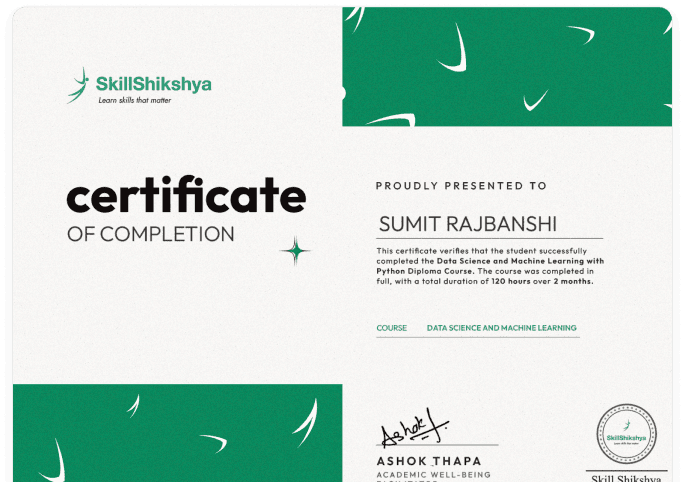
Earn a Certification & Advance Your Career
After completing the program, you will receive a certification from At Skill shikshya, the best online learning institute in Nepal. This certification helps demonstrate your professional skills when applying for jobs or freelance opportunities.
How We Make Learning Different
Thinking of enrolling? Here's what makes our courses different.

Beginner Friendly
Start from the basics and gradually progress to advanced concepts.

Expert Led Training
Learn from professionals with real-world industry experience.

Hands-On Projects
Work on practical projects and build a strong, portfolio-ready skillset.

Lifetime Learning Resources
Access learning materials, updates, and resources even after completing the program.

Career Support
Get guidance for job applications, internships, and career growth opportunities.

Industry Certification
Earn a recognized certification that validates your skills and knowledge.

Batch Repeating Options
Repeat sessions if needed to strengthen your understanding.

Free Workshops
Access additional workshops covering tools, trends, and evolving practices.
HR & CV Sessions
Resume building, interview preparation, and career counseling support.
Learn From Industry Experts

Jem Shahi
Graphic Designing Mentor

Sujal Humagain
Video Editing Mentor

Roman Bhattarai
Video Editing Mentor
Career Support
Our structured system helps you go from learning to applying it in real-world scenarios with confidence and direction.
Build real experience, present your skills professionally, and confidently step into jobs, internships, or freelance opportunities.
Join the Video Editing Course Today
Learn Premiere Pro, After Effects, and real editing techniques to create professional videos.
Enroll Now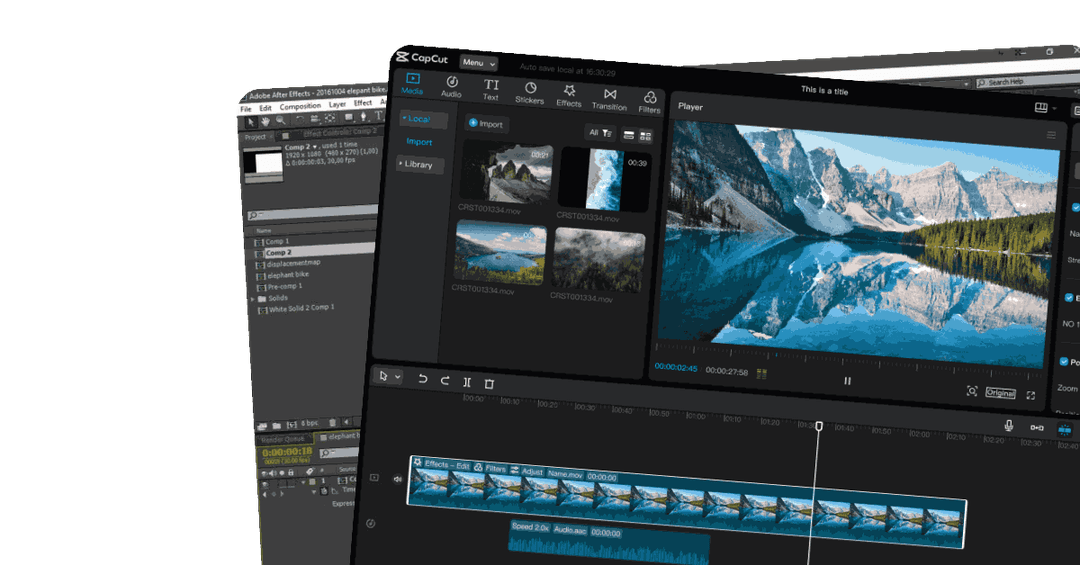
Frequently Asked Questions
Everything you need to know about our Professional Courses in Nepal
What is a Video Editing Course?
Who can enroll in this Video Editing course in Nepal?
What tools will I learn in this Video Editing course?
Will I get a certificate after completing this Video Editing course?
Is there placement support after the Video Editing course?
Can I join this Video Editing course online?
Can I become a freelance video editor after this course?
What tools will I learn in this video editing course?
Are the AI tools used in this course expensive to use after I finish the course?
Is this the best video editing course for beginners in Nepal?