Web Application Security Checklist for Bug Bounty Hunters
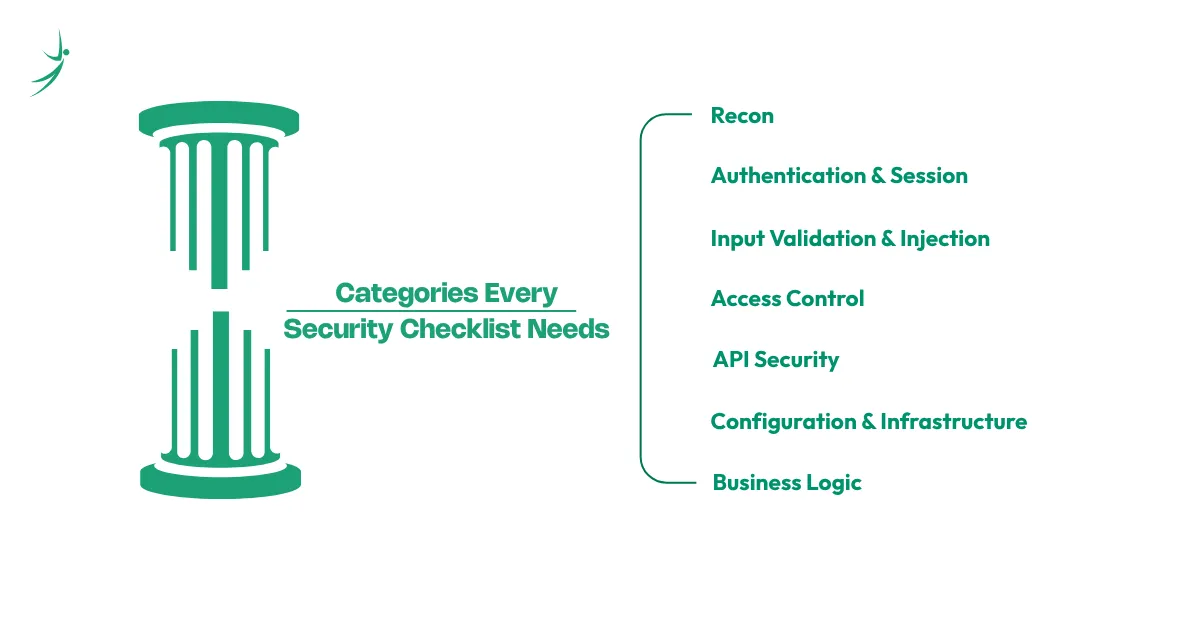
Most web application security checklists online get written for enterprise audit teams running a formal compliance review, not for one person sitting down to test a bug bounty target alone. This checklist takes the second approach. It walks through the same core testing areas professionals rely on, recon, authentication, injection, access control, APIs, configuration, and business logic, but framed as an actual workflow rather than a flat list of fifty items with no context. Skill Shikshya's bug bounty and web application security training course teaches this exact workflow hands on, live target by live target, rather than handing out a checklist and leaving you to figure out why each item matters.
What Makes a Good Security Testing Checklist
A handful of real standards sit behind most professional testing work, and knowing them by name adds real credibility even if you never read them cover to cover:
- OWASP ASVS (Application Security Verification Standard), which grades security depth across basic, standard, and advanced levels
- NIST SP 800-115, a formal technical guide for planning and running security tests
- SANS/CWE Top 25, focused specifically on dangerous coding flaws
- PCI-DSS, required specifically for any application handling payment data
None of these standards were written with an individual bug bounty hunter in mind. They exist mainly for enterprise security teams and compliance auditors, which is exactly why a checklist framed around an actual bug bounty workflow, rather than a compliance checkbox exercise, tends to be more useful day to day than any of them read on their own.
OWASP's own Web Security Testing Guide (WSTG) is the most complete official reference in this space, currently at version 4.2 with version 5.0 in development, but it runs long enough that most hunters never work through it linearly. This checklist condenses the same testing areas into something usable during an actual session, and it works well alongside the bigger roadmap covered in the career guide on how to get into bug bounty.
Recon Checklist
Before touching a single vulnerability, map out what you are actually looking at. Skipping this stage is the most common reason hunters waste hours testing the wrong thing:
- Enumerate subdomains and exposed assets
- Identify technologies, frameworks, and CMS in use
- Check robots.txt and sitemap.xml for hints about hidden paths
- Look for exposed files like .git, .env, or backup archives
- Note third-party integrations, payment gateways, analytics, embedded widgets
- Review HTTP response headers for security configuration clues
- Check for version control artifacts or leftover staging environments still publicly reachable
- Search for hardcoded API keys or credentials sitting in client-side JavaScript
A proxy tool makes most of this dramatically faster to work through. Burp Suite Tutorial for Beginners covers setting one up if you have not already.
Authentication and Session Checklist
Authentication flaws remain some of the most reliably payable bugs on any program, largely because they are easy to overlook once a login flow looks like it works correctly on the surface:
- Test password policy strength and account lockout behavior
- Check whether multi-factor authentication actually gets enforced on sensitive actions, not just login
- Inspect session token cookie flags, specifically httpOnly and secure
- Test for session fixation, where an old session ID stays valid after login
- Walk through the password reset flow for logic gaps, like predictable reset tokens
- Check whether logging out actually invalidates the session server-side, not just client-side
- Test whether concurrent sessions from different devices behave the way the application claims they do
Input Validation and Injection Checklist
This category has more raw volume of findings than almost any other, largely because input validation gets missed constantly across large codebases with many contributors:
- Test for reflected, stored, and DOM-based XSS
- Test for SQL injection across every input field, not just obvious ones
- Test for command injection wherever user input might reach a system call
- Check file upload functionality for type validation bypasses
- Test for XML external entity injection on any endpoint accepting XML input
- Check template rendering for server-side template injection, especially on newer frameworks
- Test how the application handles unexpected data types, sending a string where a number is expected and vice versa
OWASP Top 10 Explained breaks down the full reasoning behind why injection consistently ranks among the most tested categories, along with real CWE data behind each type.
Access Control Checklist
Broken access control has stayed the number one category on the OWASP Top 10 for a reason, and it rewards patience more than tooling:
- Test IDOR by changing IDs and parameters to see what data leaks
- Test vertical privilege escalation, a regular user reaching admin functionality
- Test horizontal privilege escalation, one regular user reaching another user's data
- Check whether role checks happen consistently across every endpoint, not just the obvious ones
- Test whether access control decisions happen on the server, or whether the frontend is quietly doing the enforcement alone
- Try accessing functionality directly by URL that the UI normally hides based on role
API Security Checklist
API-targeted attacks now make up close to 29 percent of all web attacks, more than double what it was only a few years ago, which is reason enough to test APIs as their own category rather than folding them into general input validation:
- Test for broken object-level authorization on every endpoint that accepts an ID
- Check for excessive data exposure in API responses, fields that leak more than the frontend actually displays
- Test rate limiting on sensitive endpoints like login, password reset, and search
- Review authentication handling separately for each API version if multiple versions are live
- Check whether deprecated or undocumented endpoints are still reachable and unprotected
- Test how the API responds to malformed requests, since verbose errors here often leak internal structure
The OWASP API Security Top 10 covers this territory in far more depth as a dedicated reference.
Configuration and Infrastructure Checklist
Security misconfiguration keeps climbing in ranking precisely because it is often the fastest category to find real issues in:
- Check for missing or misconfigured security headers, CSP, HSTS, X-Frame-Options
- Look for default credentials still active on admin panels
- Check cloud storage permissions for public read or write access
- Look for verbose error messages that leak stack traces or internal paths
- Check whether directory listing is enabled anywhere it should not be
- Review CORS configuration for overly permissive origins
Business Logic Checklist
This category cannot be automated away, which is exactly why it rewards creative thinking over tool usage:
- Test for price or quantity manipulation during checkout flows
- Test for workflow bypass, skipping steps a process assumes will happen in order
- Test rate limiting gaps that allow abuse of free trials, referral codes, or coupon systems
- Check whether negative values, zero, or unusually large numbers break assumptions in quantity or pricing fields
- Test whether a multi-step process can be replayed or repeated in ways that were never intended
After Testing: The Checklist Item Everyone Skips
Every checklist above stops at finding the issue. The step that actually matters in bug bounty specifically is what happens next. A real, valid vulnerability with a vague or incomplete report routinely gets marked duplicate or informative instead of paid, which means the report itself is not a formality tacked onto the end of testing, it is part of the work. A good report includes clear reproduction steps, a short explanation of impact, and a proof of concept that a triager can verify in minutes rather than guess at. What Is Bug Bounty Hunting covers what separates a report that gets paid from one that gets ignored.
Conclusion
A checklist like this works best as a starting structure, not a rigid script to follow in the exact same order every time. Different targets reward different entry points, sometimes recon turns up an obvious misconfiguration before authentication testing even starts, and that is fine. What matters is covering all of these categories eventually, not necessarily in sequence, and treating each one as worth a genuine look rather than a box to tick quickly on the way to somewhere else.
Skill Shikshya's bug bounty and web application security training course walks through this exact checklist against real, live-style targets, turning each of these categories from a list of bullet points into an actual repeatable skill built through practice rather than memorization.
Frequently Asked Questions
Is this checklist enough on its own, or do I still need the OWASP Top 10?
How is a bug bounty checklist different from an enterprise pentest checklist?
Should I follow this checklist in order every time?
Do I need special tools to go through this checklist?
Is API testing really different enough to need its own checklist?
How often should I revisit this checklist on the same target?
What if I do not have time to go through every category?
About Author:

Meet Mr. Anjush Khanal, Cybersecurity mentor at SkillShikshya. He guides learners through ethical hacking concepts, security practices, and hands-on cybersecurity techniques to turn curiosity into practical digital defense skills.