Burp Suite Tutorial for Beginners
Burp Suite is the closest thing web application security has to a standard tool. Almost every bug bounty hunter, penetration tester, and security researcher ends up using some edition of it daily, and Skill Shikshya's bug bounty and web application security training course builds an entire module around it for exactly that reason. Getting from a blank download page to your first intercepted request takes a bit of setup, certificates, proxy settings, and a handful of small mistakes that catch almost every beginner at least once, but once that part clicks, everything else about the tool starts making a lot more sense.
What Is Burp Suite and Where Did It Come From?
Burp Suite is an integrated platform for web application security testing, built around a proxy that sits between your browser and the websites you test, letting you see and modify traffic in both directions. For the bigger roadmap this fits into, the career guide on how to get into bug bounty covers where tool skills like this one sit in a full learning path.
The history behind it is worth knowing:
- Dafydd Stuttard started building the individual tools in 2003 to automate his own security testing work, then formally founded PortSwigger in 2004.
- Stuttard also authored The Web Application Hacker's Handbook, first published in 2007 with a second edition in 2011, a genuinely respected reference still cited across the field.
- Burp Suite now has over 40,000 users across more than 130 countries, used by companies including Amazon, Google, and Barclays.
Burp Suite comes in three editions, and knowing the difference matters before you install anything:
- Community Edition: completely free, includes the core manual tools (Proxy, Repeater, basic Intruder), and is genuinely enough to start bug bounty hunting.
- Professional: a paid annual license that adds the automated Scanner and removes Intruder's speed throttling, the version most working pentesters and serious bug bounty hunters eventually use.
- Enterprise: built for large organizations running continuous scanning across many applications, not relevant for an individual hunter.
What You Need Before Installing
- Burp Suite bundles its own Java runtime inside the installer, so there is no separate Java installation required.
- As of January 2026, Burp Suite sits at version 2025.12.2, and recent updates added reporting support aligned with OWASP Top 10:2025, the current edition of the list most testing in this space gets measured against.
- Kali Linux users likely already have Community Edition installed by default, so check before downloading anything separately.
Installing Burp Suite
Steps differ depending on your operating system:
On Kali Linux:
- Open the applications menu and look under Web Application Analysis, or simply type burpsuite in a terminal.
- Community Edition launches directly, since it ships pre-installed on most Kali builds.
On Windows or macOS:
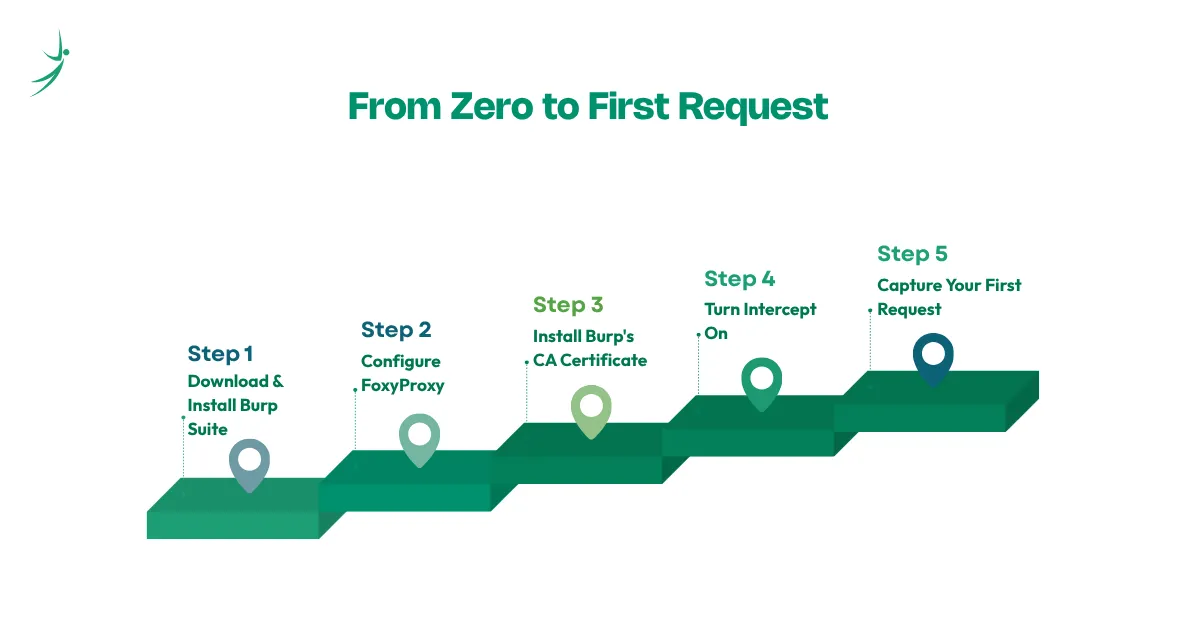
- Go to PortSwigger's official download page and download the installer for your operating system.
- Run the installer and follow the on-screen prompts. No separate Java install is needed.
- On first launch, choose a project type: a temporary project for a quick session, or a project saved to disk if you want to keep your work.
Configuring Your Browser With FoxyProxy
- Install the FoxyProxy extension for Firefox or Chrome from your browser's extension store.
- Add a new proxy profile pointing to Burp's default listening address and port.
- Toggle FoxyProxy to that profile whenever you want your browser's traffic to route through Burp.
Installing Burp's CA Certificate
This is the step almost every beginner gets stuck on, since most sites now run on HTTPS and your browser needs to trust Burp's certificate to inspect that encrypted traffic.
- With Burp running and FoxyProxy enabled, visit burpsuite in your browser and click CA Certificate to download it.
- In Firefox, go to Settings, search for Certificates, click View Certificates, select the Authorities tab specifically, and import the file. Check the box to trust it for identifying websites.
- In Chrome, go to Settings, search for Certificates, click Manage Certificates, go to the Authorities tab, and import the same file.
The single most common mistake here is importing the certificate under "Your Certificates" instead of "Authorities." It looks similar but does not work, and restarting the browser after importing usually resolves any leftover certificate errors.
One security note worth taking seriously: only install Burp's certificate in a browser dedicated to testing, never your everyday browser, since it changes how that browser trusts encrypted connections.
Testing Mobile Apps With Burp Suite
Most tutorials stop at desktop browsers, but mobile testing has its own setup, and it matters since a meaningful share of bug bounty scope today includes mobile apps:
- iOS: install the CA certificate as a configuration profile through Settings, General, VPN and Device Management, then separately enable full trust for it under Settings, General, About, Certificate Trust Settings.
- Android: configure a manual proxy under your Wi-Fi network settings, pointing to your computer's IP address and Burp's port. On Android 7 and later, most apps require the certificate installed as a system certificate rather than a user certificate, which usually means a rooted device.
Intercepting Your First Request
- In Burp's Proxy tab, make sure Intercept is switched on.
- Open Burp's built-in browser and try loading any website.
- The page will not load immediately. Instead, the request appears under the Intercept tab, paused before it ever reaches the server.
- From here, you can forward it unchanged, modify it, or drop it entirely.
That pause is the entire point of Burp Suite. Everything else in this guide builds on that one moment of interception.
Getting to Know Burp's Core Tools
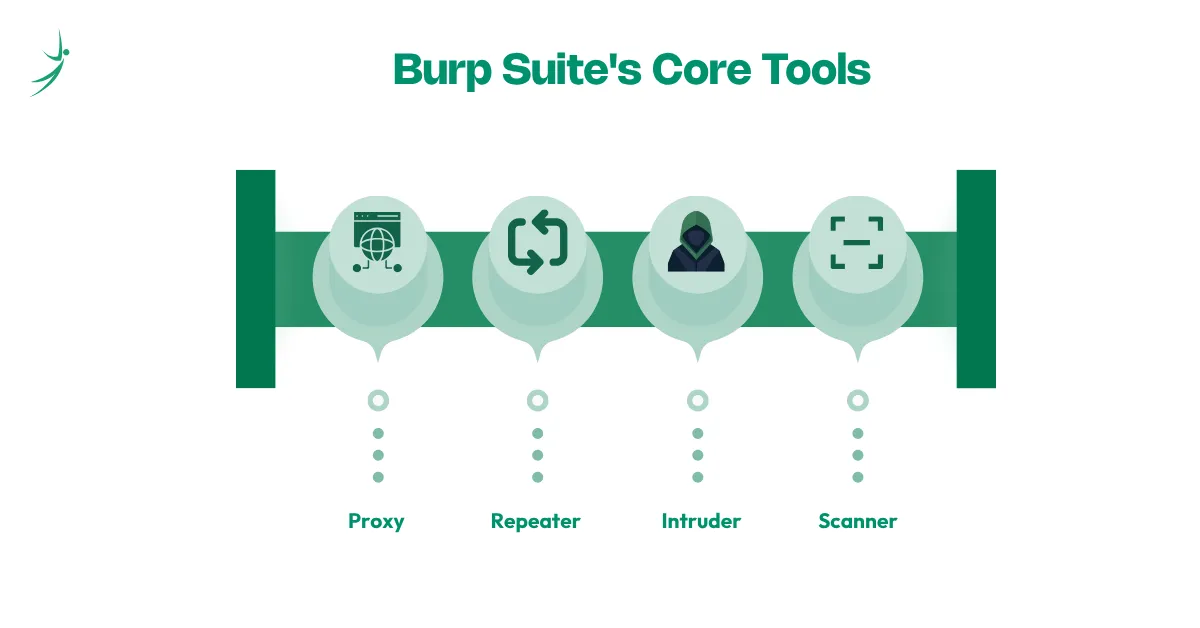
- Proxy: the tool that intercepts and lets you inspect every request and response passing through your browser.
- Repeater: lets you resend a single request over and over with small changes, functionally similar to what cURL does from the command line, except with a visual interface built for rapid testing.
- Intruder: automates sending many variations of a request to test multiple inputs quickly, playing a similar role to FFUF for anyone coming from a command line background. Community Edition throttles Intruder to roughly one request per second, but Turbo Intruder, a free extension built by PortSwigger's own Director of Research and available through the BApp Store on GitHub, runs unthrottled even on Community Edition.
- Scanner: automated vulnerability scanning, available only in Professional and Enterprise editions.
- Extensions: the BApp Store hosts a large ecosystem of community and PortSwigger-built plugins, including tools built specifically for API testing, which matters given Burp's growing support for OpenAPI and OAuth 2.0 scanning in recent versions.
Web Application Security Testing Checklist turns these tools into an actual step by step testing workflow rather than a list of features to remember.
A Simple Repeater Walkthrough
- In Burp's Proxy HTTP history, find a request worth investigating, ideally one involving a specific ID or parameter, like a product or account page.
- Right-click the request and choose Send to Repeater.
- In the Repeater tab, change the parameter value, for example swapping a product ID for a different number.
- Click Send and compare the response. An unexpected result, like seeing data that should not be accessible, is often the first sign of a real vulnerability.
This exact workflow is where bug bounty hunting actually happens in practice, not in theory. Recon tells you where to look, but Repeater is usually where the actual testing gets done.
Troubleshooting Common Problems
- Certificate errors on HTTPS sites: usually means the certificate got imported under the wrong tab. Re-import it specifically under Authorities and restart the browser.
- Traffic not routing through Burp at all: check that FoxyProxy is actively set to your Burp profile, not Direct or another saved profile.
- Confusion over Intercept on vs off: both states still allow traffic through, they just behave differently. On pauses every request for review, off lets requests pass automatically while still logging them.
- Burp running slowly on larger targets: reduce concurrent connections in your project options, clear proxy history periodically, and increase memory allocation if you are running Burp manually with a command like java -jar -Xmx8g burpsuite_pro.jar for heavier scanning sessions.
Free Resources to Keep Learning
- PortSwigger's own YouTube channel, including their short-form "Burp Suite Shorts" series.
- PortSwigger's Web Security Academy, a completely free training platform that has grown to cover over 200 topics and crossed one million users.
- BugCrowd University's introductory and advanced Burp Suite tutorials.
- HackerOne's Hacker101 series, which includes Burp-focused content aimed specifically at bounty hunters.
- Relevant TryHackMe rooms built around Burp Suite fundamentals.
Conclusion
Burp Suite rewards the time spent learning it properly. The setup steps, especially the certificate installation, trip up almost every beginner at least once, but once traffic is flowing through Burp correctly, the rest of this tool becomes far more intuitive than it looks on first open.
Skill Shikshya's bug bounty and web application security training course teaches Burp Suite hands-on from day one, alongside the recon, OWASP Top 10 knowledge, and reporting skills that turn tool familiarity into actual paid results.
Frequently Asked Questions
Is Burp Suite free to use?
Why do I get certificate errors in Burp Suite?
Why isn't Burp Suite intercepting my traffic?
What is the difference between Burp Suite Community and Professional?
What is the difference between Burp Suite and OWASP ZAP?
Is Burp Suite legal to use?
Can Burp Suite test mobile apps, not just websites?
Do I need coding skills to use Burp Suite?
About Author:

Ashmit Adhikari is a passionate cybersecurity professional with experience in network security, vulnerability assessment, and penetration testing. He currently works at Eminence Ways as a Network Security Analyst and contributes to the Synack Red Team as a Security Researcher.
At SkillShikshya, Mr. Ashmit guides students through the real-world side of cybersecurity, helping them build practical skills, think critically, and develop a strong foundation for their careers.