What is React? A Complete Guide for Beginners | Skill Shikshya
The landscape of modern web development shifts rapidly, but one technology continues to dominate front-end engineering worldwide: React. Whether you are looking to build highly responsive user interfaces, break into full-stack development, or level up your programming skill set, mastering React is non-negotiable.
In this ultimate React tutorial, we will break down everything you need to know from the ground up. From initial workspace setup to understanding complex internal rendering engines, this comprehensive guide curated by Skill Shikshya ensures you build a solid production-grade foundation.
If you're planning to become a full-stack developer, understanding the differences between frontend vs backend vs full stack development can help you choose the right learning path. For those who want structured, hands-on training in user interface development, enrolling in a front-end development course in Nepal can help you build practical React skills and accelerate your journey into modern web development.
Introduction to React JS
What is React?
To understand what React is, we must look beyond the generic definitions found online. Developed and maintained by Meta (formerly Facebook) alongside an active open-source community, React js is an open-source JavaScript library engineered specifically for building component-based user interfaces (UIs).
The literal React meaning lies in its declarative nature. In traditional JavaScript development, if data updates, you must manually select the HTML elements and update the DOM nodes. React reverses this paradigm. It allows developers to declare how the UI should look based on a given state. When that state changes, React "Reacts" automatically, recalculating and rendering the precise UI updates without requiring tedious manual intervention.
React is also a core component of the MERN ecosystem. To understand how React fits into a complete full-stack application, explore our guide on what the MERN stack is and how its technologies work together.
Why React Is Used in Modern Web Dev?
When exploring what React is used for, the short answer is: creating dynamic, ultra-fast Single Page Applications (SPAs). Think of web applications like Facebook, Instagram, Netflix, or Airbnb. When you interact with these platforms like a post, opening a modal, or switching tabs the page doesn’t reload completely. Only the specific portion of the page you are interacting with updates instantly
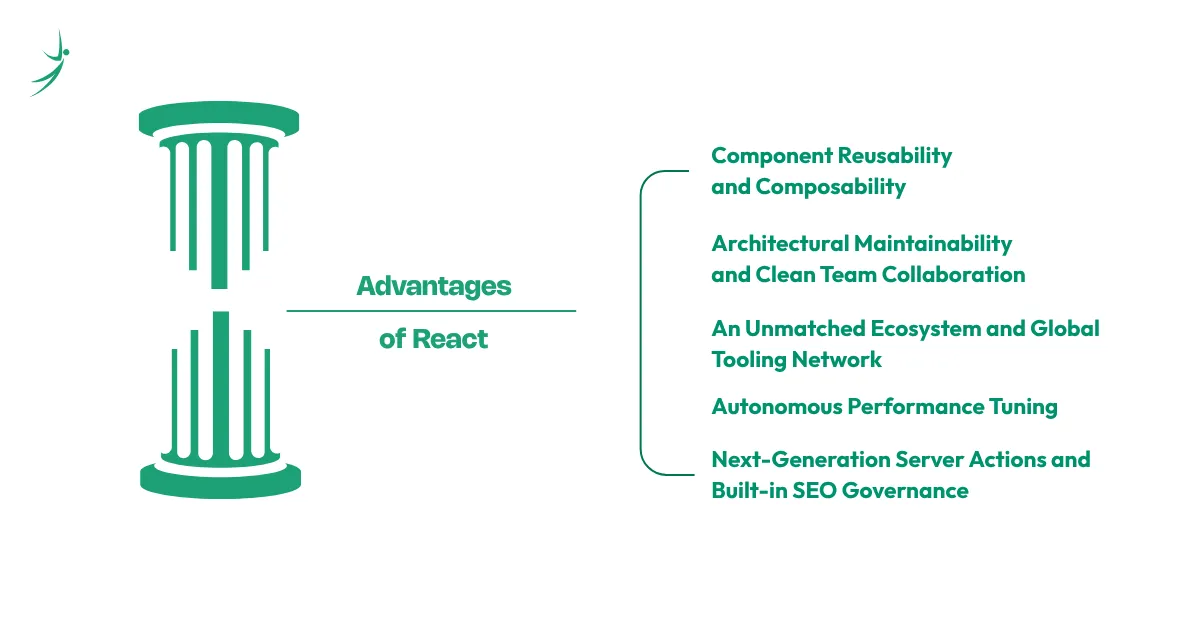
But why React is used so universally across the tech industry comes down to a few major professional advantages:
1. Component Reusability and Composability
At the heart of React’s design philosophy is the concept of a component-driven architecture. Instead of treating a web page as a single massive document, React forces you to think in terms of isolated, self-contained building blocks.
- How it Works: Code is written in independent chunks called components (such as a navbar, a primary CTA button, or a product profile card). Each component manages its own structure (HTML), style (CSS), and logic (JavaScript).
- The Business & Engineering Impact: Once created, you can reuse these components across different pages or even entirely different enterprise web projects without rewriting a single line of logic. For example, a custom-designed login modal can be written once and shared across user dashboards, landing pages, and administrative portals. This reduces repetitive coding, standardizes your UI across broad product ecosystems, and drastically reduces manual code duplication.
2. Architectural Maintainability and Clean Team Collaboration
As frontend web applications grow, managing state and layout dependencies via traditional approaches becomes a massive engineering bottleneck. Large application codebases quickly turn into unreadable spaghetti code when written in vanilla JavaScript because a single modification to an HTML element can unexpectedly break an unrelated interactive script on the other side of the app.
- How React Solves This: React’s modular structure ensures teams can work on isolated files cleanly. It utilizes a one-way data binding pattern, meaning data flows predictably downwards from parent components to child components via props.
- The Team Impact: Because each interface block lives securely inside its own component file, multiple developers can work on separate features simultaneously without modifying the same global codebase layout. If a bug surfaces inside the search bar, engineers know exactly which component file to open and isolate, ensuring enterprise systems remain maintainable across years of active development.
3. An Unmatched Ecosystem and Global Tooling Network
React’s vast, global community support has transformed it into more than just a UI rendering utility; it is a hyper-developed ecosystem that contains solutions for almost every modern web design requirement.
- How it Works: Because of its immense popularity, finding production-grade third-party packages, responsive dashboard templates, and pre-built design libraries is incredibly simple.
- The Time-to-Market Advantage: Instead of wasting days writing complex date pickers, rich text editors, animation configurations, or security setups from scratch, developers can instantly plug in trusted packages like react-router-dom for application navigation or react-icons for vector assets. This vast marketplace of open-source tools vastly speeds up an organization’s software delivery lifecycle, allowing businesses to launch ideas into production in record time.
4. Autonomous Performance Tuning (The React Compiler Era)
Historically, maintaining peak performance in complex, data-heavy web applications required significant manual code tuning. Developers had to manually apply memoization hooks to ensure child components wouldn’t lag during heavy global state changes.
- The Modern Advantage: Modern versions of the library utilize the React Compiler, an advanced build-time engine that automatically optimizes application performance under the hood.
- The Technical Impact: The compiler automatically detects where rendering performance drops can occur and applies fine-grained reactivity protocols. It removes the mental burden and tedious boilerplate code required by hooks like useMemo and useCallback. This means applications operate at peak efficiency by default, reducing unnecessary calculations and shipping smaller, faster code slices to the user’s web browser.
5. Next-Generation Server Actions and Built-in SEO Governance
For modern web platforms, initial page loading speeds and search engine optimization (SEO) visibility are directly tied to business revenue. React bridges the gap between server-side power and rich client interaction.
- How it Works: Through features like React Server Components (RSC) and built-in asynchronous Actions, data processing and initial page renders start on the server before the data payload ever hits the user's browser.
- The SEO Benefit: React provides native support for document metadata tags. Developers can directly insert <title>, <meta>, and <link> elements straight inside local UI components. This allows search engine crawlers to parse fully formed content easily, boosting organic search placement and visibility. Furthermore, because components render on the server, client-side bundles stay lightweight, resulting in lightning-fast initial page loads and seamless digital experiences across lower-powered mobile devices.
If you're planning to become a full-stack developer, understanding the differences between frontend vs backend vs full stack development can help you choose the right learning path. Since React is a core technology within the MERN ecosystem, aspiring developers can also explore our MERN Stack career guide to understand the skills, learning roadmap, and job opportunities available in full-stack development.
The Big Architecture Debate: Why React Is a Library Not a Framework
A frequent point of confusion for beginners is the distinction between a library and a framework. Many mistakenly refer to it as a React framework. However, the formal definition separates them distinctly.
The reason why React is a library not a framework comes down to architectural control. A framework (like Angular or NestJS) provides an "all-in-one" rigid ecosystem. It dictates how you must structure your folders, how you handle routing, how you make API calls, and how you write styles. You must play by its strict rules.
React, on the other hand, is strictly a UI rendering library. It focuses exclusively on rendering components to the view layer. It does not enforce a routing library, a specific state management package, or an API client. You have total architectural freedom to plug in any external tools you prefer, transforming your codebase configuration into a tailored stack that perfectly suits your engineering requirements.
Developers often evaluate React alongside other popular frontend technologies. Explore this detailed React vs Angular vs Vue comparison to understand their differences and ideal use cases.
How to Program in React: Setting Up Your Development Environment
Here is the exact step-by-step process developers use to initialize a modern React project.
1. Install Node.js and npm (The Foundation)
React relies on the Node.js ecosystem to compile and bundle your code so the browser can read it.
- Head over to the official Node.js website and download the LTS (Long Term Support) version.
- Installing Node automatically installs npm (Node Package Manager). You will use npm constantly to install React libraries, styling tools, and other dependencies.
- Check your install: Open your computer's terminal and type node -v and npm -v. If it prints out version numbers, your foundation is ready.
2. Choose Your Code Editor
You need a place to actually write your code. While you could use a basic text app, you want an IDE (Integrated Development Environment) built for developers.
- Visual Studio Code (VS Code) is the undisputed industry standard for web development. It’s free, lightning-fast, and has an endless marketplace of extensions (like Prettier and ESLint) that auto-format your React code and catch syntax errors before they break your app.
3. Spin Up Your Project with Vite (The Modern Standard)
In the past, everyone used a tool called create-react-app to start their projects. However, the ecosystem has moved fast, and that tool is now outdated. Today, the absolute best and fastest way to scaffold a new React SPA (Single Page Application) is by using Vite.
Open your terminal, navigate to the folder where you want your project to live, and run this command:
npm create vite@latest my-react-app -- --template react(Note: You can replace my-react-app with whatever you want to name your project!)
Vite will instantly build out your folder structure, pre-configure your essential files, and link your core React components.
4. Install Dependencies and Run the Server
Once Vite creates your folders, you just need to jump inside and start your local development server. Run these three commands in order:
cd my-react-app
npm install
npm run dev
Your terminal will hand you a local link (usually http://localhost:5173). Click it, and you'll see your very first React application running live in your browser! From here, you simply open the folder in VS Code and start editing your App.jsx file to see the magic happen in real-time.
Core Programming Building Blocks: Mastering React Props and React Hooks
Once your app is running, your development journey revolves around understanding data flow and state mechanics.
React Props
Short for properties, React props are configuration targets passed down from a parent component to a child component. They are strictly read-only (immutable), acting as data transfer channels that make components highly reusable.
JavaScript
// A reusable component utilizing props
function WelcomeBanner(props) {
  return <h1>Hello, {props.username}! Welcome back.</h1>;
}
React Hooks
Introduced to eliminate complex class-based syntax, React hooks are built-in functions that allow you to "hook into" React features like state and lifecycle methods directly inside functional components. The most critical hooks every beginner must master are useState (for managing local component data tracking) and useEffect (for handling side effects like API fetching).
Beyond React fundamentals, employers often expect developers to possess additional essential MERN stack skills employers look for when working on full-stack projects.
JavaScript
// Declaring a state variable using a React Hook
import { useState } from 'react';

function Counter() {
  const [count, setCount] = useState(0);

  return (
    <button onClick={() => setCount(count + 1)}>
      Clicked {count} times
    </button>
  );
}
The Core Working of React: Under-the-Hood Mechanisms
1. Behind the Scenes: How React Works Internally (The Virtual DOM)
To write highly performant applications, a developer must comprehend how React works internally. The browser's native DOM (Document Object Model) is structurally slow to update. Modifying a node frequently triggers full page layouts and repaints, which drops frames and lags interfaces.
React solves this by creating an in-memory lightweight representation of the actual DOM called the Virtual DOM. When an application state changes:
- React builds a new Virtual DOM tree representing the updated UI.
- It executes a process called Diffing, comparing the new Virtual DOM tree directly with the previous Virtual DOM snapshot to find exactly what changed.
- Once the changes are pinpointed, React calculates the most optimal patch path and updates only those specific elements in the real browser DOM. This targeted reconciliation process ensures seamless execution speeds.
State Change ─> New Virtual DOM─>Diffing Algorithm ─> Targeted Real DOM Update
2. The Next-Gen Execution Layer: Unlocking the Power of the React Compiler
As the ecosystem matures, optimizations are becoming completely automated. Enter the React compiler (originally researched under the codename React Forget).
Traditionally, developers manually optimized performance and prevented unnecessary component re-renders using complex hooks like useMemo and useCallback. The new React Compiler rewrites this workflow entirely by operating under the hood during build time. It auto-memoizes components and dependency arrays, eliminating manual optimization boilerplate while ensuring your app runs at maximum efficiency out of the box.
3. Inspecting & Debugging UI Lifecycle States: Using React Developer Tools
When debugging application data trees, your standard browser inspect tool falls short because it only reveals the evaluated HTML structure. To inspect live state modifications and props distribution, you must download the official browser extension: React developer tools.
Available for Chrome, Firefox, and Edge, it appends custom tabs directly into your browser console:
- Components Tab: Lets you read and modify live props and hooks states on the fly to see how the interface adapts.
- Profiler Tab: Measures the exact rendering performance of each component, highlighting bottlenecks so you can keep frame rates consistently smooth.
Essential Features of React and Its Massive Ecosystem
While the core library handles UI rendering, building advanced applications requires assembling a powerful supporting cast of official packages and popular ecosystem tools:
| Ecosystem Category | Key Package | Primary Function |
| Routing | React-router-dom | Handles page navigation and URL tracking dynamically without browser reloads. |
| State Management | React-redux | Manages complex global data sharing across hundreds of nested components cleanly. |
| Data Fetching | @tanstack/React-query | Controls server-state synchronization, auto-caching, and background background updates. |
| UI Enhancements | React-icons | Injects thousands of responsive, customizable vector graphics into components effortlessly. |
React is also a core part of the MERN ecosystem. Understanding popular MERN stack frameworks and tools can help you see how React works alongside backend technologies.
Beyond a Single Screen: Declarative Routing with React Router Dom
Because SPAs run on a single HTML file, changing paths requires JavaScript navigation manipulation. React router dom is the definitive routing solution for web projects. It allows you to define dynamic browser routing paths, nested routes, and secure route protection mechanisms so users experience natural page transitions while remaining inside the same SPA ecosystem.
Professional State Management: Scaling with React Redux and React Query
As an application expands, passing state down across dozens of components via standard props becomes unmaintainable (a problem known as "prop drilling").
- For client-side global configurations (like dark mode toggles or user authentication sessions), React redux provides a centralized global data store accessible by any component instantly.
- For handling backend database interactions, React query (TanStack Query) handles server-state engineering, tracking network loading statuses, minimizing repetitive API hits, and performing seamless caching.
Designing Clean Interfaces: Integrating Beautiful Icons with React Icons
Modern UI requires rich visual typography. Instead of cluttering your assets folder with thousands of slow-loading SVG or PNG icon files, you can install React icons. This unified package compiles popular libraries (like Font Awesome, Material Icons, and Feather Icons) into highly configurable React components that style seamlessly using standard CSS properties.
Real-World Applications of React and Career Opportunities
While understanding the theoretical architecture of React js is essential, seeing how global tech giants leverage it in production demonstrates why it remains the industry's most dominant front-end asset.
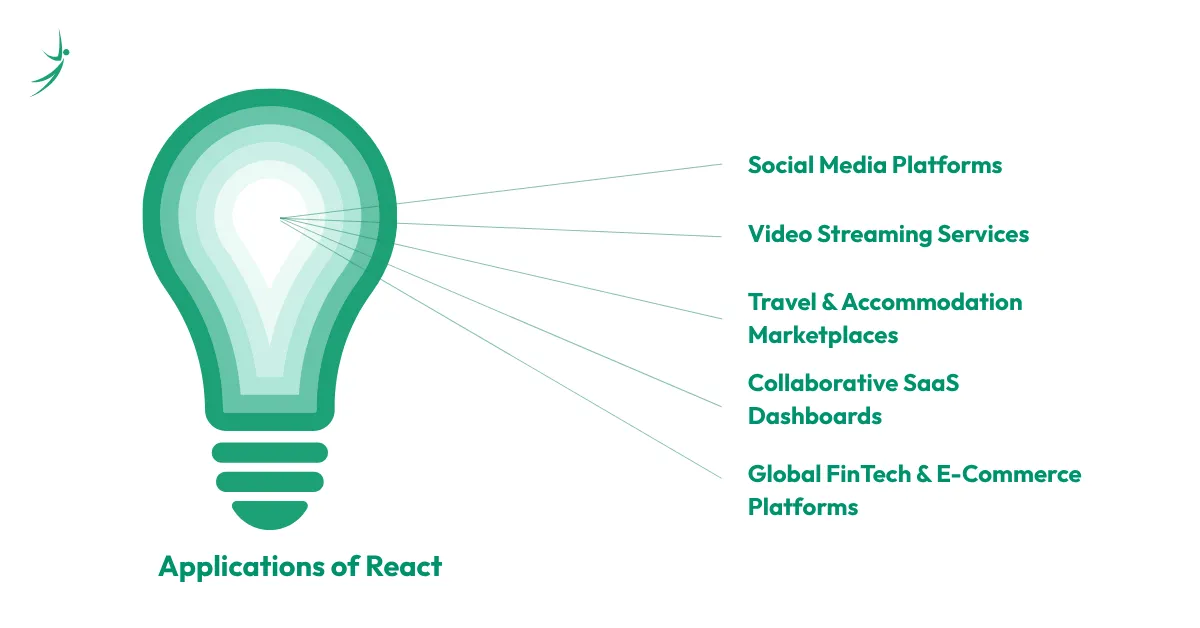
When businesses evaluate what React is used for, they aren’t just looking to display static text; they are looking to manage massive, rapidly shifting datasets across millions of user sessions simultaneously. Below is a deep dive into the real-world applications of React and why enterprise-grade platforms rely on its ecosystem.
1. Social Media Platforms (Facebook & Instagram)
- The Challenge: Handling hyper-dynamic user feeds where millions of users are scrolling, liking images, sending text logs, and receiving notifications simultaneously.
- Why React is Used: Instead of triggering full browser redraws, React updates only the specific notification or comment element. This keeps user interfaces responsive and provides an uninterrupted, infinitely scrollable feed.
2. Video Streaming Services (Netflix)
- The Challenge: Rendering heavy graphical catalogs and hover video previews cleanly across thousands of distinct device profiles, including lower-powered Smart TVs and legacy smartphones.
- Why React is Used: Netflix developers leverage React's rapid startup speeds and declarative structure to power their UI engines. Component modularity guarantees instant thumbnail parsing and smooth, zero-lag content browsing.
3. Travel & Accommodation Marketplaces (Airbnb)
- The Challenge: Coordinating interactive layout maps, granular price filters, room availability calendars, and instantaneous search indexing concurrently on a single screen.
- Why React is Used: Airbnb utilizes reusable components to enforce universal design systems. When a user zooms into a map cluster or changes checkout dates, React rerenders only the affected sidebar metrics without interrupting the active user flow.
4. Collaborative SaaS Dashboards (Asana & Trello)
- The Challenge: Building intensive task-tracking matrices where multiple remote teams are dragging, dropping, editing, and syncing project timelines synchronously.
- Why React is Used: When paired with background sync modules like react query, React pushes server database updates directly to the view state layer, keeping multi-user workflows updated instantly without interface stutters.
5. Global FinTech & E-Commerce Platforms (PayPal & Shopify)
- The Challenge: Managing highly dense transactional pathways, live currency changes, product variant arrays, and checkouts that require extreme mathematical accuracy and zero lag.
- Why React is Used: E-commerce engines like Shopify use React micro-frontends to run separate checkout modules. This compartmentalized design lets store owners manage massive inventory adjustments smoothly while offering consumers secure, high-speed transaction routes.
If you are a student or beginner aiming to secure a high-quality React intern position, focus your learning path on building a production-grade portfolio rather than just collecting theory certificates. Employers look for foundational competence in JavaScript alongside clean state architecture execution. Ensure your GitHub profiles showcase live-deployed web applications utilizing robust routing, clean custom styling, and live API integrations.
If you're wondering about long-term opportunities, explore the scope of MERN stack careers in Nepal and how full-stack development continues to evolve.
Introduction to React and CodeSandbox: Instant Cloud Prototyping
If your computer lacks local processing resources, or you want to experiment with code fragments quickly without configuring terminal dependencies, utilize CodeSandbox. CodeSandbox is a powerful web-based Integrated Development Environment (IDE) that provides instant pre-configured cloud containers for React development.
With a single click, it sets up an active React build workspace, complete with a live interactive browser window preview, allowing you to build, test, and share complete prototypes globally via a shareable URL in seconds.
Navigating the Official Standards: How to Read React Documentation & React Docs
The secret weapon of every senior software engineer is knowing how to research solutions independently. To find authoritative answers, avoid outdated random search tutorials and head directly to the official React documentation.
The modern React docs (found at React.dev) have been completely rewritten with an interactive, hands-on layout. It features extensive interactive sandboxes, visual component diagrams, and dedicated "Thinking in React" paradigms that train your brain to architect software components correctly according to modern framework standards.
Explore the Future of Full-Stack Development with Skill Shikshya
Ready to Move Beyond the Basics?
Understanding the front-end view layer is merely the first piece of the puzzle. True market independence and career growth belong to developers who can link stunning user interfaces to secure server infrastructures and production databases.
At Skill Shikshya, our elite training programs transform absolute beginners into complete Full-Stack Professionals. Our intensive training pathways are built around practical, project-driven learning ensuring you build functional e-commerce engines, secure SaaS platforms, and enterprise-grade portals under the mentorship of senior industry engineers.
If your goal is to become a complete full-stack developer, explore our MERN stack training roadmap and discover the best MERN stack course in Nepal for practical, project-based learning.
Conclusion
React has fundamentally revolutionized how web applications are developed, making the composition of fast, dynamic, and intuitive interfaces more accessible than ever before. By mastering the core principles outlined in this guide from rendering logic and component reusability to state synchronization you unlock the ability to engineer software capable of scaling seamlessly to millions of concurrent users.
React serves as the frontend foundation of many full-stack applications, which is why understanding the MERN stack vs MEAN stack differences can help you choose the right technology path.
The journey doesn't end with building simple UI layouts. Take action on your newly acquired knowledge: initialize a workspace using Vite, run experiments inside CodeSandbox, audit the official documentation closely, and start building. Your path to becoming a highly sought-after industry professional starts with writing your very first component today.
Frequently Asked Questions
What is React?
Why is React used in web development?
Why is React considered a library and not a framework?
How does React work internally to ensure fast performance?
Why is React used so widely by tech companies and developers?
About Author:

Mr. Asim Chaulagain, Full Stack MERN mentor at SkillShikshya and developer at Vrit Technologies, empowers learners to build real-world web applications. Through hands-on projects, he turns coding skills into practical, career-ready expertise.